AI Instagram Influencer Playbook: Niche, Content Mix, Growth
Step-by-step guide to creating an AI Instagram influencer: build a consistent AI character, generate images, photoshoots, and Reels videos, then schedule posts and grow the account — all in one platform.

Try 7 days for $2.50 · or 25% off your first month · Cancel anytime
Key Takeaways
- Create a consistent AI Instagram influencer character: Build a new AI character from scratch or upload photos of a real person to create a consistent, reusable influencer identity.
- Generate images, photoshoots, and videos fast: Create single posts, consistent photoshoots (same person, same outfit, same environment), and short-form videos for Reels.
- Schedule posts + reply to comments in one workflow: Connect Instagram, generate captions, schedule content, track insights, and engage with comments using AI replies.
The Best AI Instagram Influencer Generator
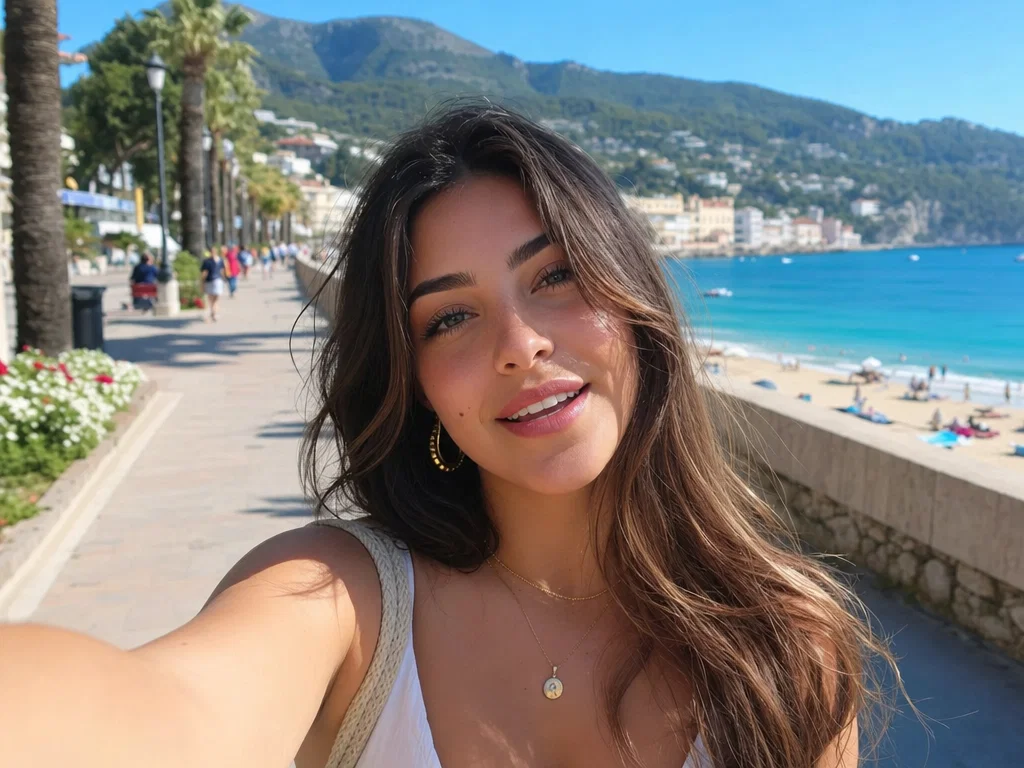
An AI Instagram influencer is a computer-generated persona with a consistent face, style, and personality that posts to Instagram like a human creator — feed posts, carousels, Stories, and Reels — without needing a model, photographer, or studio.
If you're searching for how to create an AI Instagram influencer, you probably want three things:
1) a consistent character that looks the same in every post,
2) a way to produce content quickly (images, photoshoots, videos),
3) and tools to grow + manage the account (captions, scheduling, engagement, insights).
That's exactly what Postcrest helps you do—end-to-end—so you can build a believable AI Instagram model / virtual influencer for a niche, a brand, or a content project without juggling 5 different tools.
Start here: Build your AI influencer character
Create a consistent AI character you can reuse across images, photoshoots, and videos.
How to Create an AI Instagram Influencer in 3 Steps (Using Postcrest)
Step 1: Create Your AI Instagram Influencer Character
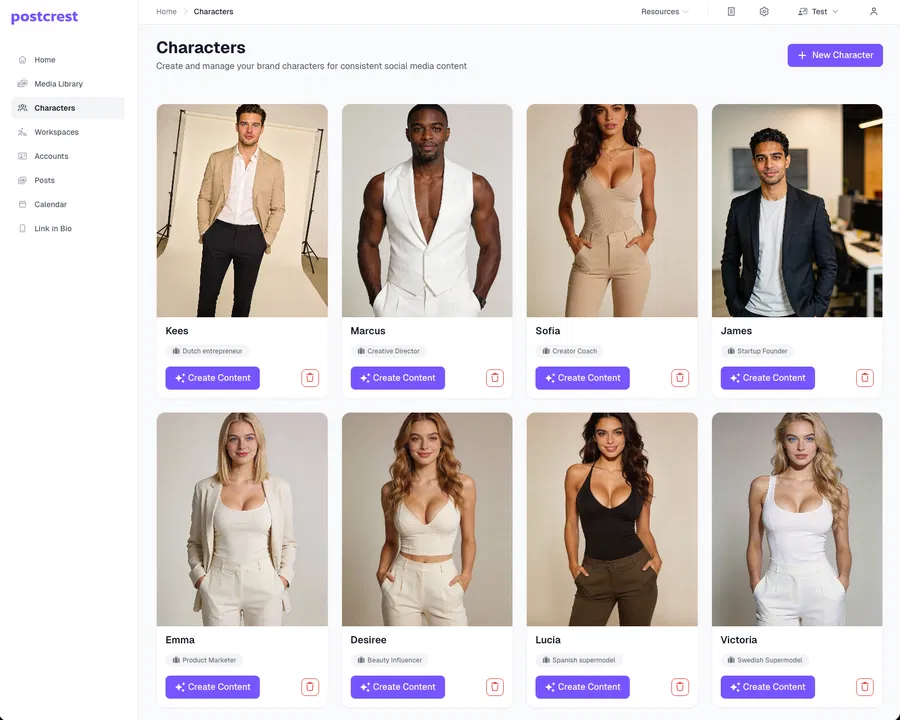
Your influencer starts with a consistent identity: face, hairstyle, proportions, vibe, and style. In Postcrest you can do this in two ways:
- Create from scratch: define the look and generate a brand-new AI character.
- Upload photos: use images of an existing person to create a character that stays consistent (great for creators, models, founders, or brand ambassadors).
Pro tip: Decide the niche first (fitness, luxury travel, streetwear, skincare, tech, etc.) so your character's style fits the content you'll post.
Want a complete influencer workflow? Explore AI Influencers.
Step 2: Create Content With Your AI Influencer (Images, Photoshoots, Videos)
Now the fun part: content production.
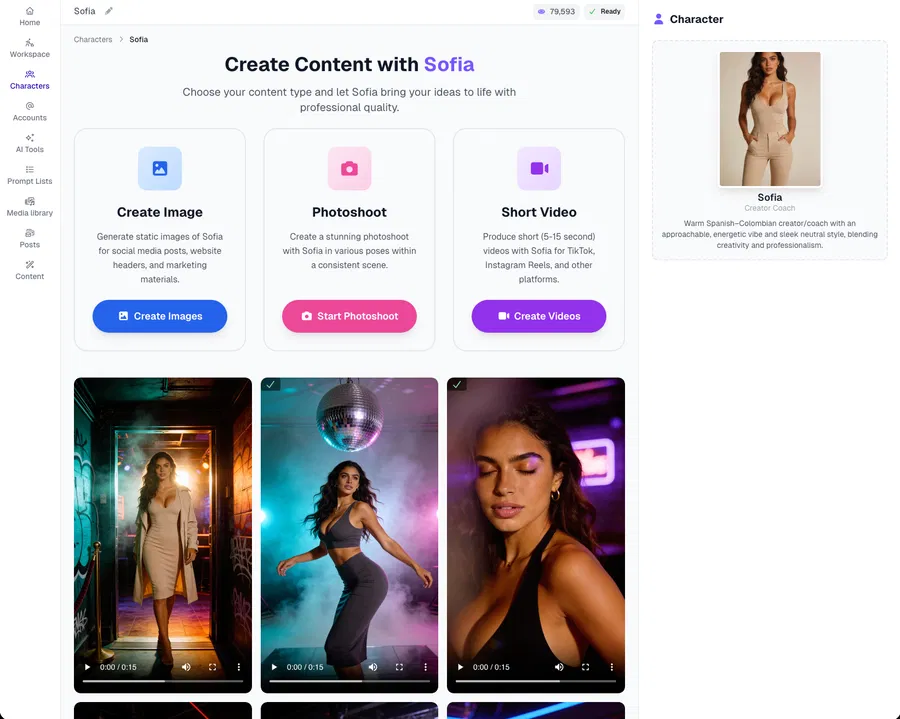
With your AI character, you can generate:
- Single images (perfect for feed posts, carousels, ads)
- Photoshoots via AI Photoshoot (consistent series: same person, same clothes, same environment—great for "real" influencer vibes)
- Videos (short-form clips for Reels-style content)
This is where consistency matters most. Photoshoots are the easiest way to make your account look "real," because the posts feel like they were captured on the same day with the same outfit and location.
Quick content plan that converts
- 3 photoshoot posts/week (consistent look, builds trust)
- 2 single images/week (quotes, product angles, memes, announcements)
- 1–2 videos/week (highest reach potential)
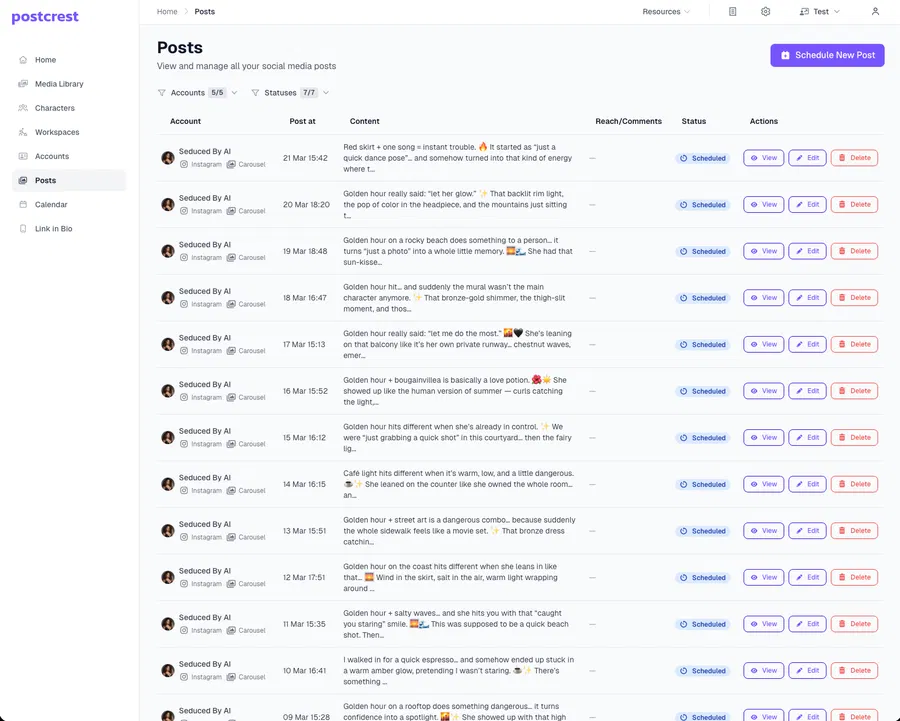
Step 3: Connect Instagram, Generate Captions, and Schedule Posts
Once you have content, publishing is the bottleneck—unless you automate it.
In Postcrest you can:
- connect your Instagram account,
- generate AI captions (tone matched to your influencer persona),
- schedule posts so your account stays consistent even when you're busy.
Bonus Step 4: Track Insights and Engage With Comments Using AI Replies
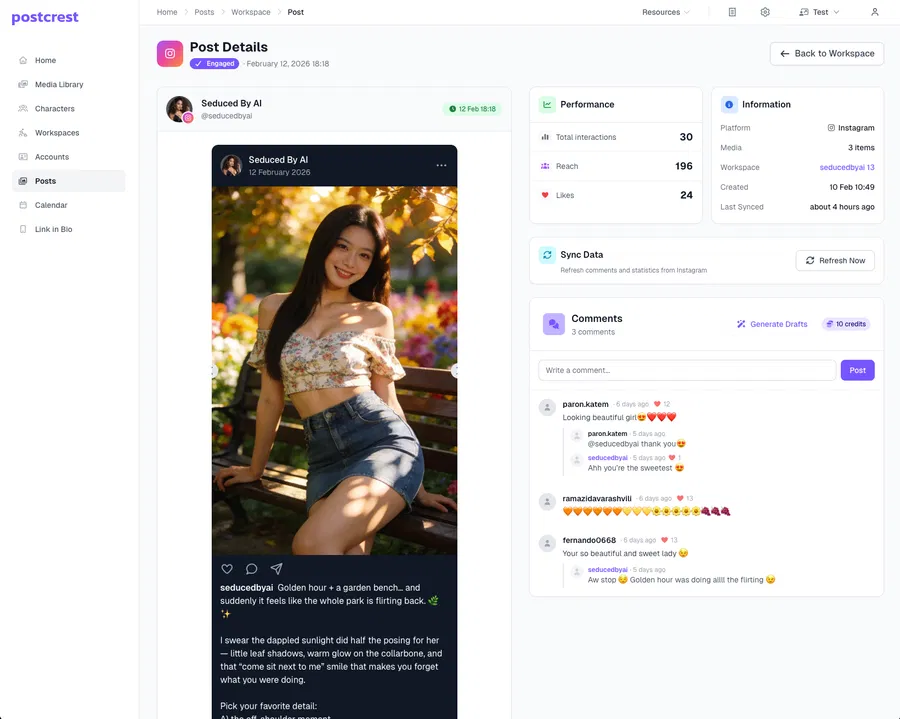
Growth comes from iteration + engagement.
Postcrest helps you:
- see performance insights (what's working),
- respond faster by generating comment replies,
- keep your influencer "alive" with consistent interaction.
This matters because many AI influencer accounts fail for one reason: they look good, but they feel inactive. Smart replies keep your account human-like and sticky.
🚀 Create AI Influencer Videos for Reels-Style Growth
Video is where reach happens—especially for new accounts.
Below are two examples of short-form AI influencer videos generated with Postcrest — Sarah working out at the gym and Sofia posing for the camera. Both characters stay perfectly consistent in motion:
Use these as a blueprint:
- keep them vertical (9:16),
- loopable,
- simple action (talking, dancing, walking, "day in the life"),
- pair with a strong hook caption.
The fastest way to generate consistent "same outfit / same vibe" video-ready assets is using AI Photoshoot.
Want to see more before you build? Browse real AI influencer personas — Sofia, Marcus, and Sarah — with photos, photoshoots, talking videos, and motion clips, all generated with Postcrest.
See AI Influencer Examples →Why Create an AI Instagram Influencer?
- Brand growth: always-on content without hiring a full team
- Niche theme pages: travel, fashion, fitness, food, luxury, tech
- Product marketing: consistent UGC-style visuals for ads
- Creator scaling: multiple influencer identities per niche
The key is consistency: one recognizable character + repeatable content formats + frequent posting + real engagement.
Postcrest AI Influencer Toolkit (What You Get)
- Consistent AI Character Builder via AI Characters
- Single image generation for posts, carousels, ads
- Consistent photoshoot generation via AI Photoshoot
- AI video creation for short-form vertical clips
- Instagram scheduling + AI captions
- Insights + AI comment replies to engage faster
- End-to-end workflow via AI Influencers
Best Practices for a "Real" Virtual Influencer Account
- Pick one niche + one personality (don't mix luxury + memes + fitness randomly)
- Batch create 2–4 weeks of content before you post daily
- Repeat formats that work (same camera angles, same settings, same hooks)
- Use photoshoots for consistency (it's the easiest way to avoid "random AI" vibes)
- Engage daily (replies and pinned comments make the account feel alive)
- Be transparent (disclose AI use where appropriate; avoid impersonation)
Ready to Build Your AI Instagram Influencer?
If you want the simplest workflow to create a character, generate images/photoshoots/videos, schedule posts, and engage with comments—Postcrest is built for exactly that.
Start now and create your AI Instagram influencer — your welcome discount is applied automatically, and your first character can be ready in minutes.
Frequently Asked Questions
Q: Can I create an AI influencer from a real person's photos?
A: Yes. You can upload photos to create a consistent character, or create one from scratch.
Q: How do I keep the influencer consistent across posts?
A: Start with a consistent character, then use photoshoots (same person/outfit/location) to generate cohesive sets of content.
Q: Can Postcrest schedule Instagram posts with captions?
A: Yes—connect your Instagram account, generate captions, and schedule posts inside Postcrest.
Q: Can I create AI influencer videos for Reels?
A: Yes. Postcrest supports AI video creation so you can produce vertical short-form clips.
Q: Do I need design or editing skills?
A: No. Postcrest is designed to be easy for beginners while still powerful for advanced creators and marketers.
Q: Are AI influencers allowed on Instagram?
A: Yes. AI-generated personas are allowed on Instagram. Follow the platform's disclosure guidance for AI-generated content and avoid impersonating real people.
Q: Can an AI Instagram influencer make money?
A: Yes — through brand sponsorships, affiliate links, selling your own products, and UGC-style content for ads. The same monetization paths as human creators, without the production costs.

Give Yourself an AI AdvantageStart Today with Effortless Content Creation
Master Postcrest's AI Content Creation Tools
Learn everything about how to use Postcrest's AI content creation tools for content marketing, social media, and more.