How to Create an AI Model: Generate a Consistent Virtual Model in 3 Steps
The practical guide to creating an AI model: build a realistic virtual model from scratch or from photos, keep the same face across every image, generate photoshoots and videos, and use it for social media, e-commerce and ads.

Try 7 days for $2.50 · or 25% off your first month · Cancel anytime
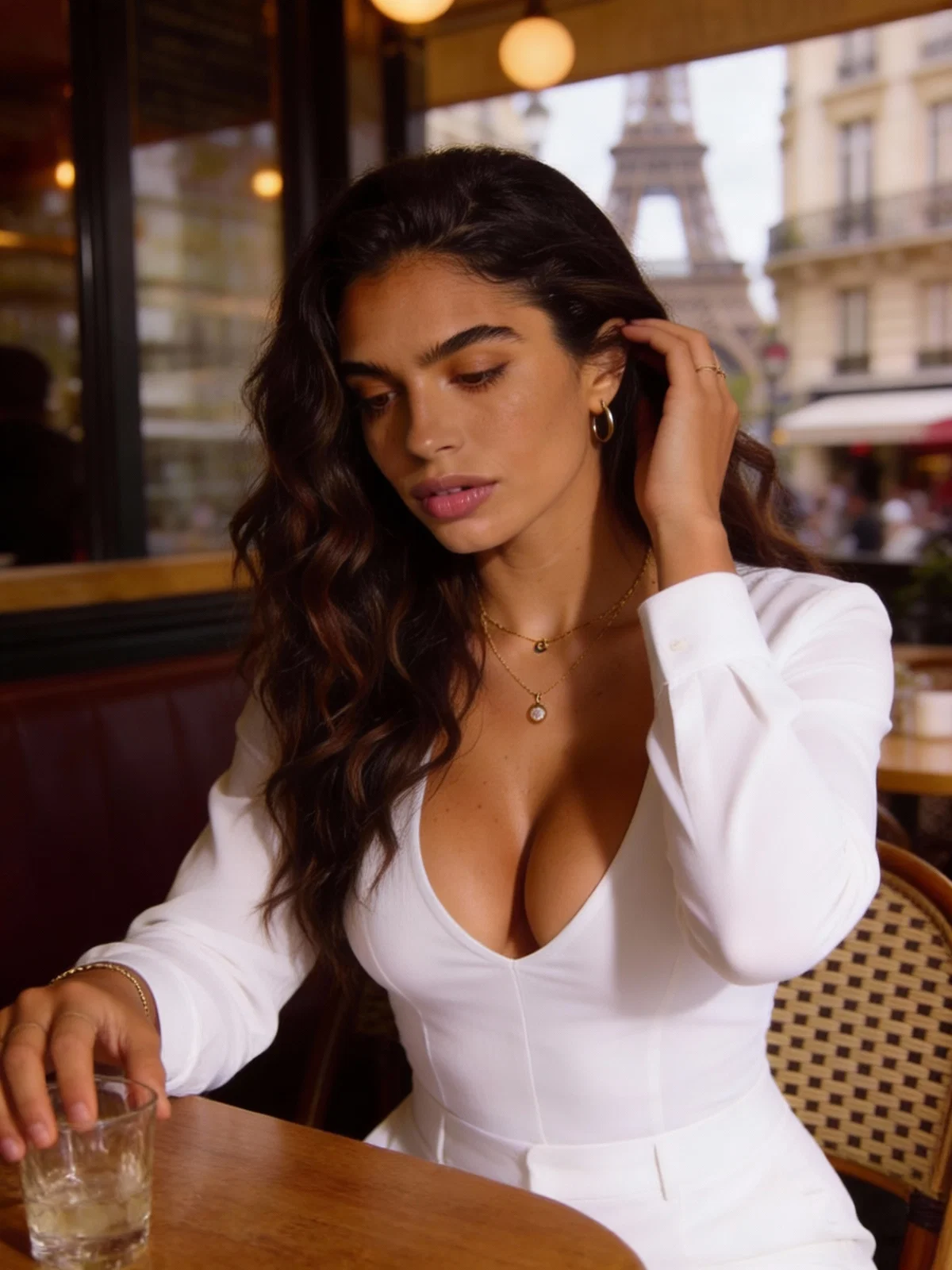
Key Takeaways
- An AI model is a consistent, AI-generated person you can photograph and film again and again: same face, same identity, any outfit, any location.
- Create it once, from scratch or from photos, then generate single images, full photoshoots and short videos of the same model without a studio, photographer or casting.
- Consistency is what makes an AI model usable: keep the identity anchors stable and produce content in photoshoot sets, not random one-off images.
What Is an AI Model?
An AI model (also called a virtual model or AI-generated model) is a realistic, computer-generated person with a fixed identity: a recognizable face, body, style and personality. Unlike a one-off AI image, an AI model is something you can photograph and film again and again, so every picture and video shows the same person.
That is the difference between an AI model generator and a normal AI image generator. An image generator gives you a new face every time. An AI model generator gives you one model you keep, and then produces photos, photoshoots and videos of that model, in any outfit, setting or pose.
People create AI models for three main reasons:
- Social media and AI influencers: a model with its own Instagram or TikTok account that posts consistently.
- E-commerce and fashion: product and lookbook photos on a consistent model, without booking shoots.
- Brands and ads: a spokesperson or UGC-style creator who is always available and never off-brand.
(If you landed here looking for machine-learning models, this guide is about virtual people, not training neural networks.)
Build your model first
Create a consistent AI model you can reuse across images, photoshoots and videos.
What Makes a Good AI Model?
A usable AI model has three things:
- Consistency: the face and identity do not drift between images. This is the whole point, and the hardest part to get right with generic tools.
- A clear concept: a look, a niche and a vibe that reads as one person. "25-year-old Italian editorial model, warm smile, loves Paris" beats "pretty woman".
- A repeatable format: you can generate content in batches (photoshoots, series, recurring locations) instead of hunting for one good image at a time.
Think of the model as the asset and the photos as the output. Once the model exists, content becomes cheap.
Create an AI Model in 3 Steps (Model → Photoshoots → Video)
Step 1: Create Your AI Model (From Scratch or From Photos)
In Postcrest, an AI model is a character. You create it in one of two ways:
- From scratch: describe the model (age, origin, look, style, personality) and generate a reference identity. Good for brand personas and influencer accounts.
- From photos: upload a few photos of a real person (yourself, a founder, a model you have rights to) and turn them into a consistent AI version you can shoot without a camera.
Every character gets a name, a short bio and a reference look that the generator keeps for every image afterwards.
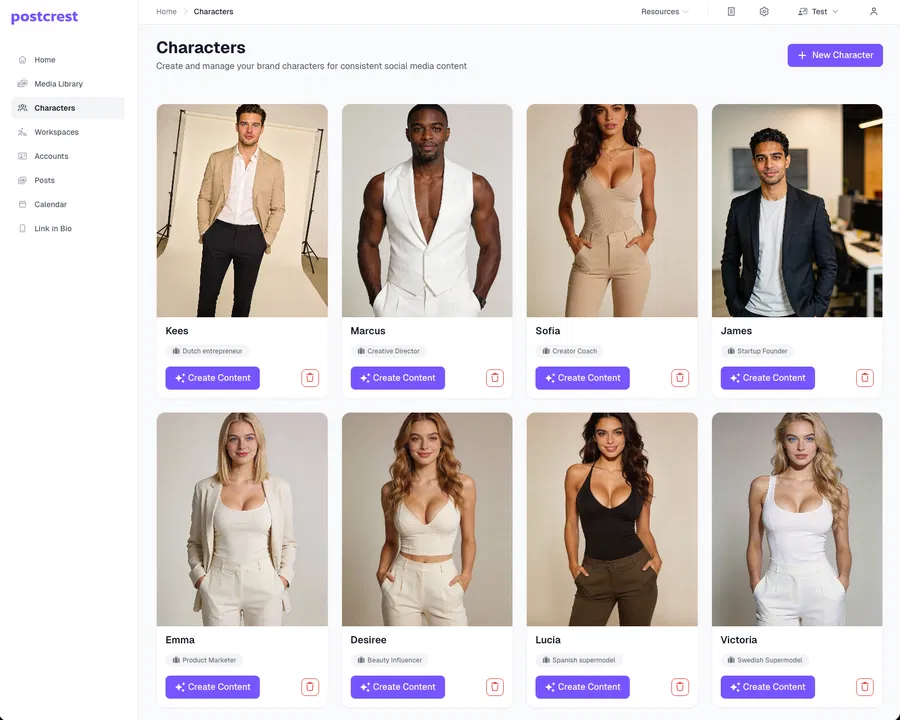
Best practice: lock three identity anchors before you generate a lot of content: the hairstyle, a signature style (editorial, streetwear, fitness, luxury) and a recurring color palette. Change outfits and locations freely, keep the anchors.
Start here: AI Characters
Step 2: Generate Photos and Photoshoots of Your Model
Once the model exists, you generate content with it instead of prompting for a face each time. Pick the model, choose a content type and describe the scene.
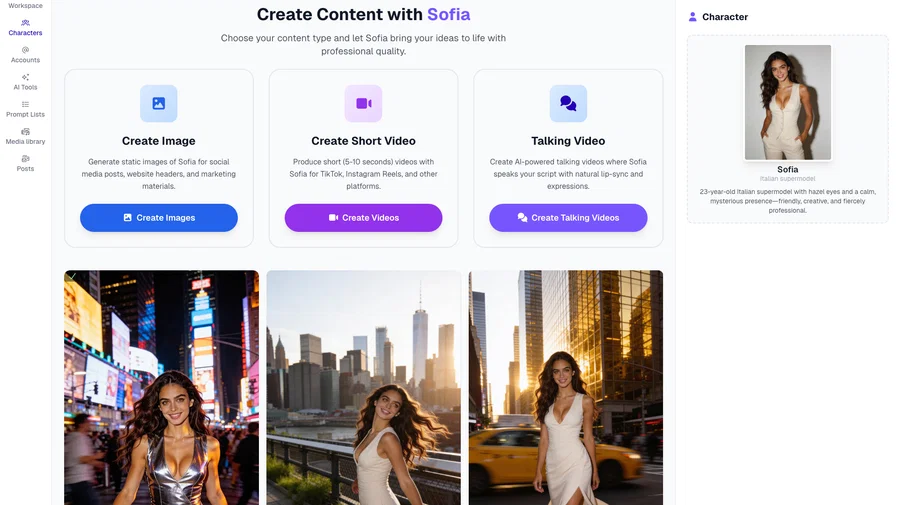
Two formats matter most:
- Single images: profile pictures, product shots, announcements, ad creatives, thumbnails.
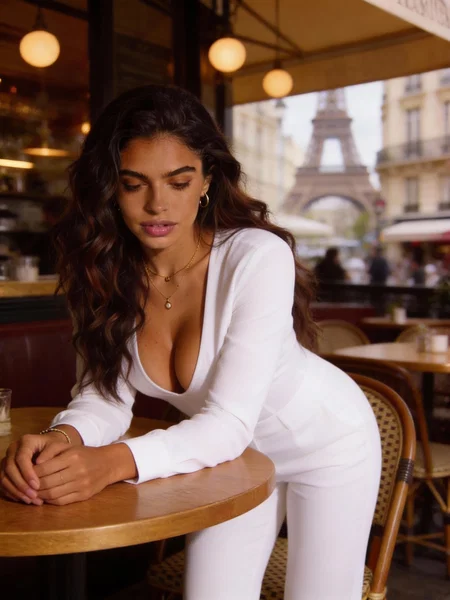
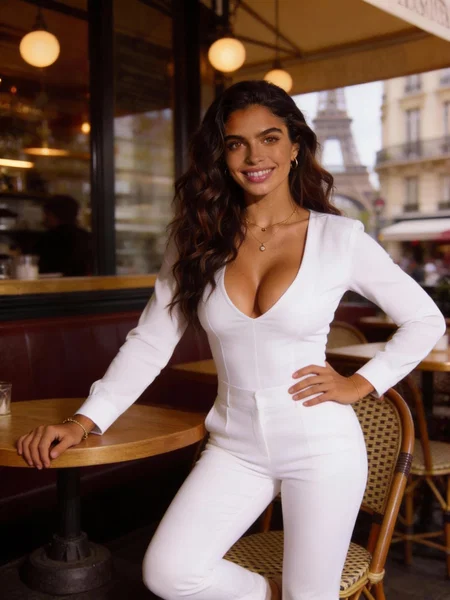
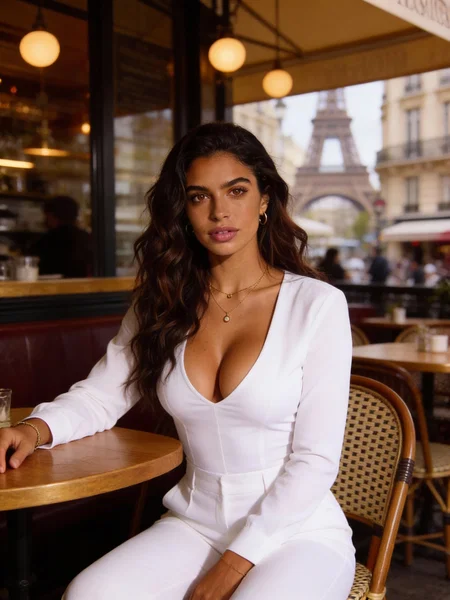
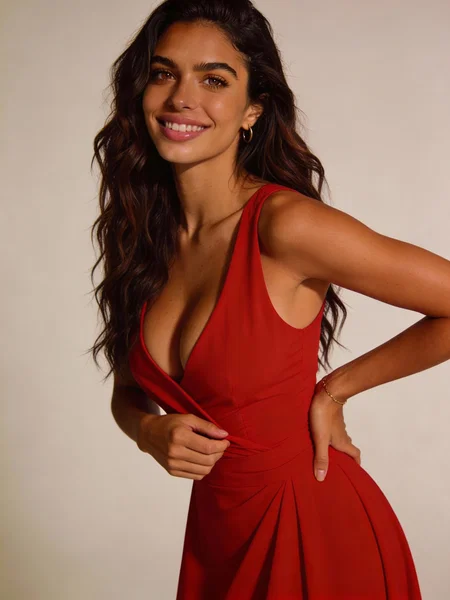
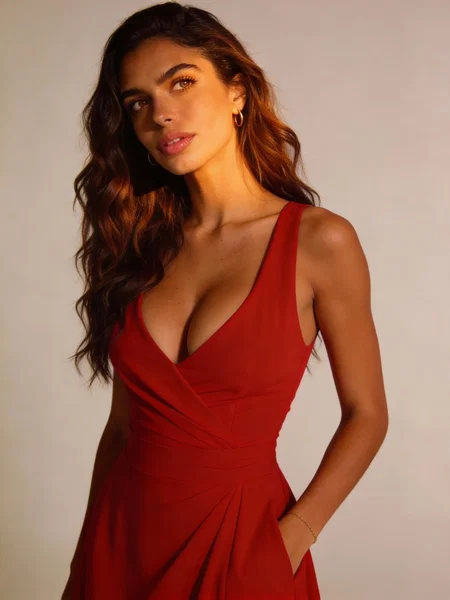
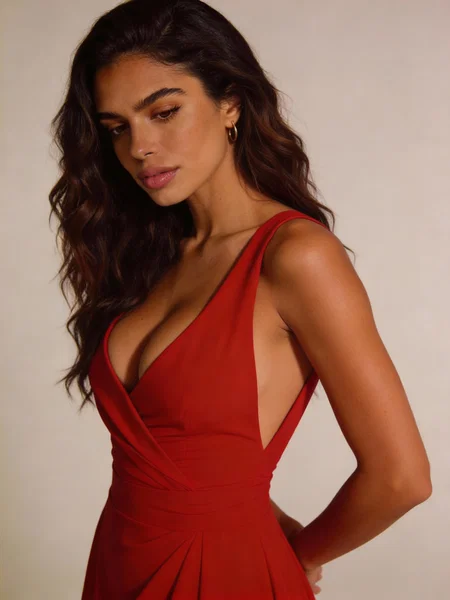
- Photoshoots: a set of images of the same model, same outfit, same environment, in different poses and crops. This is what makes a virtual model feel like a real one, and it is what fashion and e-commerce teams use for lookbooks.
Here is the same AI model, Sofia, across one photoshoot set. Same face in every frame, different pose and framing:
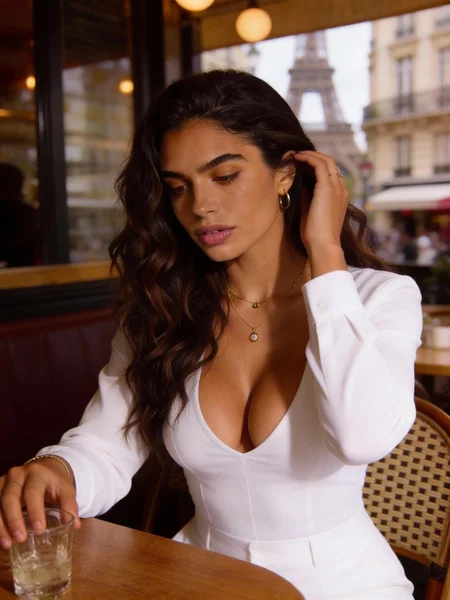
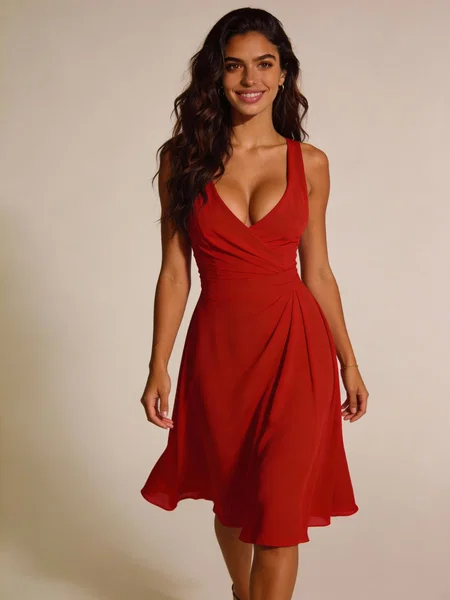
And a second set of the same model, different outfit and location:
A simple "model consistency" checklist
- Keep the hairstyle for at least a few weeks of content.
- Repeat one or two signature outfits, or one signature style.
- Reuse locations (studio, apartment, café, street) the way a real model's feed does.
- Generate in photoshoot sets, not only random single images.
Generate consistent sets with AI Photoshoot.
Step 3: Bring Your AI Model to Life With Video (and Publish)
Video is where a virtual model stops looking like a render and starts looking like a person. From the same character you can generate:
- Short clips: 5 to 10 second motion videos for Reels, TikTok and Shorts.
- Talking videos: the model speaks your script with natural lip-sync, for ads, UGC-style content and explainers.
Two examples, both generated with Postcrest from the characters above (vertical, made for short-form). Sofia dancing, and Emma delivering a talking video:
If the model is going to run a social account, Postcrest also covers the rest of the workflow: captions, scheduling and publishing to Instagram, TikTok, YouTube and X from the same workspace. That turns an AI model into an AI influencer.
Want to see finished models before you build one? Browse Sofia, Emma, Marcus and James, with photos, photoshoot sets, talking videos and motion clips, all generated with Postcrest.
See AI Model Examples →AI Model Ideas (Pick a Direction)
Keep the concept simple and the model will be easier to keep consistent:
- Fashion or product model: one model for your shop's lookbooks, product pages and ads, shot in a new setting whenever you need it.
- Instagram or TikTok model: a virtual model with its own account and a recurring feed.
- Brand ambassador: a face for your company that appears in launches, explainers and campaigns.
- UGC-style creator: a believable "customer" for testimonial-style clips and product demos.
- A roster: several models for different markets, audiences or product lines.
Common Mistakes That Make AI Models Look Fake
- A new face every time: generating from prompts instead of from a saved model. The audience notices immediately.
- Only perfect studio shots: mix in casual, everyday scenes so the model feels like a person, not a catalogue.
- No recurring places or outfits: real models repeat; AI models should too.
- Skipping video: motion and speech are what convince people, and they are one click away once the model exists.
Ready to Create Your AI Model?
If you want a realistic virtual model with the same face in every photo, photoshoot and video, Postcrest is built for exactly that.
Start now and create your AI model — your welcome discount is applied automatically, and your first model can be ready in minutes.
Frequently Asked Questions
Q: What is the difference between an AI model and an AI influencer?
A: An AI model is the consistent virtual person; an AI influencer is that model running a social media presence. You create the model first, then decide whether it posts.
Q: Can I create an AI model from photos of myself or a real person?
A: Yes. Upload a few photos and Postcrest builds a consistent AI version you can shoot in any setting. Use photos you have the rights to, and never impersonate someone without permission.
Q: How do I keep the same face across every image?
A: Create the model once as a character and always generate from it, rather than prompting for a new face. Keep the identity anchors stable and generate content in photoshoot sets.
Q: Can I use AI model photos commercially?
A: Yes. Content you create in Postcrest comes with a commercial license, so you can use it for product pages, ads and social media.
Q: Can the AI model talk or appear in videos?
A: Yes. From the same character you can generate short motion clips and talking videos with lip-sync, so the model can present scripts, ads and explainers.
Q: How much does it cost to create an AI model?
A: Far less than a real shoot. Instead of paying a model, a photographer and a studio per session, one Postcrest subscription covers the model itself, images, photoshoots and videos.