How to Make a Virtual Clone of Yourself with AI (3 Easy Steps)
Turn yourself into a virtual AI clone: upload photos to clone your look, record a sample to clone your voice, and let your digital twin create talking videos for YouTube, social media, ads, and course content — while you do something else.

Try 7 days for $2.50 · or 25% off your first month · Cancel anytime
Key Takeaways
- A virtual clone of yourself (also called an AI clone or digital twin) is an AI character built from your photos and voice that can appear and speak in videos as you — without you filming or recording.
- You need 3 steps: clone your look from photos, clone your voice from a short recording, and attach the voice to your character.
- Your clone can produce talking videos for YouTube, TikTok, Instagram, ads, online courses, and sales content — you type the script (or just describe the video), your clone delivers it.
- A digital twin removes the biggest content bottleneck: you stop being the camera-time constraint on your own output.
- Your clone can speak 30+ languages in your voice — the fastest way for one person to publish internationally.
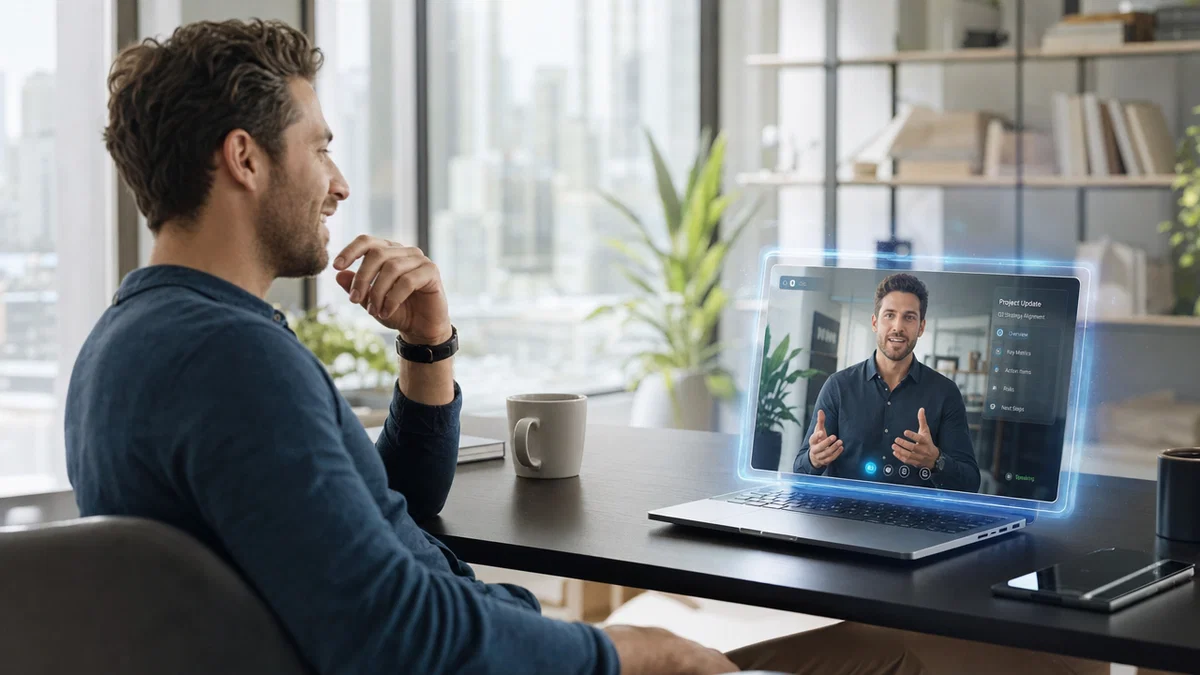
Imagine publishing a talking-head video for YouTube, three TikToks, and a new course module today — without touching a camera or microphone. That's what a virtual clone of yourself does: an AI character built from your photos and your voice that appears and speaks in videos as you, whenever you need it to.
People call it different things — an AI clone of yourself, a digital twin, an AI avatar of yourself, a digital double — but the recipe is the same: clone your look, clone your voice, and let the clone do the on-camera work. Here's a Postcrest voice clone in action; unmute to hear how close it gets:
In this guide you'll build your own digital twin in 3 easy steps, all inside Postcrest: face, voice, and the content engine that puts your clone to work.
What Is a Virtual Clone of Yourself?
A virtual clone (or AI clone) of yourself is a reusable AI character trained on your appearance and voice. Once created, it can:
- Appear in new images and videos as you — any scene, outfit, or setting, generated rather than photographed.
- Speak any script in your voice — with accurate lip-sync, natural expression, and your delivery style.
- Stay perfectly consistent — the same "you" in video #1 and video #500, which is what makes an audience (and an algorithm) trust the face.
The key mental shift: your clone is an asset, not a filter. You build it once, and every future video becomes a writing task instead of a production day. If you've ever delayed a YouTube upload, a course launch, or a batch of ad creatives because you didn't have time to film yourself — that bottleneck is exactly what a digital twin removes.
Who Makes an AI Clone of Themselves (and Why)?
- YouTubers and content creators who want to publish consistently without a weekly filming marathon — your clone becomes your AI YouTube host, with your actual face and voice.
- Course creators and educators producing lecture videos, tutorials, and updates. When a module changes, you edit the script and regenerate — no re-shooting an entire lesson because one slide changed.
- Coaches, consultants, and personal brands who need a steady stream of talking-head content for TikTok, Instagram Reels, and LinkedIn while their calendar is full of client work.
- Founders and marketers putting a real face on product videos, sales outreach, and UGC-style ads — tested in ten variations without booking a studio once.
- Multilingual publishers — your clone speaks 30+ languages in your voice, so one person can run localized channels that would otherwise require dubbing studios.
Step 1: Clone Your Look (From Your Photos)
Your clone starts with your face. In Postcrest's AI Characters, create a new character and choose to build it from your own photos — upload a set of clear, well-lit pictures of yourself, and the AI learns your identity: facial features, proportions, the things that make you recognizably you.
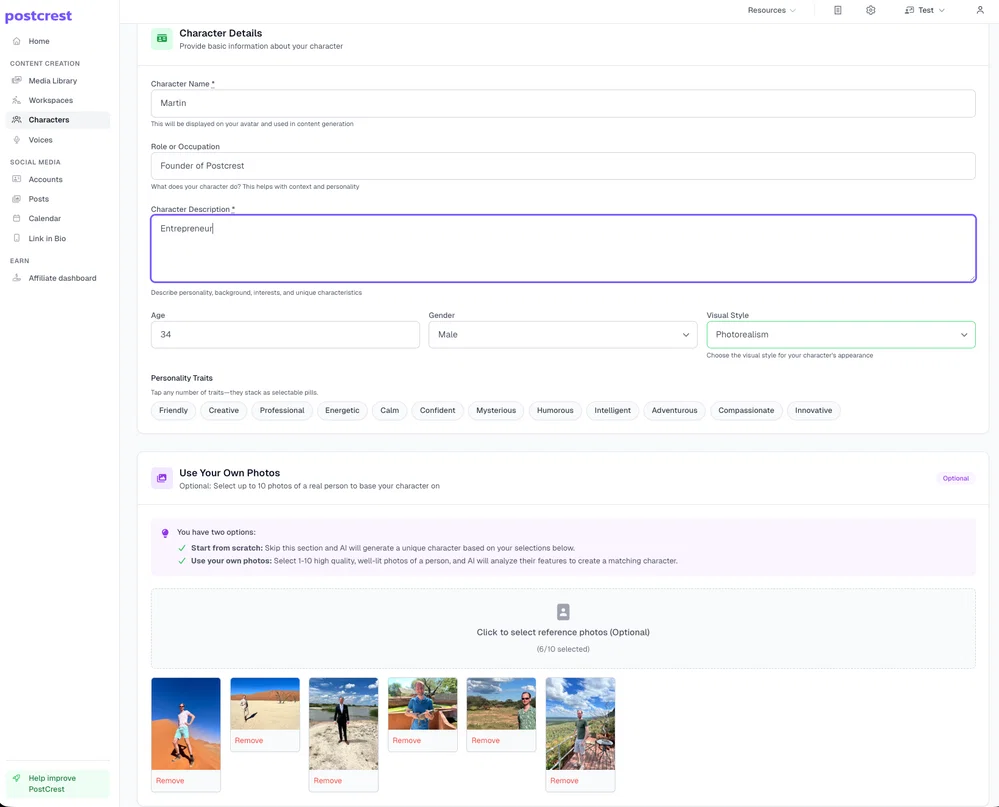
Tips for a clone that actually looks like you:
- Variety beats volume. A handful of photos from different angles, lighting, and expressions teaches the AI more than twenty near-identical selfies.
- Recent and representative. Use photos that look like the "you" your audience will meet — same hairstyle, same general vibe.
- Clean backgrounds help. The clearer your face is in each shot, the more faithful the clone.
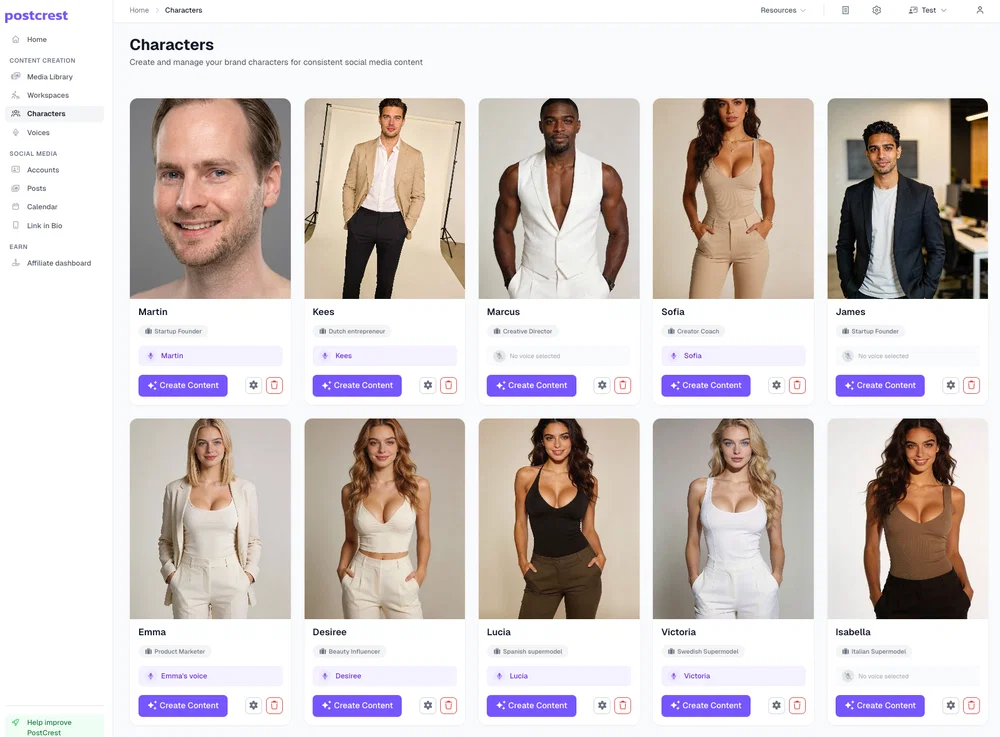
Once trained, your character is locked in and reusable: every image and video you generate features the same consistent you. You're not limited to one, either — many creators build several characters (themselves, an alternate persona, a brand mascot) and switch between them per project:
Step 2: Clone Your Voice (From a Short Recording)
A digital twin with a stranger's voice breaks the illusion instantly — the voice is half your identity. With Postcrest's voice cloning, record a few minutes of clean, natural speech, upload it, and the AI builds a voice model that matches your timbre, accent, and delivery. (Full recording checklist in our voice cloning guide — the short version: quiet room, natural energy, speak like you publish.)
Your cloned voices live in your voice library, ready to use across everything you make:
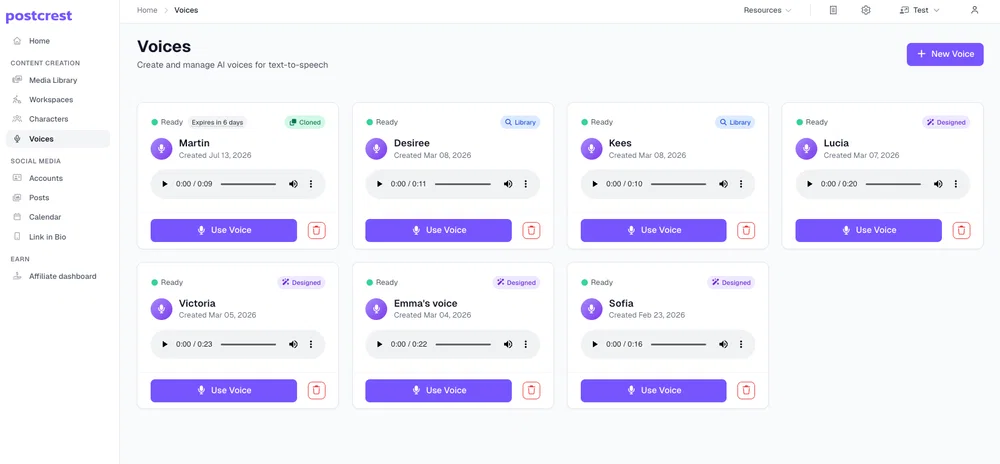
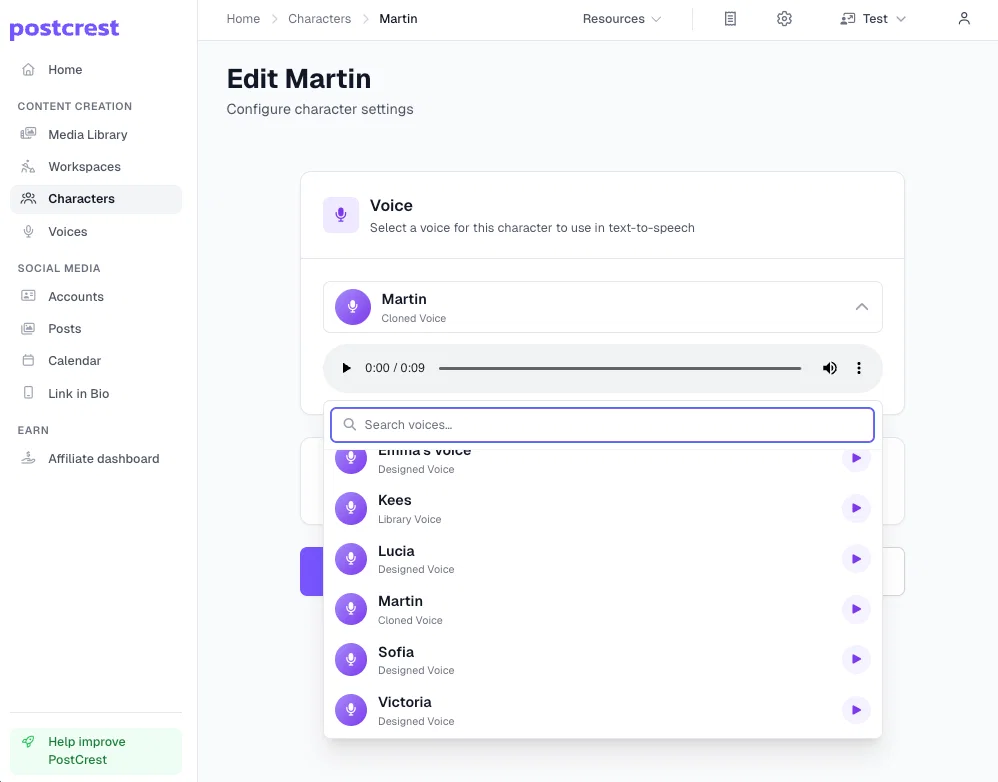
Then the step that ties your clone together: attach your cloned voice to your character. From now on, every talking video your clone makes automatically sounds like you — no per-video setup:
Step 3: Put Your Clone to Work
This is where the one-time setup starts paying rent. Open your character, choose Talking Video, and describe what the video should be — topic, tone, setting, the exact hook you want. Postcrest writes the script, generates the speech in your cloned voice, and renders a lip-synced video of you delivering it via the AI talking head generator. You review, tweak, and download — in the format each platform wants (16:9 for YouTube, 9:16 for Shorts, Reels, and TikTok).
What a working digital twin routine looks like:
- YouTube: batch-generate a week of talking-head videos from scripts or bullet points — your face, your voice, zero filming.
- Short-form: daily TikToks and Reels from one writing session; the clone doesn't get tired of take twelve.
- Course content: record your voice once, then produce and update lecture videos on demand — the killer feature for course creators, because content maintenance stops requiring a camera.
- Ads and sales: UGC-style product videos and personalized pitches fronted by you, tested in as many hook variations as your budget wants.
- Localization: the same video in Spanish, German, and Japanese — your face, your voice, native-level delivery via AI lip-sync.
- Photos of you: the same clone works for stills, too: AI portraits of yourself, a new AI profile picture, YouTube thumbnails with your face, or seasonal AI Christmas photos.
Is Cloning Yourself Safe? (Read This Part)
Making an AI clone of yourself is the clean use case: it's your face and your voice, and you control every word it says. Ground rules worth following anyway:
- Only clone yourself or someone who has explicitly consented. Cloning others without permission violates platform policies and, increasingly, the law.
- Disclose synthetic media where platforms ask for it. YouTube and TikTok both have AI-content disclosure options for realistic generated video.
- Keep your clone on-brand. Treat scripts for your clone with the same judgment as things you'd say on camera — because to your audience, you did say them.
Frequently Asked Questions
Q: How do I make an AI clone of myself? Two ingredients: upload photos of yourself to create a consistent AI character, and record a short voice sample to clone your voice. Attach the voice to the character, and your clone can generate talking videos of you from any script or description.
Q: How many photos do I need to clone myself? A small set of varied, well-lit photos — different angles and expressions — is enough. Variety and quality matter more than quantity.
Q: Will the clone really look and sound like me? With good source material, yes: the character keeps your facial identity consistent across every generation, and the voice clone matches your timbre and delivery closely enough that listeners don't question it. The demo video above is what a voice clone sounds like.
Q: Can my AI clone make YouTube videos for me? Yes — that's the most popular use. Describe the video or paste a script, and your clone delivers it as a lip-synced talking-head video, ready for YouTube, Shorts, or any platform. See the full workflow in our AI YouTube host guide.
Q: Can my clone speak other languages? Yes — 30+ languages in your cloned voice, with lip-sync adapted per language. One recording session unlocks international publishing.
Q: Is it legal to make a virtual clone of myself? Yes. You own your own likeness and voice. The legal and policy issues arise when cloning other people without consent, or using synthetic media to deceive — neither applies to publishing content as your own disclosed digital twin.
Q: What's the difference between an AI clone and an AI avatar? An avatar is any AI character; a clone is an avatar built specifically from your photos and voice. Same tools — AI Characters plus voice cloning — different source material.
Build Your Digital Twin Today
You are currently the bottleneck on your own content — your calendar, your camera comfort, your energy on filming day. A virtual clone removes all three: upload photos once, record your voice once, and every video after that is just writing.
Start now and create your AI clone — your welcome discount is applied automatically, and your digital twin can publish its first video today.