How to Clone Your Voice with AI (and Publish Content While You Sleep)
Record a few minutes of clean audio, generate an AI clone of your voice, and use it everywhere: voiceovers, talking videos, podcasts, and content in 30+ languages — without ever re-recording.

Try 7 days for $2.50 · or 25% off your first month · Cancel anytime
Key Takeaways
- AI voice cloning creates a digital copy of your voice from a short, clean audio recording — it then speaks any text you type, in your voice.
- You need 3 steps: record a quality sample, generate the clone, and put it to work in voiceovers and talking videos.
- Recording quality matters more than length: a few minutes of clear, natural speech beats an hour of noisy audio.
- One clone unlocks scale: narrate videos, voice your AI presenter, publish in 30+ languages — all without sitting down to record.
- Only clone voices you own or have explicit permission to clone.
AI voice cloning creates a digital copy of your voice from a short audio recording — after that, it can say anything you type, in your voice, with your tone and cadence. Record once, then narrate every video, podcast segment, and piece of content you'll ever make without touching a microphone again.
In this guide you'll clone your voice in 3 easy steps — record a clean sample, generate the clone, put it to work — plus the recording tricks that decide whether your clone sounds like you or like a robot doing an impression of you.
Hear it for yourself — unmute to compare:
The whole flow runs in Postcrest's voice cloning tool — and the clone plugs straight into every video and audio tool on the platform. Let's clone your voice.
What Is AI Voice Cloning (and What Do People Use It For)?
A voice clone is an AI model trained on a sample of your speech. Give it text, and it generates audio that matches your timbre, accent, pacing, and delivery. Modern cloning needs only minutes of clean audio — not the hours of studio recording it once took.
What creators and businesses do with a clone:
- Narrate without recording. Voiceovers for videos, courses, and ads via AI voiceover — no more re-recording because you flubbed one word in take nine.
- Voice an AI presenter. Attach your clone to an AI character and your digital twin fronts the channel — the exact workflow in our AI YouTube host guide.
- Make photos and avatars speak as you. Combine with a portrait to make a photo talk in your voice.
- Publish in 30+ languages. Your voice, fluently delivering translated scripts — the highest-leverage localization trick available to a solo creator.
- Podcast at scale. Fix mistakes, add segments, or produce ad reads without re-booking studio time — a favorite for podcasters.
The consent rule, up front: only clone your own voice or one you have explicit permission to clone. Cloning someone without consent is a violation of platform policies (and laws in a growing number of places), and reputable tools verify ownership.
Step 1: Record a Clean Voice Sample
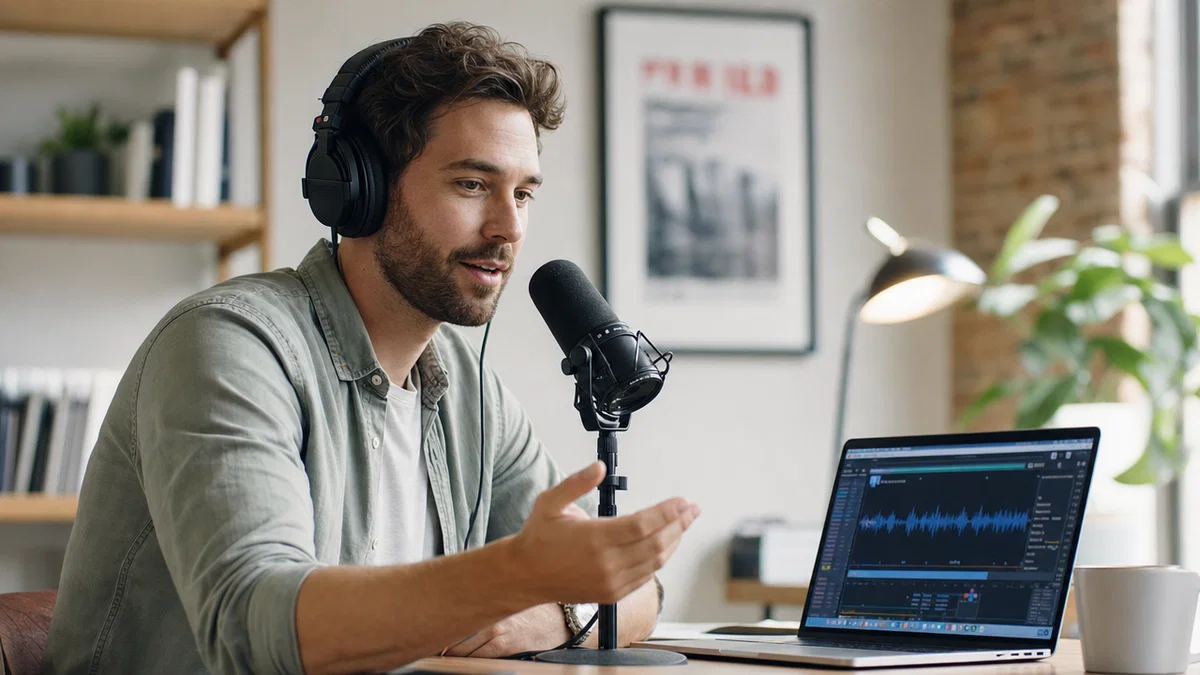
The clone can only be as good as the sample. Quality beats quantity — a few minutes of clean, natural speech outperforms an hour of noisy audio. The checklist:
- Quiet room, soft surfaces. Closets and curtained rooms beat echoey kitchens. No fans, traffic, or hum.
- Decent mic, consistent distance. A USB mic or even good earbuds work; keep the same distance throughout.
- Speak like your content. Record at the energy you actually publish with — read a script the way you'd deliver it, not like a court transcript. The clone copies your delivery, not just your sound.
- Natural flow, no long pauses. Mistakes are fine; monotone is not.
Step 2: Upload and Generate Your Clone
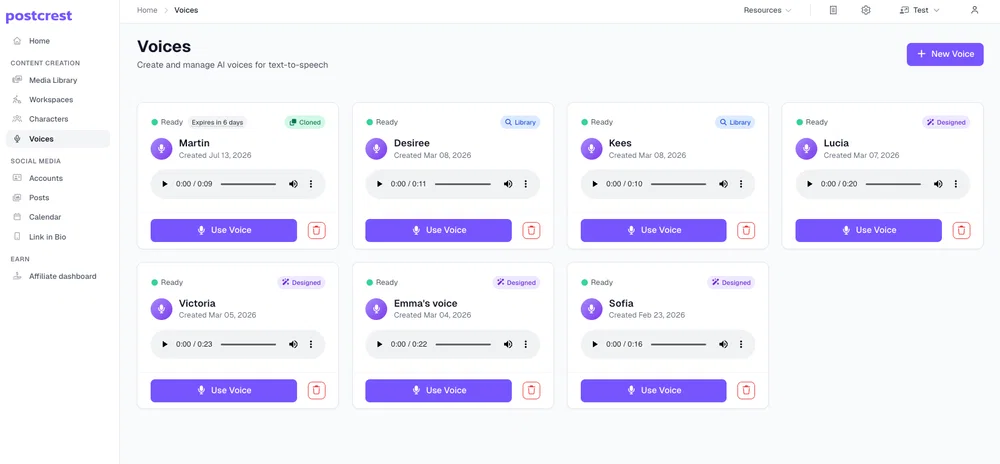
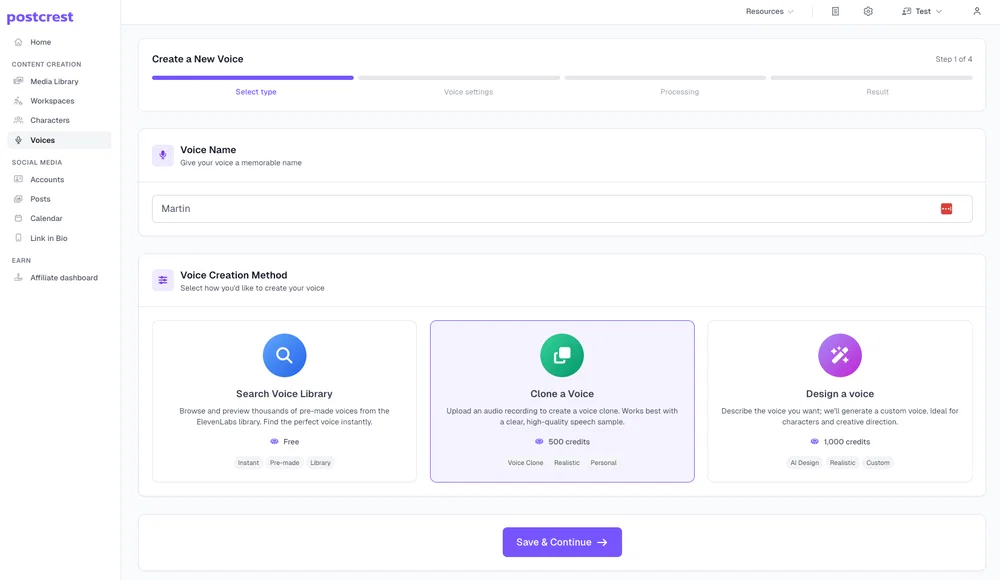
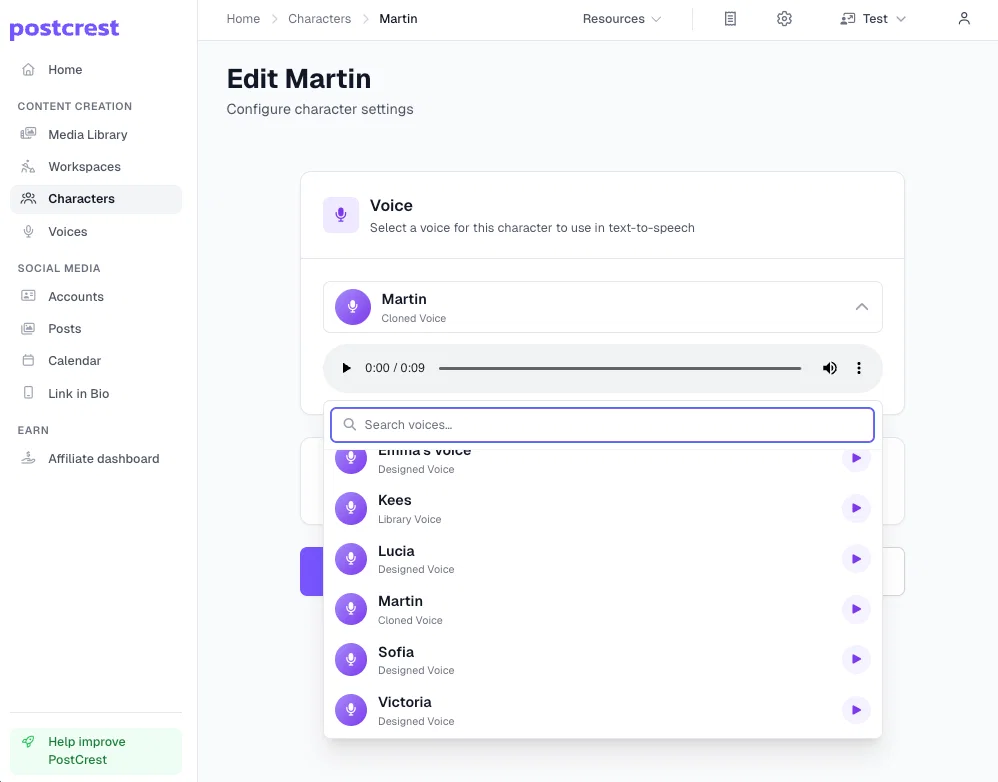
In Postcrest, create a new voice, choose Clone a Voice, and upload your recording. The AI analyzes your sample and builds the voice model — you'll get a preview to test within minutes.
Test it with text you'd actually publish, including the hard cases: names, numbers, your channel's sign-off. If something sounds off, the fix is almost always the sample — re-record with better conditions rather than fighting the settings.
Step 3: Put Your Clone to Work
This is where the one-time setup starts compounding:
- Type-to-narrate. Paste any script into text-to-speech with your voice selected — instant voiceover, zero recording.
- Attach it to a character. Assign the clone to your AI presenter so every talking video ships in your voice automatically.
- Batch your content. Write five scripts, generate five narrations, schedule the week — the microphone is no longer the bottleneck.
- Go multilingual. Generate the same script in other languages, delivered in your voice — and pair it with lip-synced video for a fully localized presence.
Frequently Asked Questions
Q: How much audio do I need to clone my voice? A few minutes of clean, natural speech is enough for a high-quality clone. Clean matters more than long — background noise degrades the clone more than a shorter sample does.
Q: Does the clone really sound like me? A good sample produces a clone that matches your timbre, accent, and delivery closely enough that listeners don't question it. The tell is almost never the sound — it's flat delivery from a flat sample, which is why you record at your natural publishing energy.
Q: Can my voice clone speak other languages? Yes — your clone can deliver scripts in dozens of languages while keeping your vocal identity. It's the fastest way for a solo creator to publish localized content.
Q: Is voice cloning legal? Cloning your own voice, or a voice you have explicit permission for, is legal and widely used commercially. Cloning someone without consent — especially for impersonation — violates platform policies and laws in many jurisdictions. Don't.
Q: What's the difference between voice cloning and a designed AI voice? Cloning copies an existing voice from a recording; a designed voice is created from a text description via the AI voice generator. Clone when the voice must be yours; design when your AI persona needs its own original voice.
Q: Can I use my cloned voice in videos, not just audio? Yes — that's the biggest unlock. Attach it to talking videos and AI presenters, and your voice fronts video content you never filmed or recorded.
Record Once. Publish Forever.
Your voice is the most recognizable asset you have — cloning it means it stops being limited by your recording schedule. One clean recording session, then every script you ever write can ship in your voice.
Start now and clone your voice — your welcome discount is applied automatically, and your clone can be narrating content today.

Give Yourself an AI AdvantageStart Today with Effortless Content Creation
Master Postcrest's AI Content Creation Tools
Learn everything about how to use Postcrest's AI content creation tools for content marketing, social media, and more.