50% off your first month — ends in00d00h00m00s
Photography · Academy9 min readUpdated 

Best AI Prompts for Interior Design and Real Estate

Copy 10 listing-ready prompt templates for virtual staging and real estate photos, with wide-angle lens, window daylight, straight verticals, and clean HDR grading.

Martin Balk
Martin Balk
Founder, Postcrest ·
4.8 · 38,000+ creators
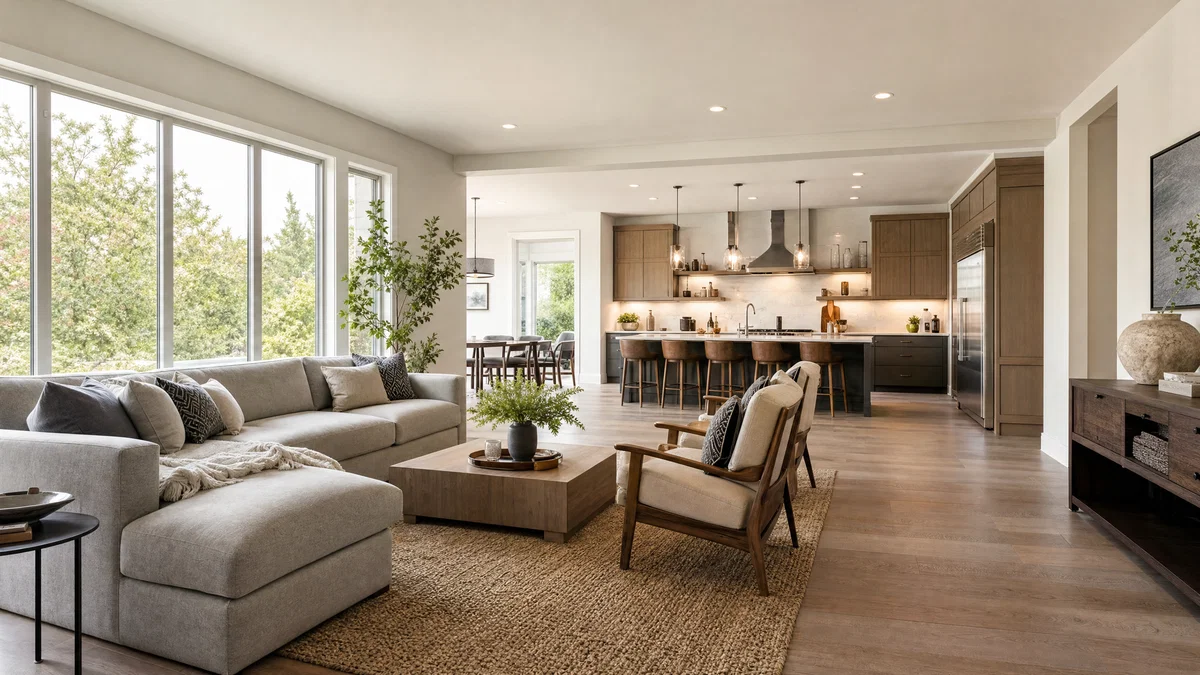
Wide-angle staged living room and kitchen with window daylight and straight vertical lines.
10 ready-to-copy prompts
Generated with Postcrest · 1 prompt · 1 click
TL;DR
Key Takeaways
  • 01
    Write like a real photo brief Lead with shot type, 16–24mm lens, f/8, and two-point perspective so image models lock into an architectural photography look.
  • 02
    Specify window daylight and shadow direction Calling the window side and softness prevents flat, synthetic lighting and keeps rooms believable for real estate photos.
  • 03
    End with an HDR-safe grade cue Ask for balanced HDR with controlled highlights and “no halos” to get clean, listing-ready interiors without crunchy edges.

AI prompts for interior design that look photographed

A good AI prompts for interior design prompt is a short, camera-first brief that produces a believable, listing-ready interior or property image with straight verticals, natural window light, and clean color.

Modern image models learned interiors and real estate photos from huge libraries of captioned photographs where the captions name production details like shot type, lens (16mm, 24mm, 35mm), aperture, light direction, materials, and final grade. When your prompt mirrors that vocabulary, the model has fewer “creative” gaps to fill, so you get accurate scale, correct perspective, and materials that read as real.

Below are 10 ready-to-paste AI prompts for interior design and real estate, each built around a wide lens, f/8, window-daylight, and two-point perspective. You will cover Scandinavian living rooms, mid-century dining areas, industrial lofts, Japandi bedrooms, modern kitchens, exterior curb appeal, and virtual staging for empty rooms. Copy any prompt into Postcrest’s image generator and swap the style, finishes, or room size to match your listing.

Try it in Postcrest

Generate listing-ready interiors in minutes

Render high-resolution real estate photos fast, then upscale for print and MLS. Keep straight verticals and natural window daylight with repeatable prompt templates.

No watermarksCommercial licenseCancel anytime
Image Generator
Postcrest
Prompt
Ultra-wide alpine peaks at golden hour, 16mm, f/11, Velvia 50
Generate
4K3:2
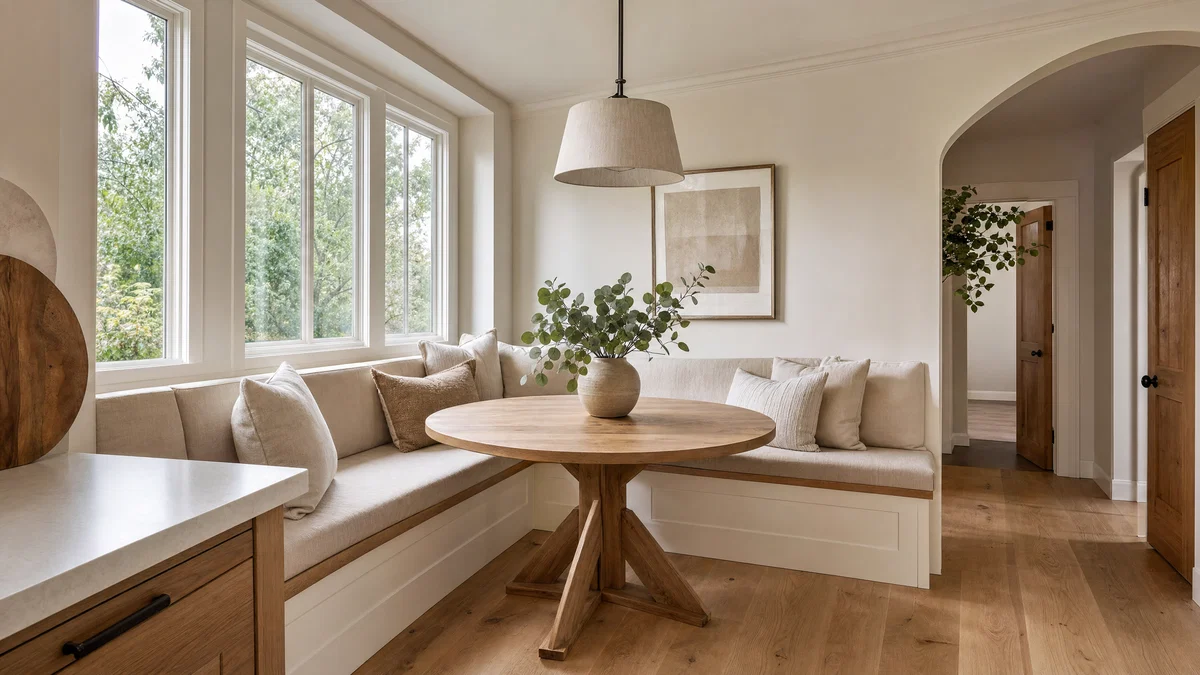
Bright breakfast nook shot wide with soft window daylight and clean neutral HDR grade.
Generated · 4K
10 prompts

The prompt library

Every prompt below has been generated, graded and verified inside Postcrest. Copy the text, hit Generate, and the same look ships from your account.

Prompt 01 of 10

Scandi living room

Editorial · clean wide
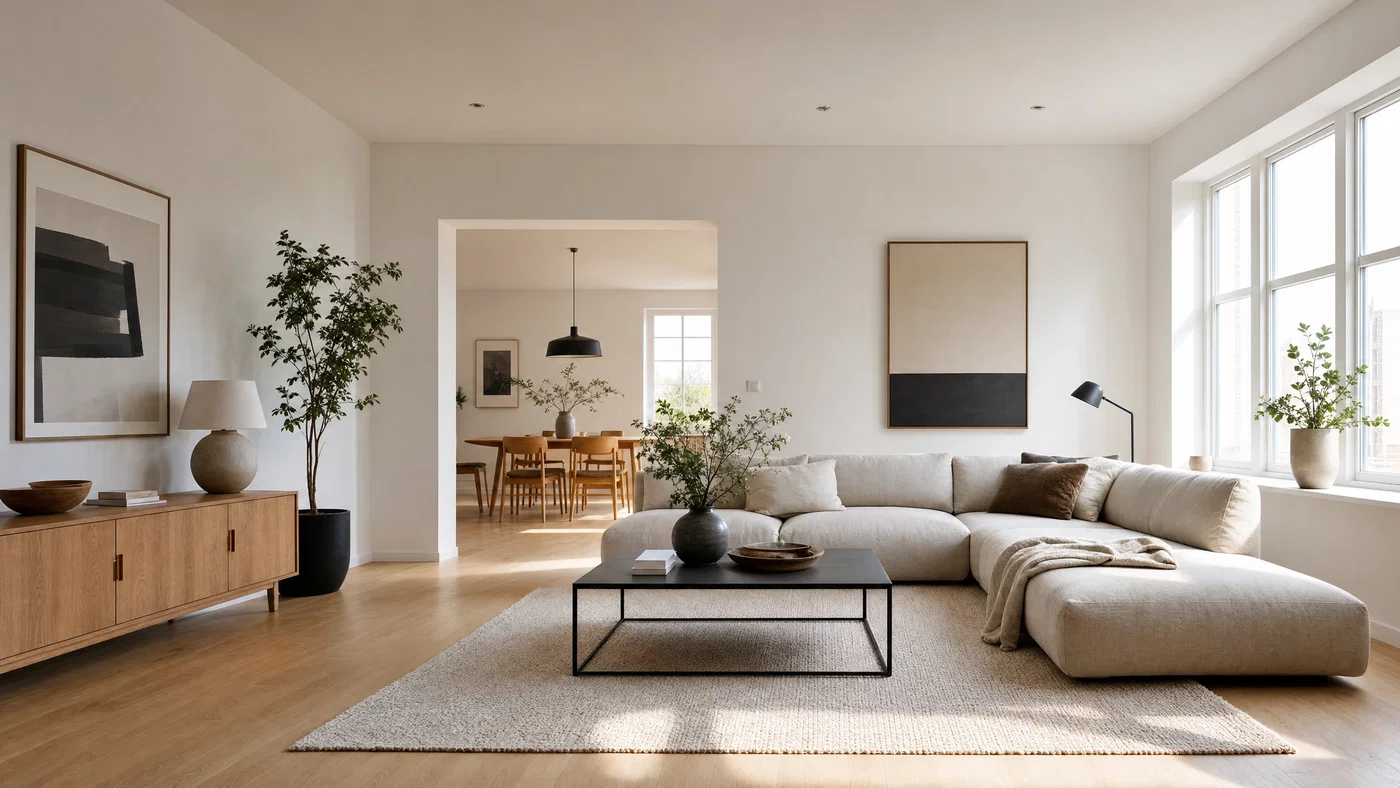
Scandinavian living room photographed wide with straight verticals and soft window daylight.
01·Editorial · clean wide
View photo
18mmf/8Two-point perspectiveBalanced HDR no halos
Prompt
Wide interior photograph, 18mm lens, f/8, level tripod, two-point perspective with corrected verticals, Scandinavian living room with light oak floors, white walls, low linen sofa, black steel coffee table, wool rug, minimal decor, large windows on camera-right, soft window daylight and gentle shadow falloff, full-frame digital capture, balanced HDR, clean neutral grade with natural contrast, no halos.
Why it works

Starting with lens and perspective cues forces an architectural baseline: straight verticals, believable scale, and room geometry that reads as photographed. The window side and softness create depth, and the HDR-safe grade note prevents crunchy micro-contrast that screams “generated.”
Prompt 02 of 10

Modern kitchen

MLS · bright true-to-life
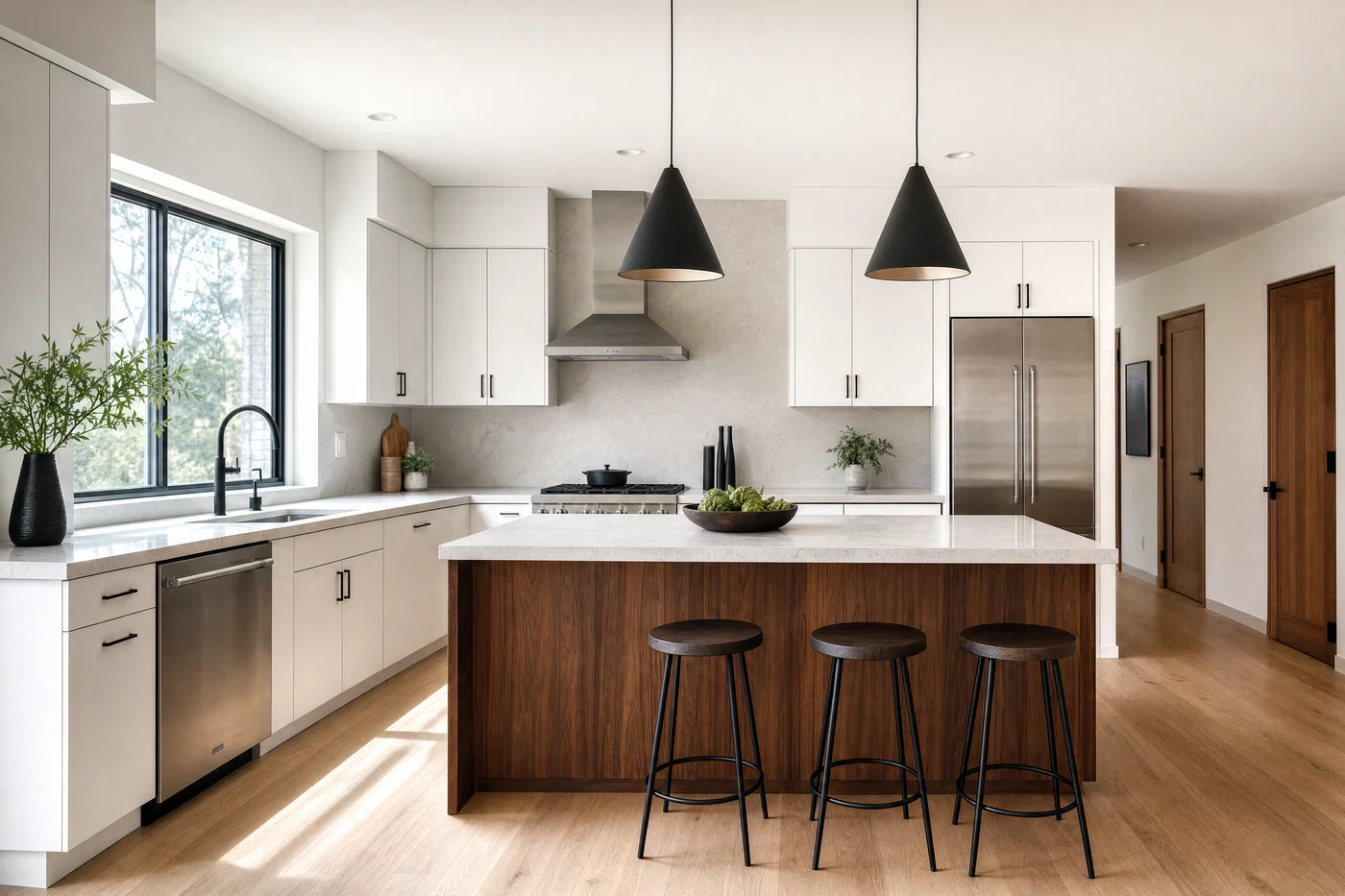
Modern white kitchen shot at 16mm with window daylight and balanced HDR whites.
02·MLS · bright true-to-life
View photo
16mmf/8Window daylightNatural HDR
Prompt
Wide kitchen photograph, 16mm lens, f/8, level camera, two-point perspective, modern kitchen with flat-panel white cabinets, warm walnut island, matte black faucet, light quartz counters, simple pendant lights off, no people, large window over sink, window daylight from front-left with soft bounce fill, full-frame digital, crisp detail, balanced HDR to hold cabinet whites and window view, natural color grade, no halos.
Why it works

Kitchen prompts fail when whites clip or go gray, so the prompt explicitly protects highlights and whites with a balanced HDR note. Turning fixtures “off” reduces mixed color casts and keeps the scene consistent with window daylight, which reads as a real estate photo.

Prompt 03 of 10

Cozy bedroom

Japandi · calm neutral
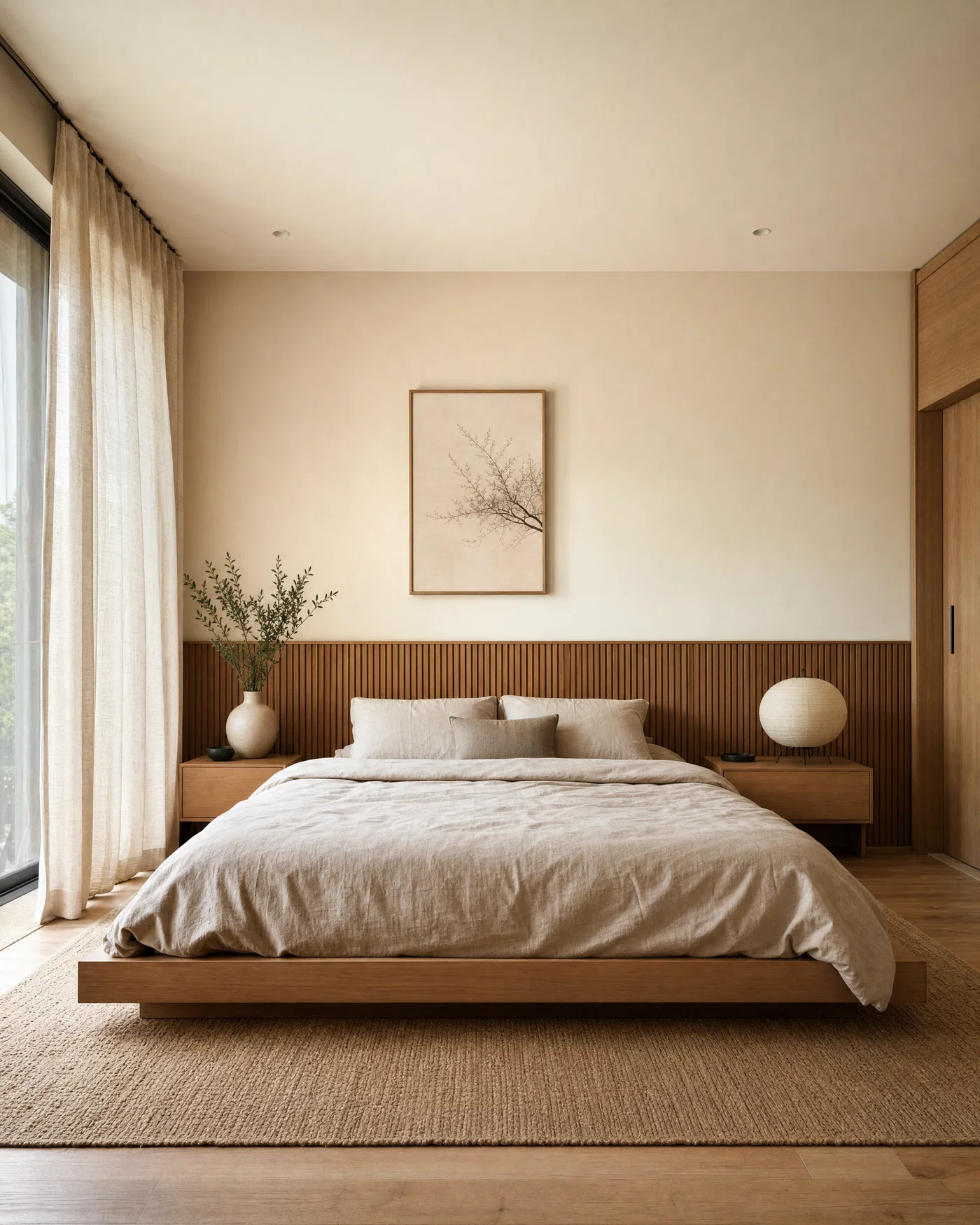
Japandi bedroom with low bed, soft window daylight, and warm neutral HDR grade.
03·Japandi · calm neutral
View photo
20mmf/8Sheer window lightWarm-neutral HDR
Prompt
Wide bedroom photograph, 20mm lens, f/8, level camera on tripod, two-point perspective, Japandi bedroom with low platform bed, oatmeal linen bedding, light wood slat headboard, paper lantern lamp off, minimal art, clean nightstands, large window on camera-left with sheer curtains, soft window daylight, realistic fabric texture, full-frame digital, balanced HDR with soft highlight roll-off, warm-neutral grade, no halos.
Why it works

Bedrooms look fake when textures smear, so the prompt calls for linen weave and wood grain as realism anchors. The “lamp off” and window-left cue avoid mixed color temperatures, and the warm-neutral grade keeps the room inviting without orange casts.

Prompt 04 of 10

Mid-century dining

Design blog · warm wood
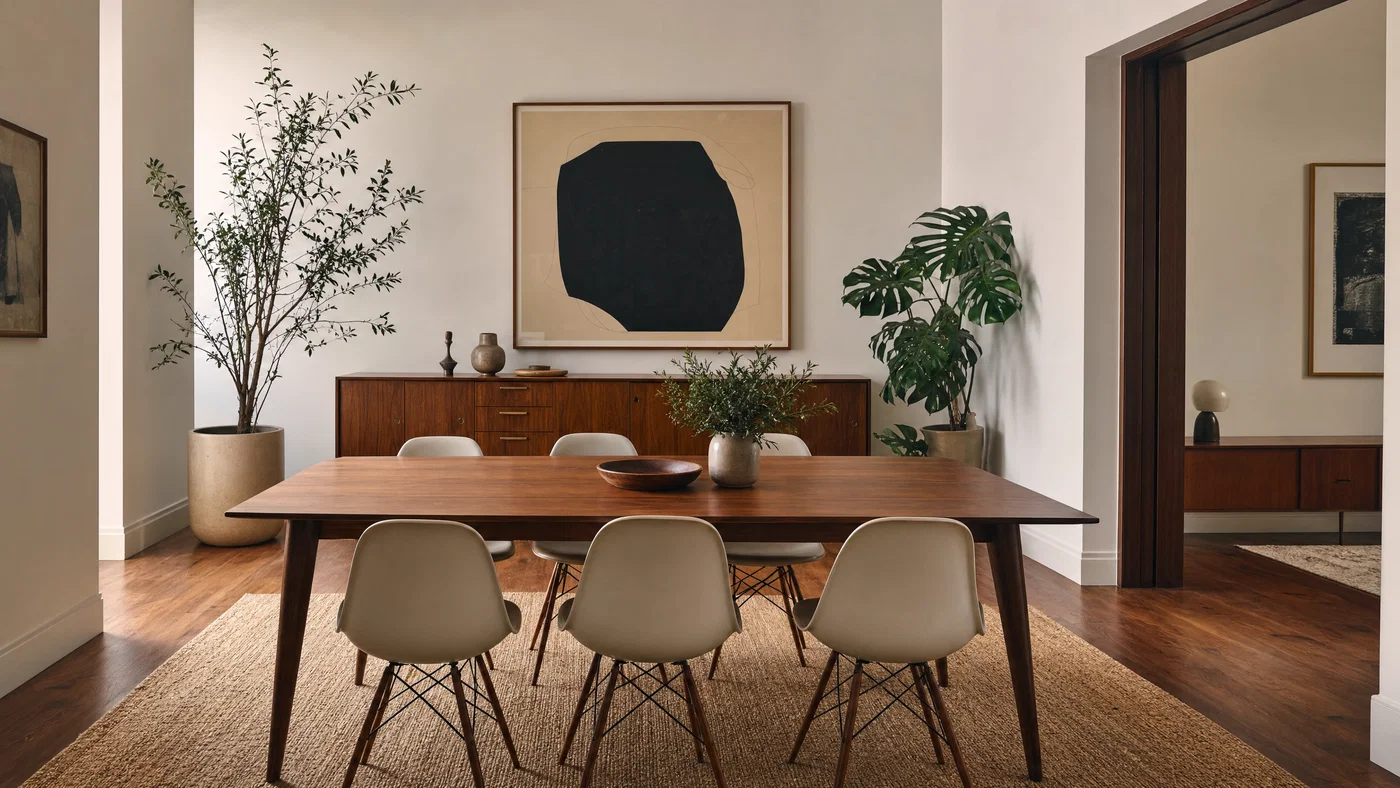
Mid-century dining room shot wide with walnut table, soft daylight, and balanced HDR.
04·Design blog · warm wood
View photo
24mmf/8No mixed lightingNeutral-warm grade
Prompt
Wide interior photograph, 24mm lens, f/8, level camera, two-point perspective, mid-century modern dining room with walnut dining table, molded chairs, slim sideboard, large abstract print, indoor plants, window wall behind camera with soft window daylight wrapping the scene, no overhead lights, full-frame digital, clean edges, balanced HDR to retain wood tone and white wall detail, subtle film-like contrast, neutral-warm grade, no halos.
Why it works

24mm keeps the room wide without extreme stretching on furniture legs and chair backs. Calling out “no overhead lights” prevents orange ceilings and patchy color, while the HDR note retains detail in both wood grain and pale walls.

Prompt 05 of 10

Industrial loft

Urban · textured neutral
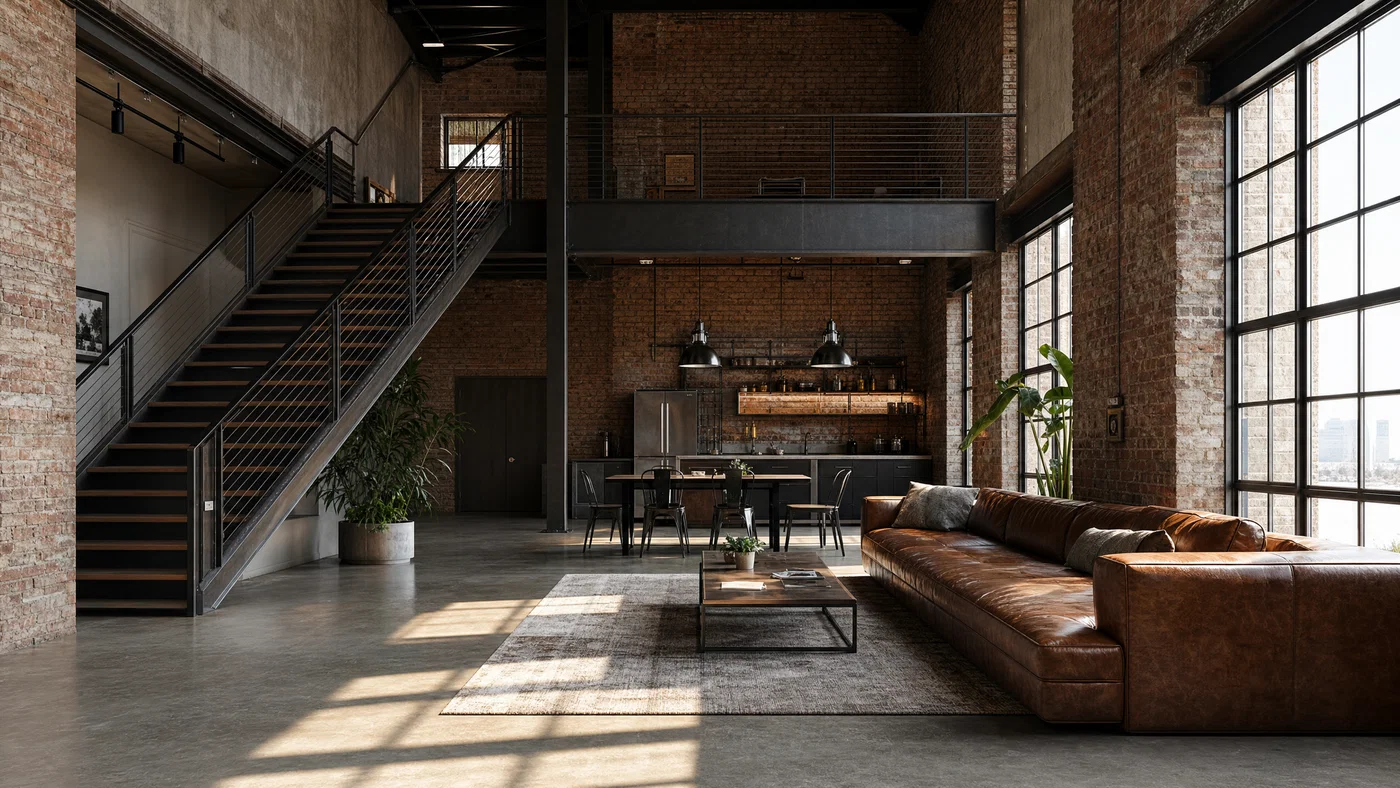
Industrial loft with exposed brick and factory windows, shot wide with cool neutral HDR.
05·Urban · textured neutral
View photo
16mmf/8Raking side lightCool-neutral HDR
Prompt
Wide interior photograph, 16mm lens, f/8, level camera, two-point perspective, industrial loft living area with exposed brick, concrete floor, black metal stair rail, large factory windows, leather sofa, simple rug, minimal clutter, window daylight from camera-right with raking side light and soft shadows, full-frame digital, high micro-detail, balanced HDR with controlled highlights on brick, cool-neutral grade, no halos.
Why it works

Raking side light reveals texture in brick and concrete, but it can blow highlights, so the prompt protects them with controlled HDR language. Industrial interiors also distort easily at 16mm, so “level camera” and two-point perspective keep the look professional.

Prompt 06 of 10

Spa bathroom

Luxury · clean whites
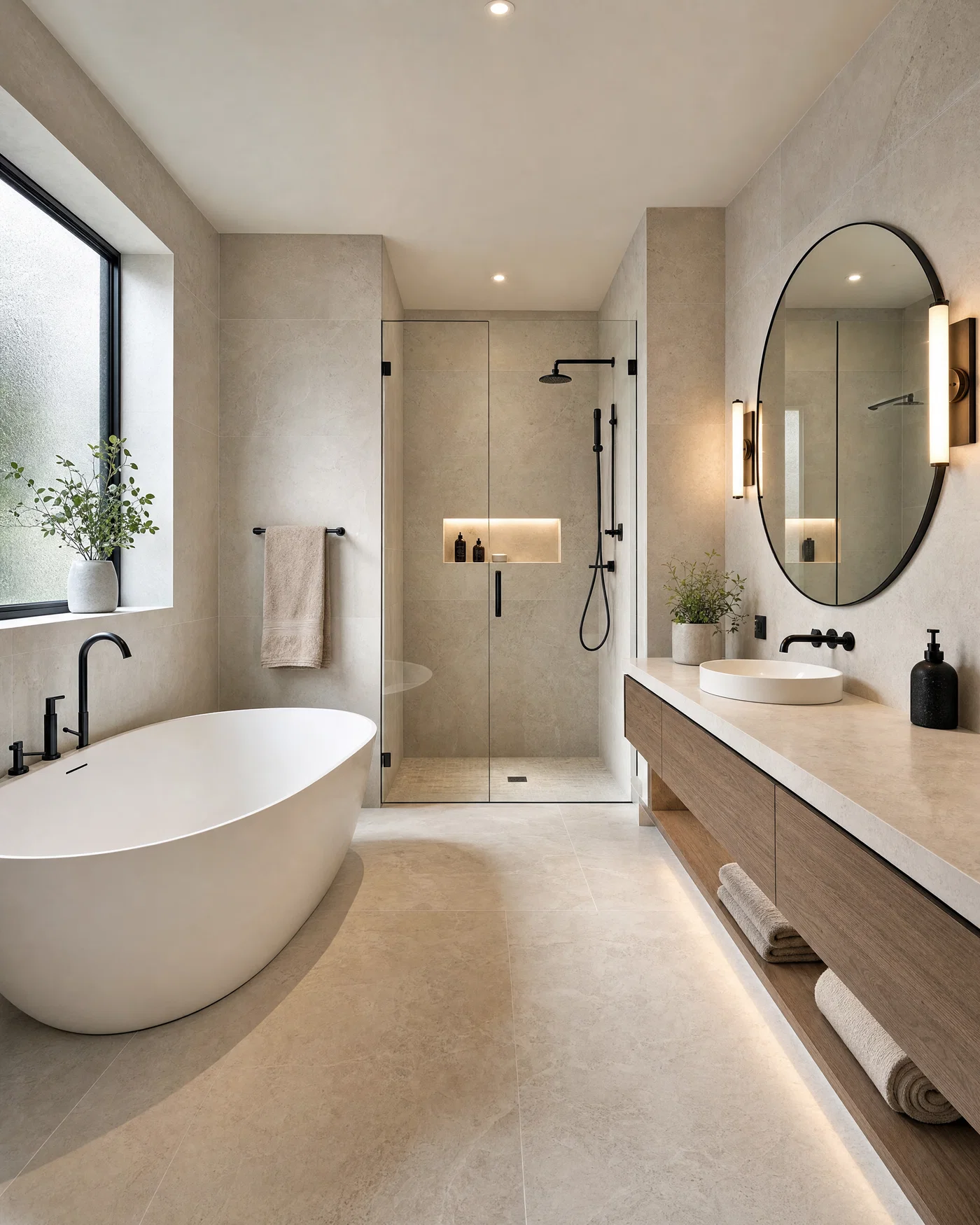
Spa bathroom with floating vanity and frosted window daylight, shot wide with neutral HDR.
06·Luxury · clean whites
View photo
18mmf/8Diffuse window lightTile highlights protected
Prompt
Wide bathroom photograph, 18mm lens, f/8, level camera, two-point perspective, spa-like bathroom with large-format light stone tile, floating vanity, round mirror, matte black fixtures, glass shower, folded towels, no clutter, window daylight from frosted window on camera-left, soft diffuse shadows, full-frame digital, balanced HDR to hold tile highlights and mirror detail, crisp neutral grade, no halos.
Why it works

Bathrooms often fail due to mirror artifacts and blown tile, so the prompt explicitly asks to preserve mirror detail and highlight texture. Diffuse window light keeps fixtures looking real and avoids the harsh specular hotspots that read as synthetic.

Prompt 07 of 10

Home office

Lifestyle · productive minimal
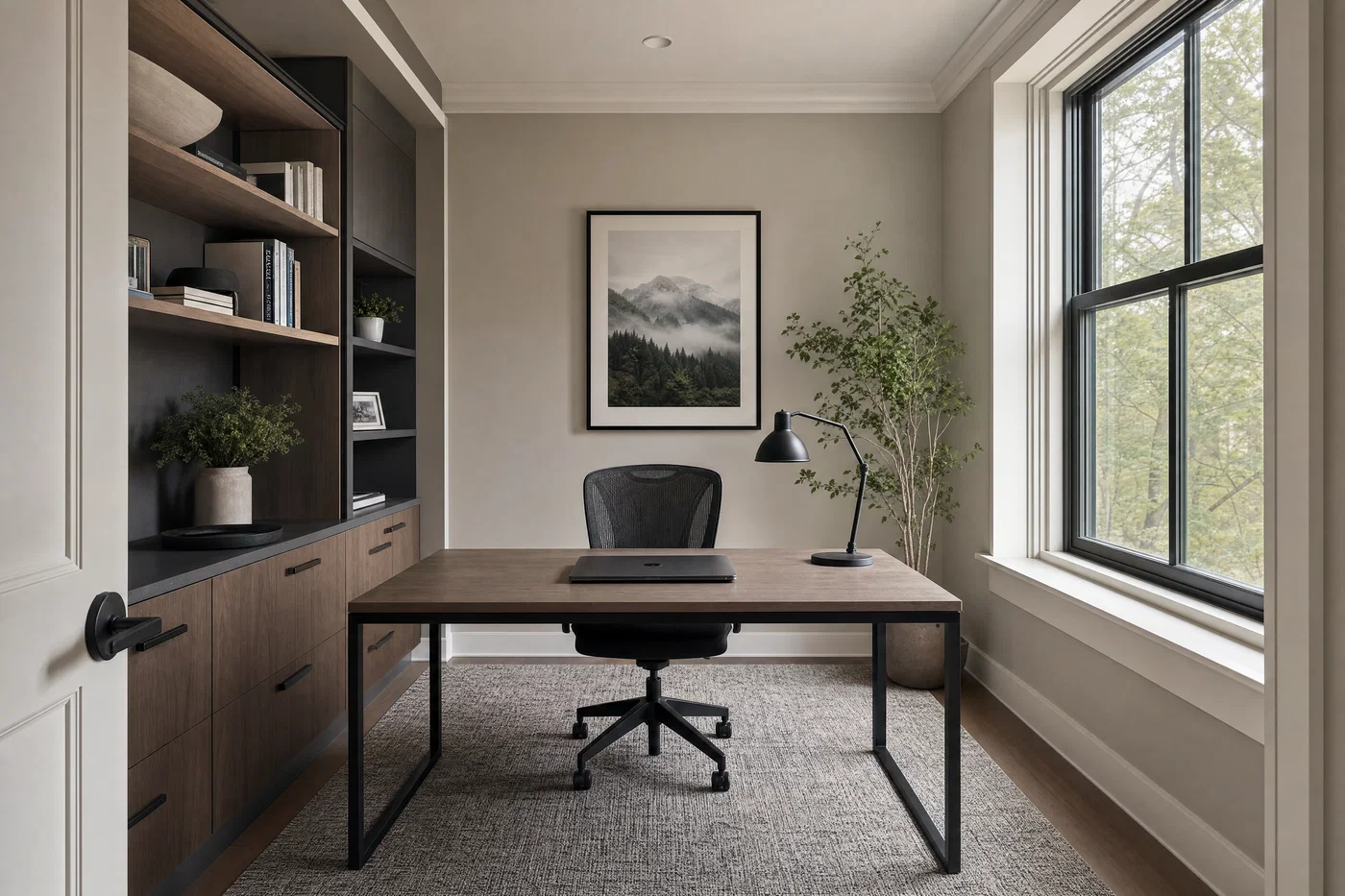
Compact home office shot wide with window daylight, tidy desk, and balanced HDR window detail.
07·Lifestyle · productive minimal
View photo
24mmf/8Window detail retainedClean editorial grade
Prompt
Wide interior photograph, 24mm lens, f/8, level camera, two-point perspective, compact home office with built-in shelves, simple desk, closed laptop, task lamp off, framed print, cable management, neutral rug, large window on camera-right with soft window daylight, gentle fill on shadows, full-frame digital, balanced HDR to hold window detail, clean editorial grade, no halos.
Why it works

Home office images need to read functional, not staged like a showroom, so the prompt anchors on cable management and a closed laptop. Preserving the window view prevents the “white rectangle” look and makes the room feel like a real space with depth.

Prompt 08 of 10

Empty room staging

Virtual staging · realistic scale
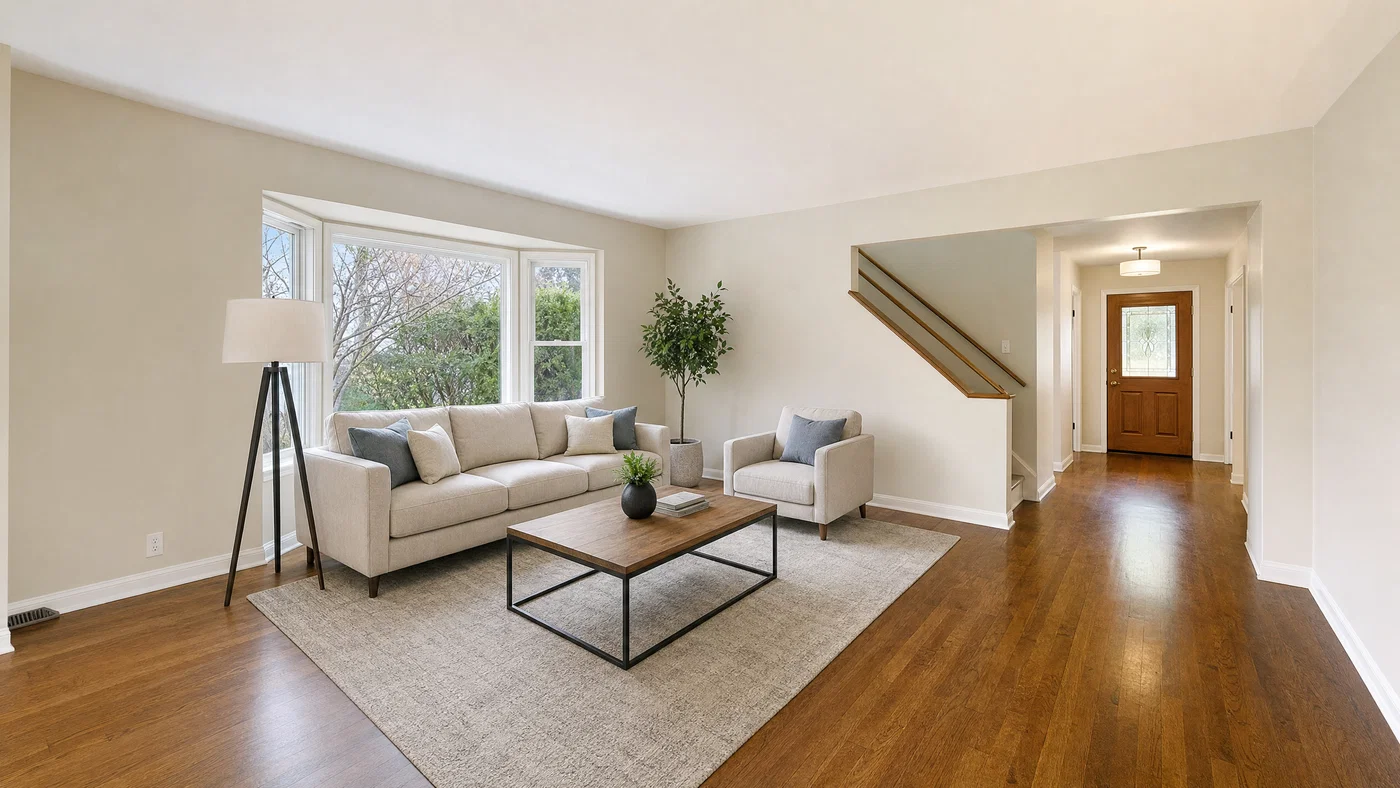
Virtually staged empty living room with correct furniture scale, soft window daylight, and neutral HDR.
08·Virtual staging · realistic scale
View photo
18mmf/8Virtual stagingGrounded shadows
Prompt
Wide interior photograph, 18mm lens, f/8, level camera, two-point perspective, empty unfurnished living room virtually staged with correctly scaled sofa, coffee table, rug, and floor lamp, keep original walls, floors, and windows consistent, no construction artifacts, window daylight from camera-left, soft shadows grounded to the floor, full-frame digital, balanced HDR with natural whites, neutral listing grade, no halos.
Why it works

Virtual staging looks fake when furniture scale is off or shadows float, so the prompt forces grounded contact shadows and “correctly scaled” pieces. Asking to keep the original shell consistent reduces hallucinated architecture changes that would misrepresent a property.

Prompt 09 of 10

Curb appeal exterior

Real estate · clean verticals
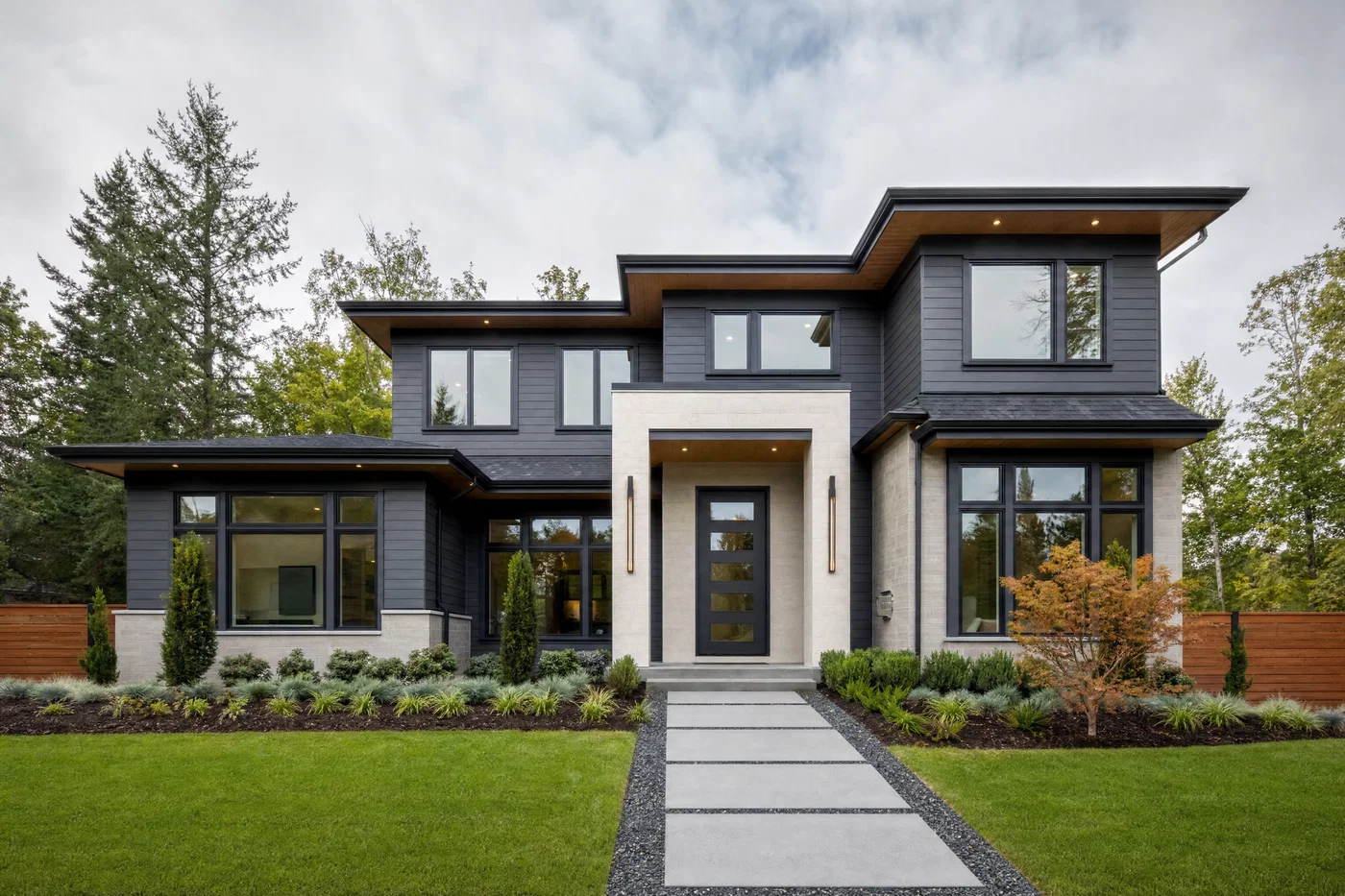
Modern home exterior photographed wide with straight verticals, soft daylight, and balanced HDR sky detail.
09·Real estate · clean verticals
View photo
20mmf/8Corrected verticalsSky detail HDR
Prompt
Wide exterior photograph, 20mm lens, f/8, level camera, two-point perspective with corrected verticals, front elevation of a modern home with clean siding, dark window frames, simple landscaping, clear walkway, no cars, daylight with soft overcast quality like window daylight, even shadows, full-frame digital, balanced HDR to hold sky and facade detail, natural color grade, no halos.
Why it works

Exterior prompts often fail on leaning walls and blown skies, so corrected verticals and HDR sky retention are non-negotiable. The “soft overcast” cue keeps shadows readable across the facade, which is how many real estate exteriors are actually shot.

Prompt 10 of 10

Open-plan walkthrough

Builder · bright balanced
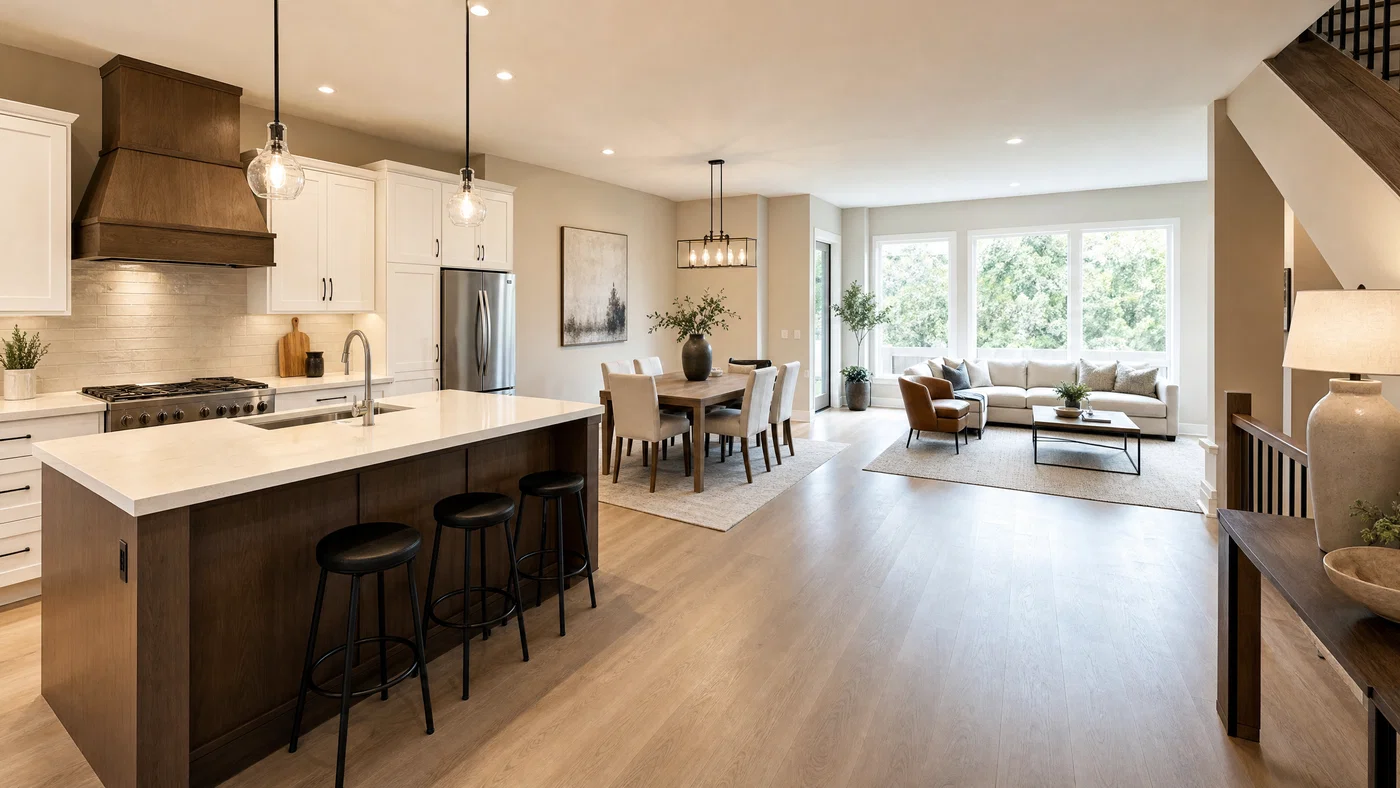
Open-plan interior showing kitchen, dining, and living areas, shot at 16mm with balanced HDR.
10·Builder · bright balanced
View photo
16mmf/8Open-plan wideBacklit daylight HDR
Prompt
Wide interior photograph, 16mm lens, f/8, level camera, two-point perspective, open-plan main floor showing kitchen, dining, and living zones in one frame, cohesive neutral palette, staged with minimal decor and tidy surfaces, large windows at far end, window daylight backlighting with soft bounce fill, full-frame digital, balanced HDR to keep window view and interior detail, clean neutral grade, no halos.
Why it works

Open-plan scenes break when the model chooses one exposure, so the prompt forces HDR that holds both window view and interior zones. Calling out separate “zones” helps the model arrange furniture logically and keeps pathways clear, which improves real estate readability.

From prompt to listing-ready rooms, fast

The fastest way to get believable real estate photos from AI is to prompt like a working photographer: start with shot type, lock a wide lens (16–24mm) at f/8, call for level camera and two-point perspective, then define window daylight and finish with a balanced HDR grade that explicitly says no halos.

Reuse the prompts above as templates. Swap the style (Scandinavian, mid-century, industrial, Japandi), the finishes (oak, walnut, stone), and the room type (kitchen, bedroom, bath) while keeping the lens, perspective, and light structure consistent. That consistency is what makes virtual staging look credible across an entire listing.

When you are ready to render, refine, and export in one place, Open Postcrest. You get a commercial license, clean outputs with no watermarks, and 50% off your first 2 months.

Bonus · Image to video

Turn interior stills into smooth video

Any image rendered from these prompts can become a motion clip in Postcrest, preserving the same lens, window daylight, and clean HDR grade.

Generated from prompt aboveImage to video in Postcrest
Animated from: Open-plan walkthrough
Builder · bright balanced
Video prompt
Slow dolly-in from the living area toward the kitchen, preserving the 16mm wide look, backlit window daylight, and clean neutral HDR grade. Add subtle pendant cord sway and gentle light shift from passing clouds at the windows, minimal motion. One continuous shot, no cuts, no text, no watermarks, no logos, no overlays, no captions
Why it works as motion

A straight dolly-in mimics a real walkthrough and keeps the open-plan geometry stable across the frame. Small fixture sway and daylight drift add motion cues without introducing fast changes that would break the carefully balanced HDR exposure.

50% off first month

Generate every prompt above in Postcrest

Copy-paste any prompt, or hit generate and get a 4K render in seconds. 50% off your first month — join 38,000+ creators.

Claim 50% off
Cheat sheet

Interior design and real estate prompt cheat-sheet

Reference these dimensions in any prompt for repeatable results across shoots and projects.

SceneLens + compositionLightStyle notesGrade cue
Living room staging18mm, level tripod, two-pointWindow daylight side-litMinimal decor, clear pathwaysBalanced HDR, no halos
Kitchen listing shot16mm, wide but straight verticalsWindow over sink, soft bounceWhites protected, fixtures offNatural color, controlled highlights
Bedroom mood20mm, wide vertical optionSheer-curtain window daylightLow bed, neutral textilesWarm-neutral HDR, soft roll-off
Virtual staging empty room18mm, keep shell unchangedWindow daylight, grounded shadowsCorrect scale, contact shadowsNeutral listing grade, no halos
Bathroom spa look18mm, glass and mirror detailDiffuse frosted window lightNo clutter, clean surfacesCrisp neutral HDR, no glare
Exterior curb appeal20mm, corrected verticalsSoft overcast daylightNo cars, simple landscapingHDR sky detail, natural contrast
Pro tips

Five rules that separate amateur prompts from director-grade ones

  1. 01
    Lock the camera before the decor
    Start with “wide interior photograph,” then 16–24mm, f/8, level camera, and two-point perspective. If geometry is wrong, styling cannot save it.
  2. 02
    Tell the model where the windows are
    State window placement (camera-left, behind camera) and softness (sheer, frosted, overcast). Directional daylight is what gives rooms depth and believable shadowing.
  3. 03
    Prevent mixed color temperatures
    Specify lamps and overheads off unless you want warm practicals. Mixed lighting is a common cause of muddy walls and strange white balance in AI interior design.
  4. 04
    Use HDR language, but constrain it
    Ask for balanced HDR to hold window view and interior detail, then add “no halos” and “natural contrast.” This avoids crunchy edges around windows and cabinets.
  5. 05
    Anchor realism with materials and scale
    Call out a few tactile cues like linen weave, wood grain, and stone texture, plus “correctly scaled furniture.” Those anchors keep room design AI outputs believable.
Why Postcrest

Built for prompt-driven content at scale

Every prompt below renders natively in Postcrest. No queue, no Discord, no LoRA training.

Batch listing variants
Generate multiple styles and room setups from the same base brief, so you can deliver options without rewriting prompts from scratch.
Consistent looks across rooms
Reuse lighting and grading cues to keep an entire property set cohesive, from kitchen through bedroom and bath.
High-resolution, print-ready exports
Render clean, detailed interiors for web, social, and print workflows, with upscale options when you need extra headroom.
Still-to-video workflows
Turn a staged hero image into a smooth walkthrough-style motion clip while preserving lens, daylight, and grade.
Publish to social faster
Resize to common aspect ratios and push approved assets into your content pipeline without juggling multiple tools.
FAQ

Questions, answered

Everything you'd ask before pasting these prompts into your workflow.

Treat it like an architectural photo brief: shot type, 16–24mm lens, f/8, level camera, two-point perspective, and window daylight direction. Add materials and a simple staging plan, then finish with “balanced HDR, no halos” to keep it listing-clean.

Martin Balk
Written by
Martin Balk
Founder, Postcrest

Martin builds AI tools that help creators, agencies and brands ship professional content without a studio. He has tested every frontier image and video model since 2022.

50% off first month

Build your next listing set

Copy a prompt, render a clean wide-angle interior, then export in the right aspect ratios with a commercial license included.

4.8 / 5 · Trusted by 38,000+ creators
50% off first 2 months
Commercial license included
No watermarks, no attribution
4.8/5 creator rating
Start now