50% off your first month — ends in00d00h00m00s
Photography · Academy9 min readUpdated 

Best AI Profile Picture Prompts for Avatars

Copy, paste, and generate consistent avatars for LinkedIn, Discord, and TikTok using photographer-grade lens, lighting, and background instructions built for circular crops.

Martin Balk
Martin Balk
Founder, Postcrest ·
4.8 · 38,000+ creators
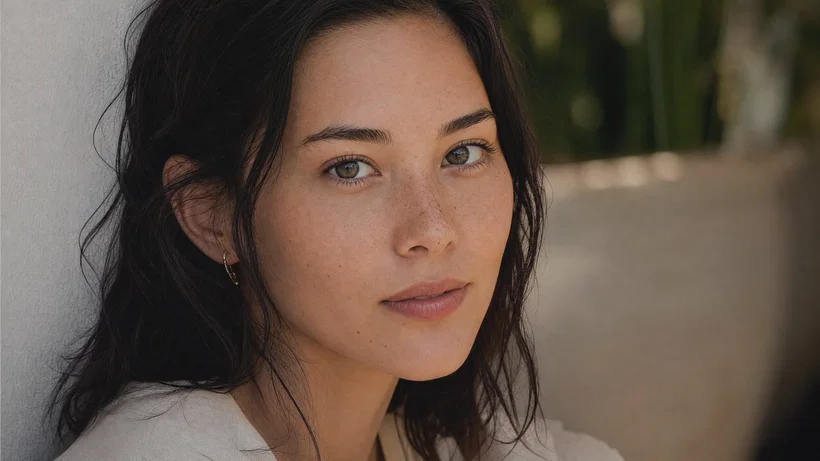
Centered studio headshot with extra margin for circular profile picture crop.
10 ready-to-copy prompts
Generated with Postcrest · 1 prompt · 1 click
TL;DR
Key Takeaways
  • 01
    Write it like a real shoot Lead with shot type, lens, and light so modern image models lock into familiar portrait patterns instead of guessing.
  • 02
    Design for the circular crop Ask for centered framing, extra headroom, and clean edges so the face stays strong inside a round avatar mask.
  • 03
    Use identity anchors, then vary style Repeat 2 to 3 specific cues, like hair streak and scar placement, to keep the same person across realistic, anime, and 3D avatars.

AI profile picture prompts that stay consistent

A good AI profile picture prompt is a short, camera-style brief that specifies centered framing for a circular crop, clear identity cues, and the exact lens and lighting that shape a believable face. Modern image models learn portraits from massive libraries of captioned photos where captions name production details like head-and-shoulders shot, 35mm vs 85mm, f/1.8 depth of field, softbox key, rim light, and film-like color. When your wording mirrors that vocabulary, the model stops improvising and starts reproducing the look on purpose.

Below are 10 ready-to-paste PFP prompts, each written to produce a clean avatar with controlled background, strong catchlights, and a repeatable identity anchor. Expect options for realistic studio headshots, outdoor golden hour, black-and-white noir, anime profile picture styles, 3D animated portraits, cyberpunk neon, and minimalist illustration. Copy any prompt, swap the wardrobe or background color, then render and refine inside Postcrest.

Try it in Postcrest

Generate avatars that look intentional

Render multiple profile picture variations in seconds, then upscale for sharp exports up to 4K. Keep the same identity cues across styles with saved prompts.

No watermarksCommercial licenseCancel anytime
Image Generator
Postcrest
Prompt
Ultra-wide alpine peaks at golden hour, 16mm, f/11, Velvia 50
Generate
4K3:2
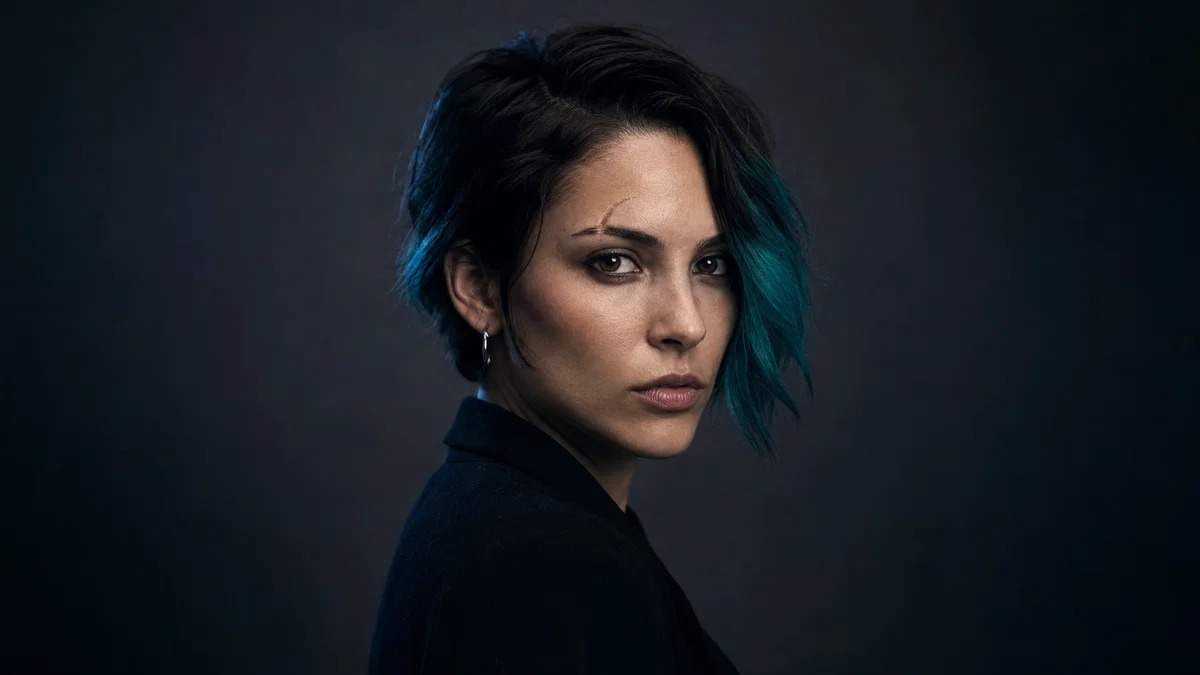
Three-quarter portrait designed for a circular avatar crop with clean studio lighting.
Generated · 4K
10 prompts

The prompt library

Every prompt below has been generated, graded and verified inside Postcrest. Copy the text, hit Generate, and the same look ships from your account.

Prompt 01 of 10

Clean studio headshot

Portra · modern corporate
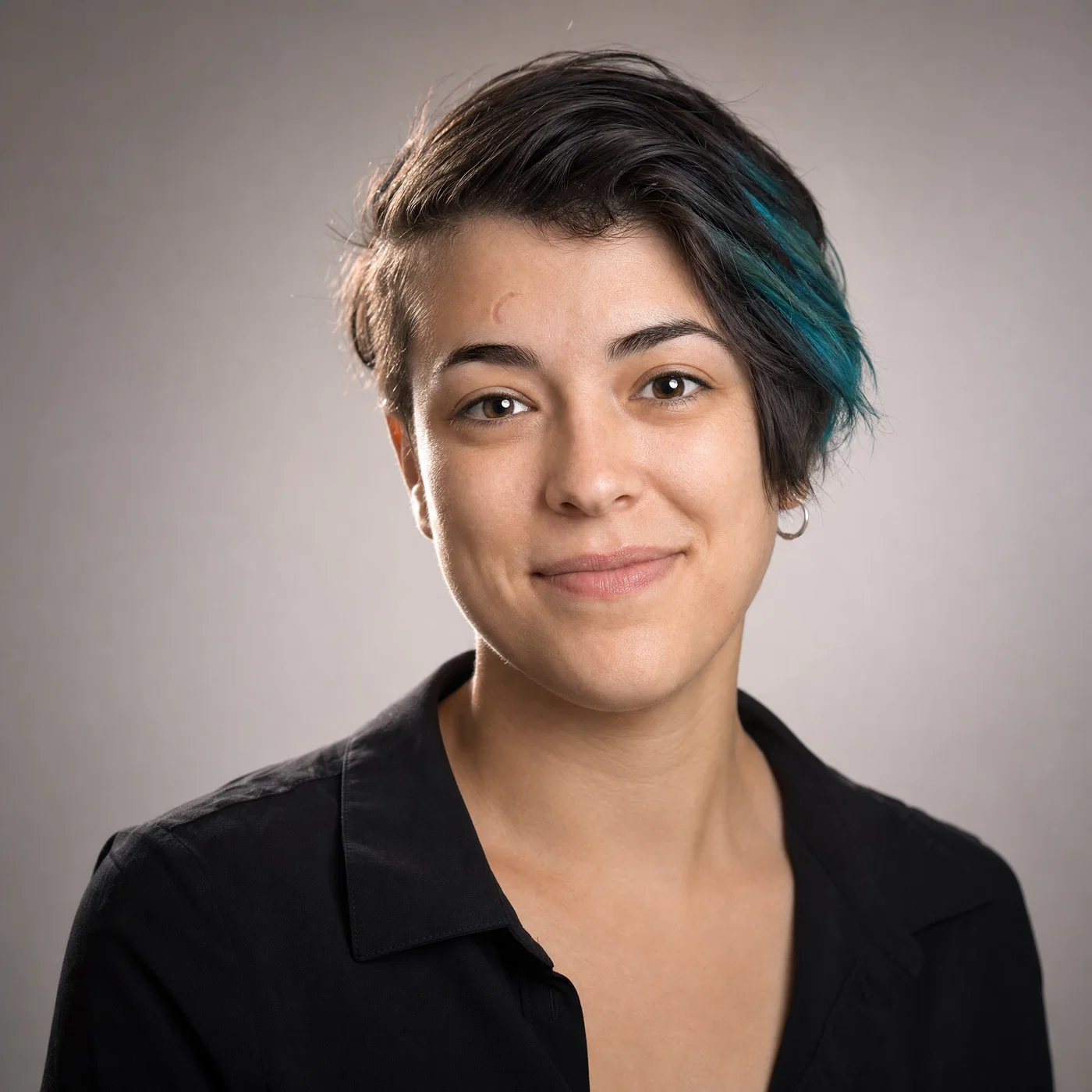
Realistic studio headshot centered for a circular profile picture crop.
01·Portra · modern corporate
View photo
85mmf/2Softbox keyNeutral grade
Prompt
Head-and-shoulders studio headshot, 85mm lens, f/2, centered with extra margin for a circular crop, subject: friendly professional with short dark hair and a single teal streak on the right side, small crescent scar above left eyebrow, silver hoop in right ear, relaxed half-smile, eyes to camera. Large softbox key at 45 degrees, subtle rim light, seamless warm gray background, full-frame digital, color grade: clean neutral skin, soft contrast, gentle warmth.
Why it works

The 85mm and wide aperture create natural facial compression and clean separation without exaggerating features, which is critical for an AI avatar generator output that reads as a real photo. The “extra margin for a circular crop” instruction prevents chopped hair and shoulders, while the teal streak and scar give the model stable identity anchors across rerolls.
Prompt 02 of 10

Golden-hour lifestyle

Kodak Gold · friendly social
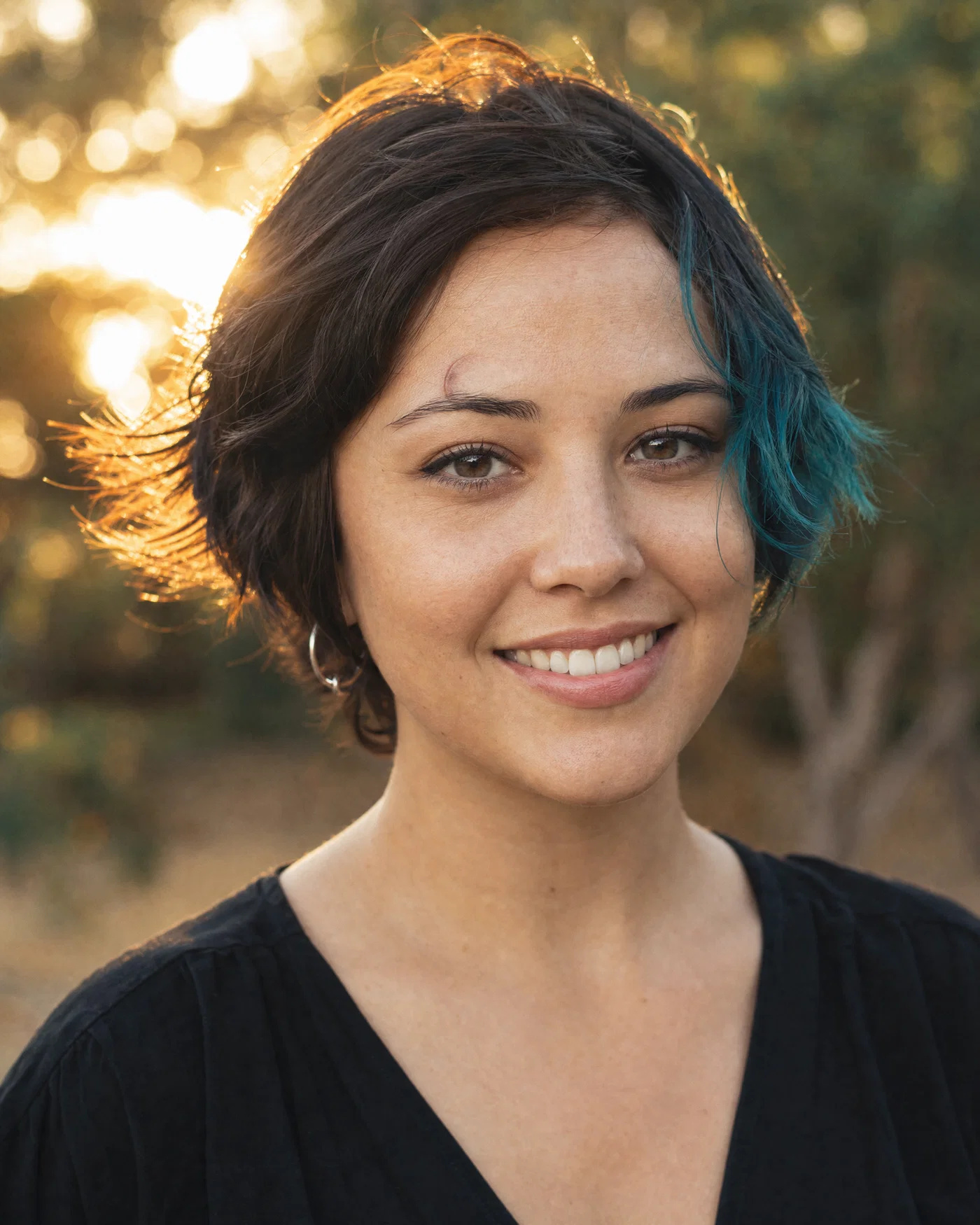
Outdoor golden-hour profile picture with backlight and soft bokeh background.
02·Kodak Gold · friendly social
View photo
50mmf/1.8Golden hour backlightKodak Gold grade
Prompt
Candid head-and-shoulders portrait, 50mm lens, f/1.8, subject centered with generous safe margins for a circular crop, short dark hair with a single teal streak on the right side, small crescent scar above left eyebrow, silver hoop in right ear, natural smile. Backlit golden hour sun with soft reflector fill, creamy bokeh trees, lightly wind-tossed hair, full-frame digital, color grade: warm highlights, soft blacks, Kodak Gold-style saturation.
Why it works

Backlight plus a reflector produces flattering skin and clear edge separation, which keeps the avatar readable at small sizes on social apps. The 50mm f/1.8 combo gives realistic depth cues, and the repeated identity cues prevent the model from “drifting” into a new person when you rerender variations.

Prompt 03 of 10

Noir black-and-white

Tri-X · dramatic contrast
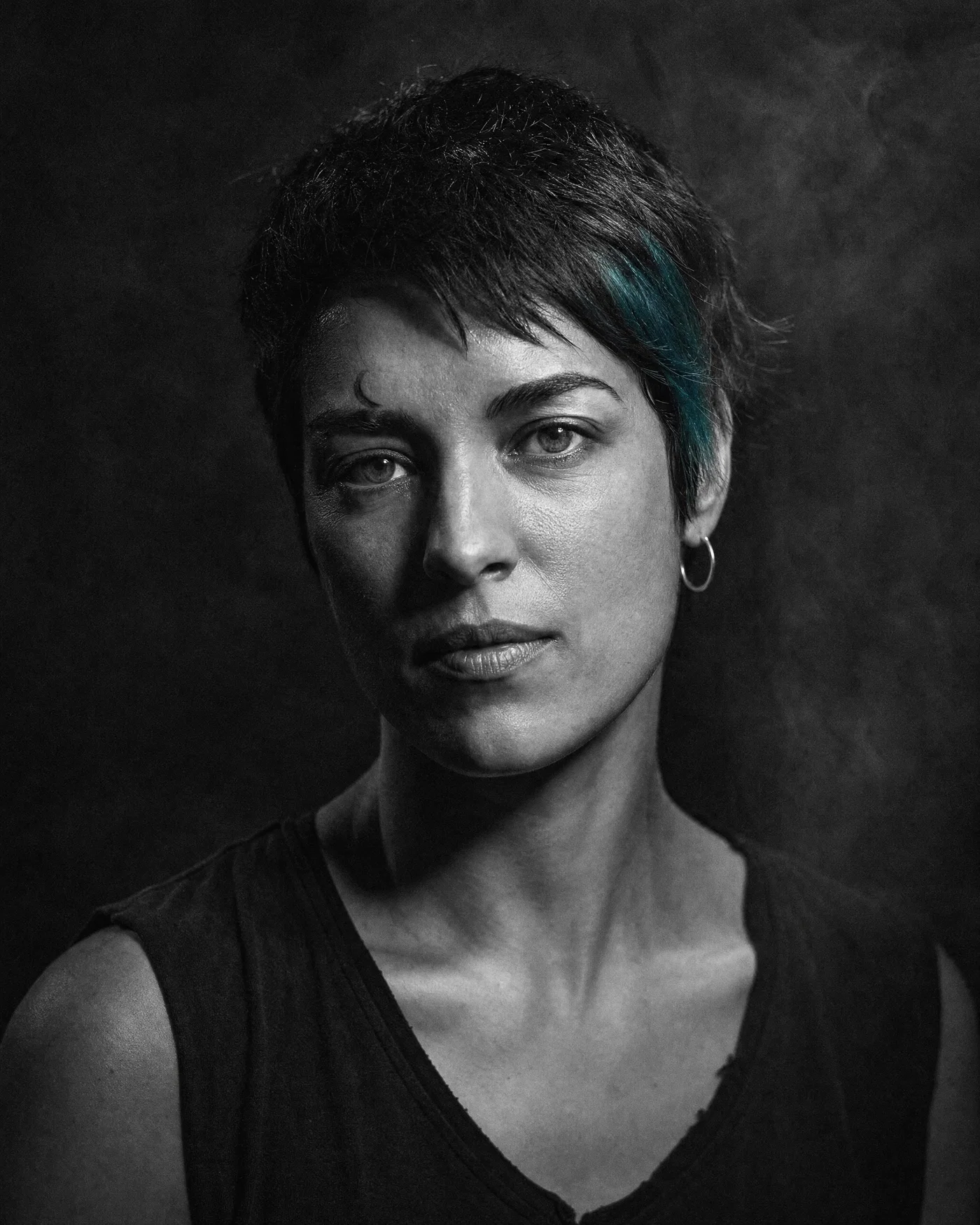
Dramatic black-and-white avatar with hard side light and deep shadows.
03·Tri-X · dramatic contrast
View photo
85mmf/2.8Hard side lightB&W grain
Prompt
Head-and-shoulders portrait, 85mm lens, f/2.8, centered for a circular crop with extra headroom, subject: short dark hair with a single teal streak on the right side, small crescent scar above left eyebrow, silver hoop in right ear, calm expression, eyes to camera. Hard side key light with deep shadow falloff, dark seamless background, subtle smoke haze, full-frame digital, color grade: punchy black-and-white, Tri-X style grain.
Why it works

Hard side light creates strong cheekbone structure and a clean silhouette, making a Discord avatar readable even at tiny sizes. Specifying grain and deep blacks prevents the model from producing flat gray tones; it also hides minor skin artifacts that stand out in clean color renders.

Prompt 04 of 10

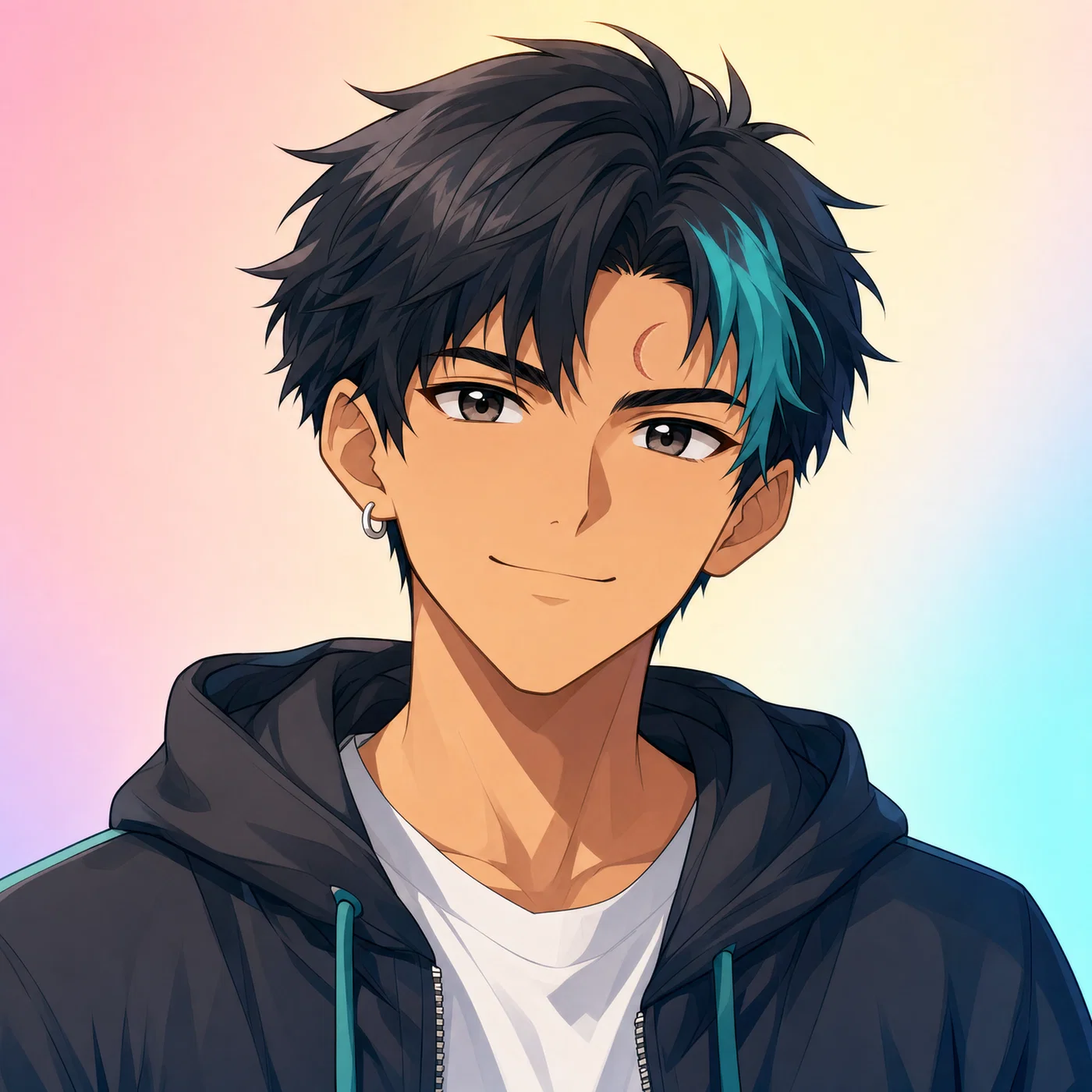
Anime avatar

Cel-shaded · clean lineart
Anime-style avatar with teal hair streak and clean pastel background.
04·Cel-shaded · clean lineart
View photo
1:1 avatarCel shadingPastel gradient50mm equiv
Prompt
Centered anime profile picture, 50mm equivalent lens look, f/2.8 depth styling, head-and-shoulders framing with extra margin for a circular crop, same identity cues: short dark hair with a single teal streak on the right side, small crescent scar above left eyebrow, silver hoop in right ear, confident friendly expression. Soft key light from above-left, crisp linework, smooth cel shading, simple pastel gradient background, color grade: bright pastels with clean whites.
Why it works

Calling out “50mm equivalent” and a soft key light helps the model keep facial proportions natural even in stylized anime, avoiding overly wide or distorted eyes. The simple background and clear linework reduce clutter at small sizes, while the repeated identity cues keep the character consistent across anime PFP prompts.

Prompt 05 of 10

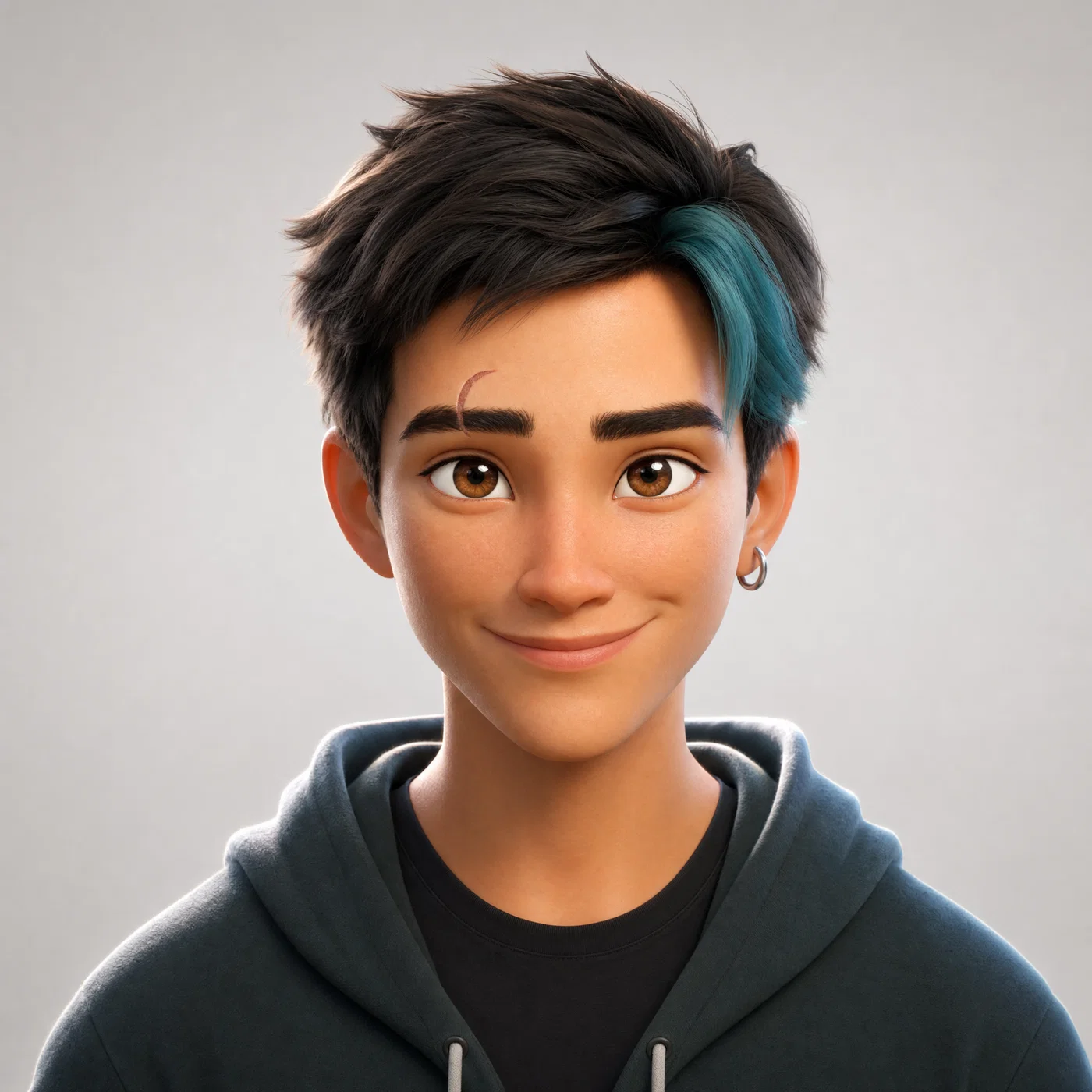
3D animated portrait

Feature 3D · soft bounce
3D animated-style avatar with soft studio lighting and light gray background.
05·Feature 3D · soft bounce
View photo
65mmf/2.5Bounce fillClean 3D grade
Prompt
3D animated character portrait, 65mm lens, f/2.5, head-and-shoulders framing centered with extra safe margin for a circular crop, same identity cues: short dark hair with a single teal streak on the right side, small crescent scar above left eyebrow, silver hoop in right ear, warm smile, eyes to camera. Large soft key with bounce fill, gentle rim light, clean light-gray studio background, subsurface skin shading, color grade: bright, clean, soft contrast.
Why it works

A 65mm focal length keeps a flattering “portrait” feel while still reading as an animated character, not a distorted toy. Bounce fill plus rim light gives crisp separation on the jawline and hair, which is what makes a 3D avatar pop inside a circular crop without needing a busy background.

Prompt 06 of 10

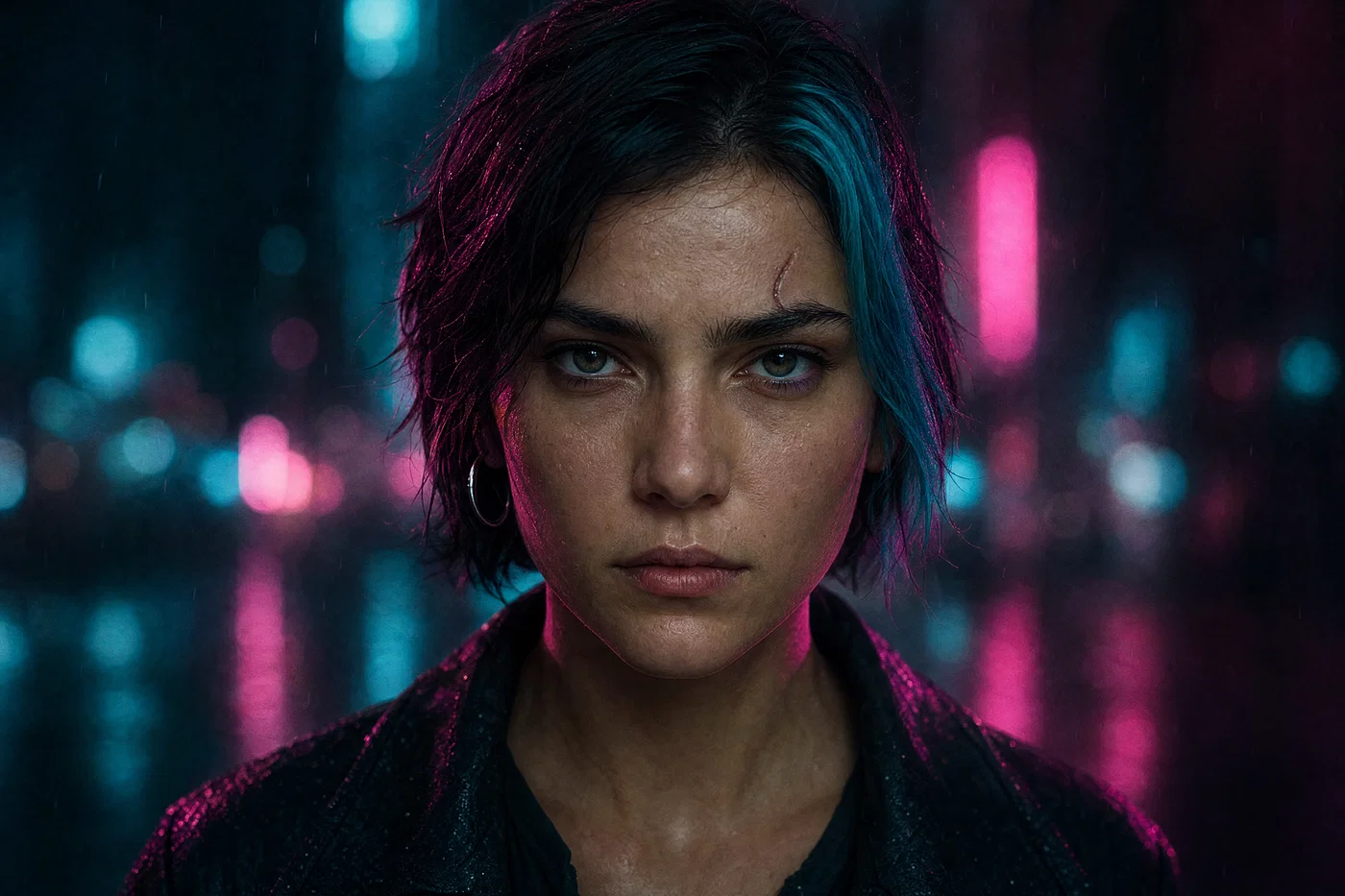
Cyberpunk neon

Cine Vision3 · neon noir
Cyberpunk neon portrait centered for a circular avatar, with magenta and cyan lighting.
06·Cine Vision3 · neon noir
View photo
35mmf/1.8Neon magenta keyTeal-magenta grade
Prompt
Tight head-and-shoulders portrait, 35mm lens, f/1.8, subject centered with extra margin for a circular crop, same identity cues: short dark hair with a single teal streak on the right side, small crescent scar above left eyebrow, silver hoop in right ear, serious expression. Night street with out-of-focus neon signage, magenta key light from camera-right and cyan rim from behind, light rain droplets, full-frame digital, color grade: teal-magenta neon with lifted shadows.
Why it works

The 35mm f/1.8 look keeps enough environment context for cyberpunk while still prioritizing the face for a Discord avatar. Two-color lighting (magenta key, cyan rim) gives immediate style and clean separation, and the “out-of-focus neon” note prevents readable text artifacts by pushing signage into bokeh.

Prompt 07 of 10

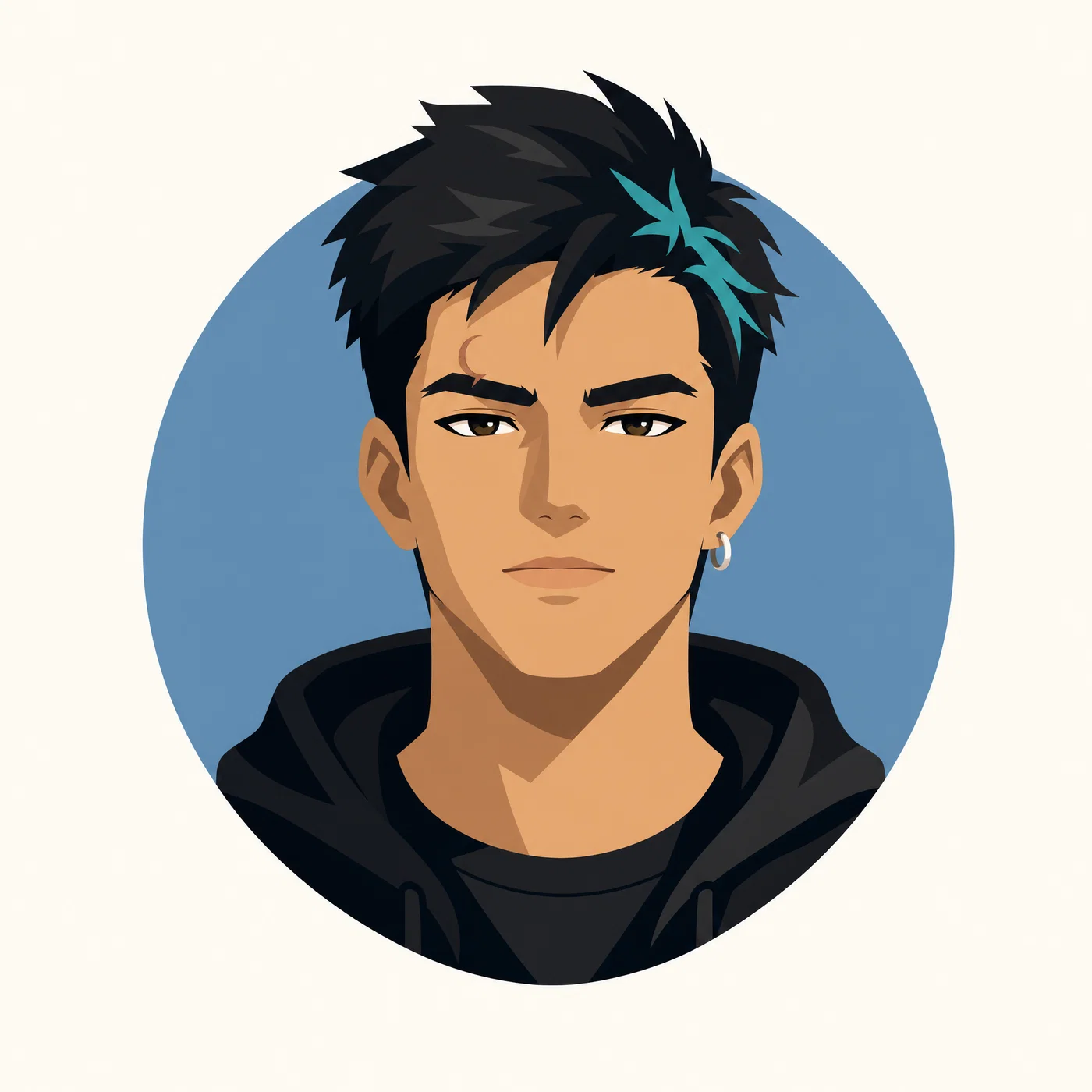
Minimal vector icon

Flat design · high contrast
Minimalist vector profile picture with flat colors and a simple circular backdrop.
07·Flat design · high contrast
View photo
Vector avatarFlat palette1:1 PFPClean outlines
Prompt
Minimalist vector-style avatar, centered head-and-shoulders composition with extra margin for a circular crop, same identity cues: short dark hair with a single teal streak on the right side, small crescent scar above left eyebrow, silver hoop in right ear. Simple geometric shapes, clean outlines, two-tone shading, solid off-white background with a single muted blue circle behind the head, no texture, color grade: flat high-contrast palette with clean edges.
Why it works

Vector prompts work best when you explicitly forbid texture and noise, otherwise models “paint” the illustration and edges get fuzzy. The single background circle gives separation and a graphic focal point, and the fixed identity cues ensure the icon stays recognizably you across variations.

Prompt 08 of 10

Watercolor portrait

Cold press · airy wash
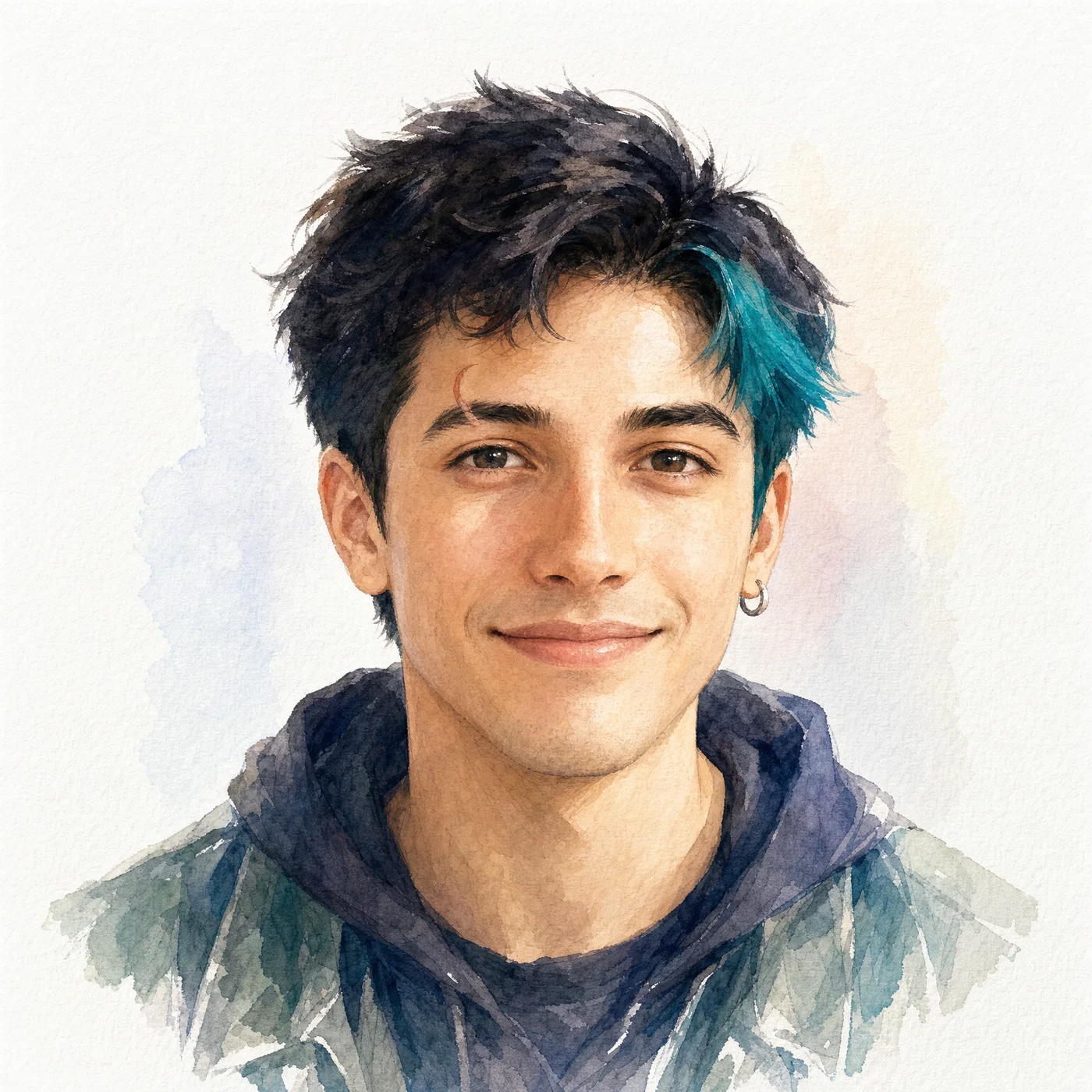
Watercolor-style avatar with soft window light and subtle paper texture.
08·Cold press · airy wash
View photo
WatercolorWindow lightPaper texturePastel grade
Prompt
Watercolor avatar portrait, 50mm equivalent lens look, head-and-shoulders framing centered with extra margin for a circular crop, same identity cues: short dark hair with a single teal streak on the right side, small crescent scar above left eyebrow, silver hoop in right ear, gentle smile. Soft window light from camera-left, loose brushwork with controlled edges on eyes and mouth, white paper texture, minimal pale background wash, color grade: soft pastels with airy highlights.
Why it works

Calling out “controlled edges on eyes and mouth” focuses detail where avatars need it most, while allowing painterly softness elsewhere. Window light is an easy-to-interpret cue for soft shadow direction, and the pale wash background keeps the circular crop from looking busy or blotchy.

Prompt 09 of 10

Editorial color pop

Portra · gel backdrop
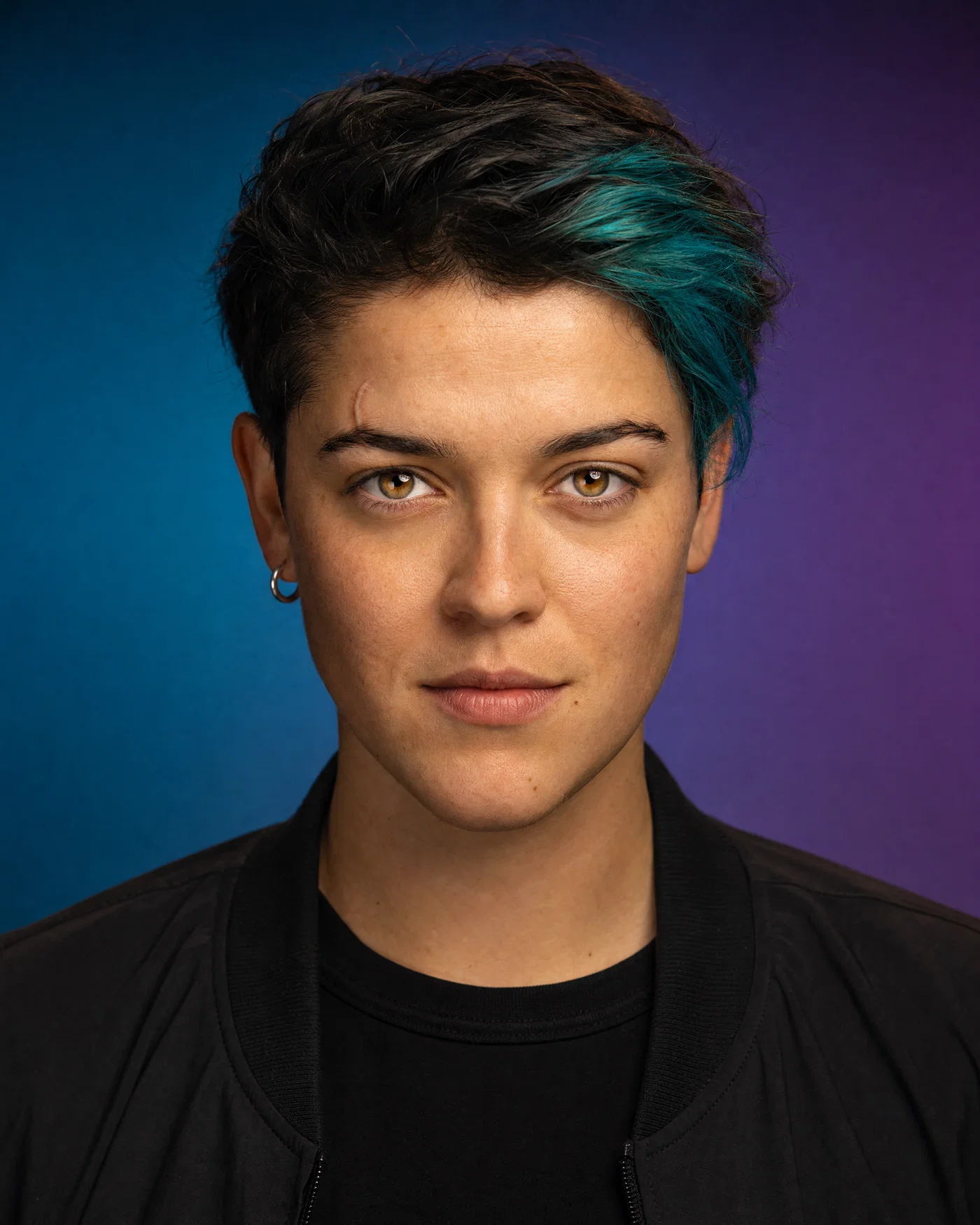
Editorial studio avatar with gel-lit teal-to-purple gradient background and crisp catchlights.
09·Portra · gel backdrop
View photo
85mmf/2.2Gel backgroundPortra skin tones
Prompt
Editorial headshot, 85mm lens, f/2.2, centered for a circular crop with extra safe margins, same identity cues: short dark hair with a single teal streak on the right side, small crescent scar above left eyebrow, silver hoop in right ear, confident neutral expression. Two-light setup: soft key front-left and colored gel background light creating a smooth teal-to-purple gradient, clean catchlights, full-frame digital, color grade: Portra-like skin with saturated backdrop.
Why it works

Separating the background with a gel light gives a premium “editorial” look without clutter, and it reads well even when the avatar is small. The 85mm keeps features flattering and consistent, while clean catchlights make the eyes the anchor point inside the circular crop.

Prompt 10 of 10

Chibi gamer PFP

Chibi · bold outline
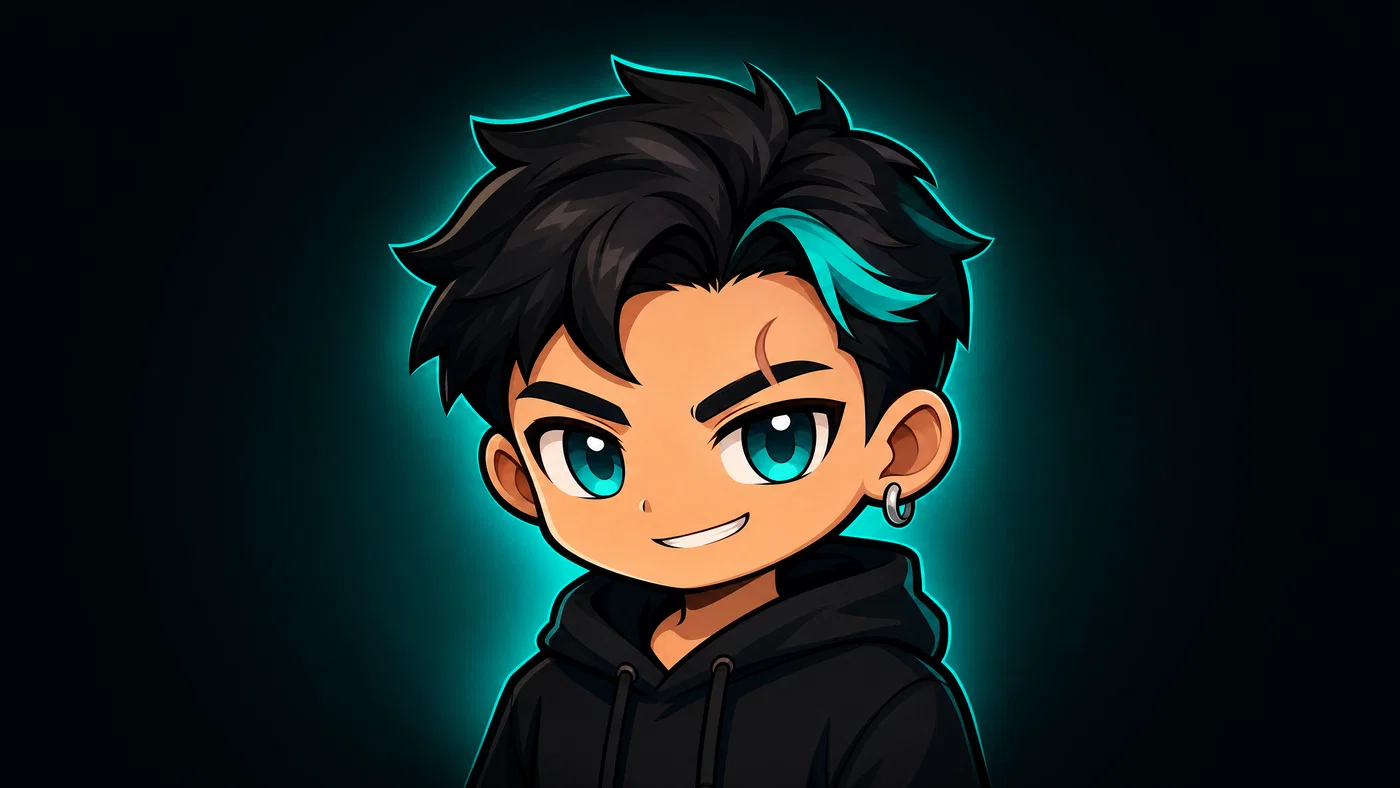
Chibi gaming avatar centered for a circular crop with teal halo on dark background.
10·Chibi · bold outline
View photo
Chibi avatarBold outlineTeal haloDiscord PFP
Prompt
Chibi-style gaming avatar, 35mm equivalent lens look, centered bust portrait with extra margin for a circular crop, same identity cues: short dark hair with a single teal streak on the right side, small crescent scar above left eyebrow, silver hoop in right ear, playful smirk. Big expressive eyes, thick bold outline, simple hoodie with minimal folds, clean dark background with a soft teal halo glow, smooth shading, color grade: high-saturation teal accents with deep neutral shadows.
Why it works

Chibi works when the prompt prioritizes clear shapes and a limited palette, otherwise small avatars become mushy. The halo glow creates separation against dark UI themes, and repeating the teal streak plus scar keeps the character recognizable even with exaggerated proportions.

From prompt to a profile-ready avatar

The fastest way to get a profile picture that looks intentional is to write prompts like a portrait brief: shot type + lens + lighting, then a few identity anchors, then a background that stays clean inside a circular crop. When the prompt tells the model exactly what to do, you spend your time choosing the best expression instead of fixing weird framing.

Treat the 10 prompts above as templates. Keep the teal streak, scar placement, and earring consistent, then swap wardrobe, background color, or lighting style to match your platform, from LinkedIn headshots to an anime profile picture or a Discord avatar.

When you’re ready to render a full set and pick the winner, Open Postcrest and generate variations quickly. If you want to scale up output, check the affordable plans and first-month intro discount on the pricing page, cancel anytime.

Bonus · Image to video

Turn any avatar into a video

Any still you render from these prompts can become a short motion clip using Postcrest workflows, while preserving the original lens feel, lighting direction, and color grade.

Generated from prompt aboveImage to video in Postcrest
Animated from: Chibi gamer PFP
Chibi · bold outline
Video prompt
Slight tilt and micro-bob as if the character leans in, preserving the chibi outlines, teal halo glow, and high-saturation grade. Add a gentle halo pulse and a tiny eye sparkle shift, keeping the character centered with no cuts. One continuous shot, no text, no watermarks, no logos, no overlays, no captions
Why it works as motion

Micro-bob motion fits chibi energy and reads well even when exported small, while big camera moves would distort the outlines. Pulsing the halo and shifting eye sparkle adds motion without changing the character design.

50% off first month

Generate every prompt above in Postcrest

Copy-paste any prompt, or hit generate and get a 4K render in seconds. 50% off your first month — join 38,000+ creators.

Claim 50% off
Cheat sheet

Profile picture prompt cheat-sheet

Reference these dimensions in any prompt for repeatable results across shoots and projects.

Use caseBest aspectFraming for circular cropLighting cueBackground rule
LinkedIn headshot4/5Head-and-shoulders, extra headroom, eyes centeredLarge softbox key, subtle rimSeamless gray or soft gradient
Discord avatar1/1Tight bust, face fills frame, safe marginsHigh-contrast key or neon rimDark solid with halo glow
TikTok/Instagram1/1Centered, clean edges, avoid hands near frameGolden hour backlight or soft windowCreamy bokeh or simple pastel
YouTube channel1/1Slight three-quarter angle, eyes to cameraBeauty dish key, catchlightsSimple gradient, no patterns
X profile1/1Keep hair and shoulders inside cropFlat overcast or soft keyNeutral, uncluttered
Gaming profile1/1Exaggerate eyes, strong silhouetteColored rim lights or haloDark UI-friendly background
Pro tips

Five rules that separate amateur prompts from director-grade ones

  1. 01
    Start with camera language first
    Open with shot type, lens, and aperture so the model knows the portrait geometry and depth of field before it decides on face shape.
  2. 02
    Add two or three identity anchors
    Pick specific, repeatable cues, like a teal hair streak, a small scar location, and one earring. Reuse them across every prompt and reroll for consistent avatars.
  3. 03
    Write for the circular mask
    Say “centered with extra margin for a circular crop” and keep the background simple. This prevents chopped hairlines and distracting edges.
  4. 04
    Control the background on purpose
    For realism, ask for seamless paper or bokeh with no readable details. For illustration styles, explicitly request solid fills or simple gradients.
  5. 05
    End with a named color grade
    A final grade note, like Portra-like skin or teal-magenta neon, acts as a global look preset and keeps rerenders stylistically consistent.
Why Postcrest

Built for prompt-driven content at scale

Every prompt below renders natively in Postcrest. No queue, no Discord, no LoRA training.

Fast avatar variations
Generate multiple PFP options quickly, then iterate with small prompt edits until the expression and framing are perfect.
Consistent AI characters
Save identity anchors as reusable building blocks so your AI profile picture stays recognizable across realistic, anime, and 3D styles.
Aspect and crop control
Render square or portrait outputs with safe margins for circular crops, then fine-tune with built-in editing tools.
Image to video workflows
Turn your favorite still avatar into a motion clip while keeping the original lens feel, lighting direction, and color grade.
Commercial license included
Every export comes with a full commercial license, no watermarks, and no attribution required.
Trusted by creators
Postcrest is rated 4.8/5 by 38,000+ creators who need consistent content across platforms.
FAQ

Questions, answered

Everything you'd ask before pasting these prompts into your workflow.

A good prompt reads like a portrait brief: shot type, lens, lighting direction, background, and a few identity cues. Add “centered with extra margin for a circular crop” so the face lands perfectly in a round avatar. Finish with a color grade so rerenders share the same look.

Martin Balk
Written by
Martin Balk
Founder, Postcrest

Martin builds AI tools that help creators, agencies and brands ship professional content without a studio. He has tested every frontier image and video model since 2022.

50% off first month

Build a profile picture people remember

Pick a style, paste a prompt, and generate a consistent avatar set sized for circular crops across every platform.

4.8 / 5 · Trusted by 38,000+ creators
Commercial license included
No watermarks
Image to video included
First-month intro discount
Start now