
50% off your first month — ends in00d00h00m00s
Photography · Academy9 min readUpdated 

Best AI Prompts for Realistic Portrait Photos

Copy 10 paste-ready portrait prompts with real lens, lighting, and film-grade language so your images read like photos, not AI.

Martin Balk
Martin Balk
Founder, Postcrest ·
4.8 · 39,000+ creators
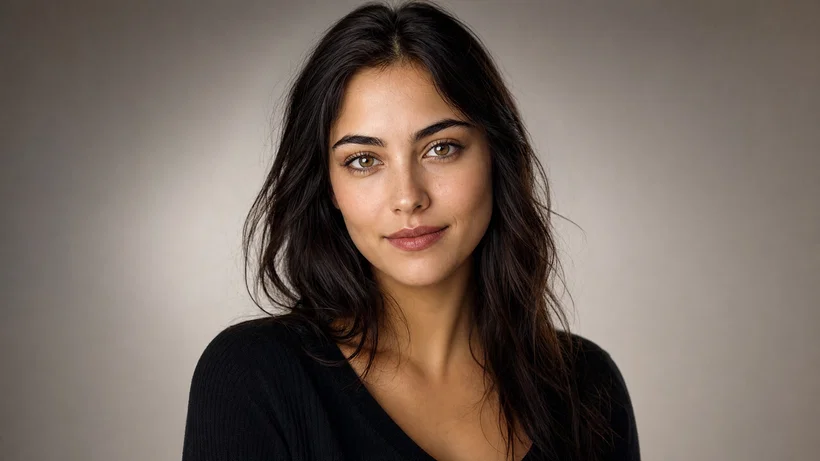
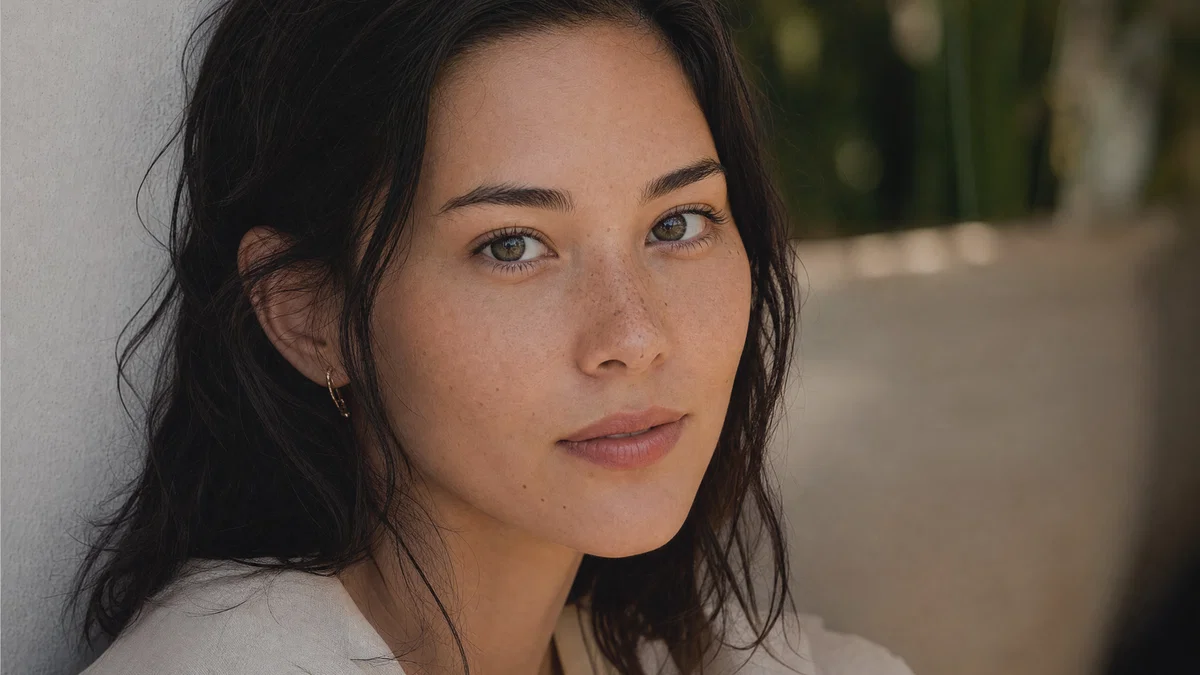
Close-up realistic portrait with soft daylight and shallow depth of field.
10 ready-to-copy prompts
Generated with Postcrest · 1 prompt · 1 click
TL;DR
Key Takeaways
  • 01
    Write prompts like a shoot brief Lead with shot type, lens, and aperture, then lock light direction, background, and finishing grade so the model follows photographic logic.
  • 02
    Describe light quality, not vibes Specify window, overcast, strobe, or tungsten and where it hits the face, because realistic portraits depend on believable shadows and catchlights.
  • 03
    End with a clear finishing grade A named film look or clean commercial grade unifies skin tones and contrast so results feel like real portrait photos.

AI prompts for realistic portrait photos that look shot

A good AI prompt for realistic portrait photos is a compact shooting brief that names framing, lens, aperture, light direction, and a finishing grade so the output reads like a photograph. Modern image models learned portraits from huge libraries of captioned photos, and those captions often include production details like “85mm f/1.8,” “soft window light,” or “overcast daylight.” When you prompt with that same vocabulary, the model can reproduce believable facial geometry, shadow falloff, and skin texture instead of plastic smoothing.

Below are 10 ready-to-paste best AI prompts for realistc portrait photos, each with specific lens choices, lighting recipes, and a final color grade. The set covers window-light headshots, corporate studio looks, editorial lifestyle, low-key Rembrandt lighting, documentary environmental portraits, and neon night scenes. Copy a prompt, swap wardrobe or location details, and generate consistent variations inside Postcrest’s image generator.

Try it in Postcrest

Generate portrait photos that feel real

Paste any prompt, render variations in seconds, then refine skin tone, crop, and background in the same workspace. Export high-resolution images for social, web, or print.

No watermarksCommercial licenseCancel anytime
Image Generator
Postcrest
Prompt
Ultra-wide alpine peaks at golden hour, 16mm, f/11, Velvia 50
Generate
4K3:2
Environmental portrait at a window-lit table with natural skin texture.
Generated · 4K
10 prompts

The prompt library

Every prompt below has been generated, graded and verified inside Postcrest. Copy the text, hit Generate, and the same look ships from your account.

Prompt 01 of 10

Window headshot

Portra · clean daylight
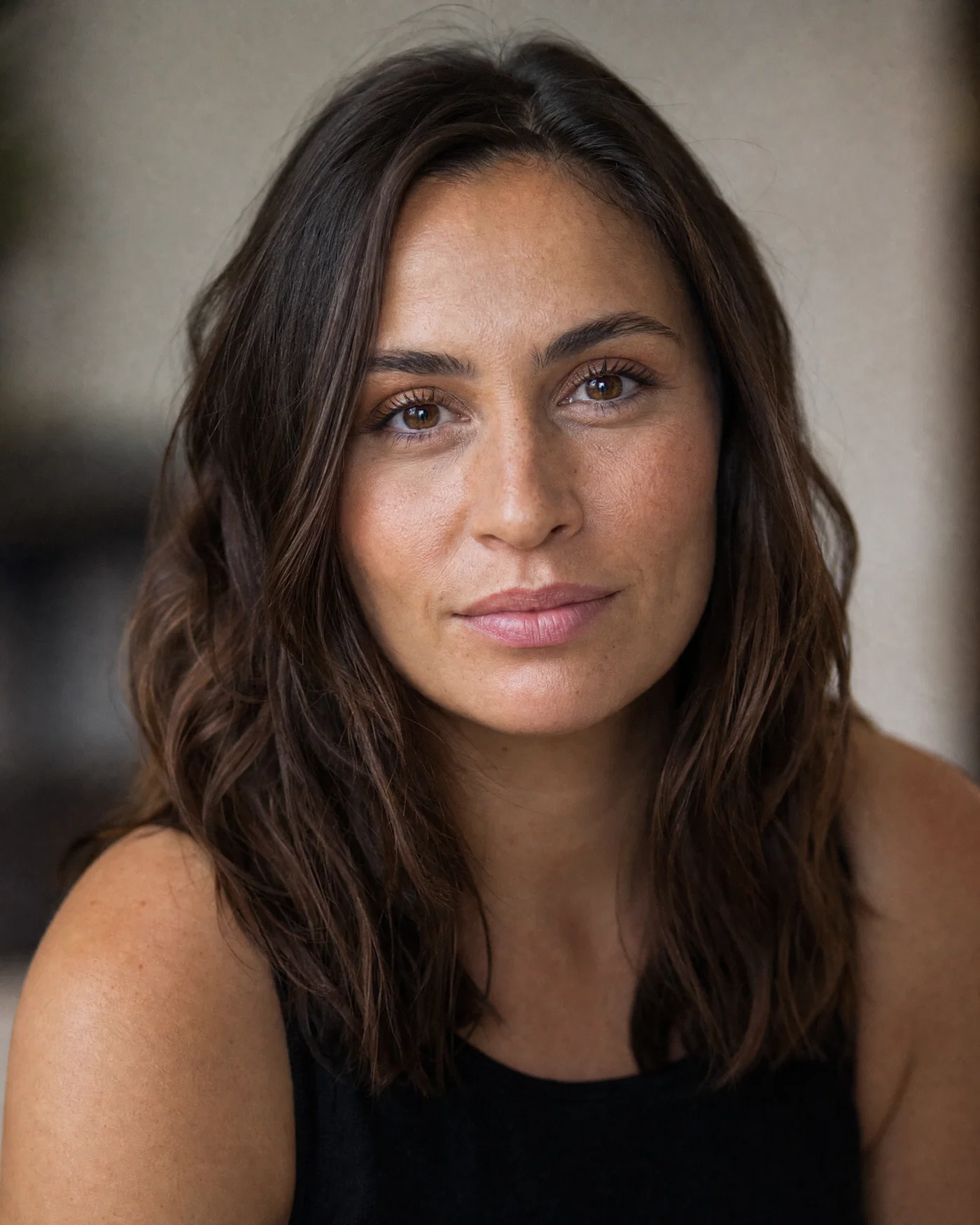
Window-lit headshot with 85mm compression and natural skin texture.
01·Portra · clean daylight
View photo
85mmf/1.8Window lightPortra 400
Prompt
Tight head-and-shoulders portrait, 85mm lens, f/1.8, adult subject facing camera with relaxed expression and natural skin texture. Soft north-facing window key light at 45 degrees, white reflector fill, gentle shadow under cheekbone, smooth background bokeh. Full-frame photographic realism with subtle grain and accurate catchlights, *Portra 400* look, neutral warm Portra-grade finish.
Why it works

Starting with a tight framing and an 85mm focal length cues classic portrait compression and flattering facial proportions. Naming the window key plus reflector fill creates a believable shadow pattern and catchlights, which is what makes an AI portrait feel photographed. The Portra-style finish keeps skin tones natural and avoids over-saturated reds.

Prompt 02 of 10

Studio headshot

Commercial · crisp neutral
Crisp studio corporate headshot on gray seamless with softbox lighting.
02·Commercial · crisp neutral
View photo
70mmf/5.6Softbox keyGray seamless
Prompt
Corporate headshot, 70mm lens, f/5.6, adult subject in simple wardrobe, clean grooming, shoulders angled slightly, eyes to camera. Studio three-point lighting: large softbox key slightly above eye line, subtle fill, faint rim light separating hair from background, seamless medium-gray backdrop. Full-frame digital photo realism, minimal skin retouch, low grain, clean neutral commercial grade.
Why it works

A mid-telephoto focal length and f/5.6 keep facial features natural while holding both eyes sharp, which reads as professional photography. The three-point lighting recipe prevents muddy shadows and creates clear edge separation on hair and shoulders. Ending with a clean commercial grade reduces the “AI look” by avoiding heavy stylization.

Prompt 03 of 10

Golden-hour editorial

Magazine · warm backlight
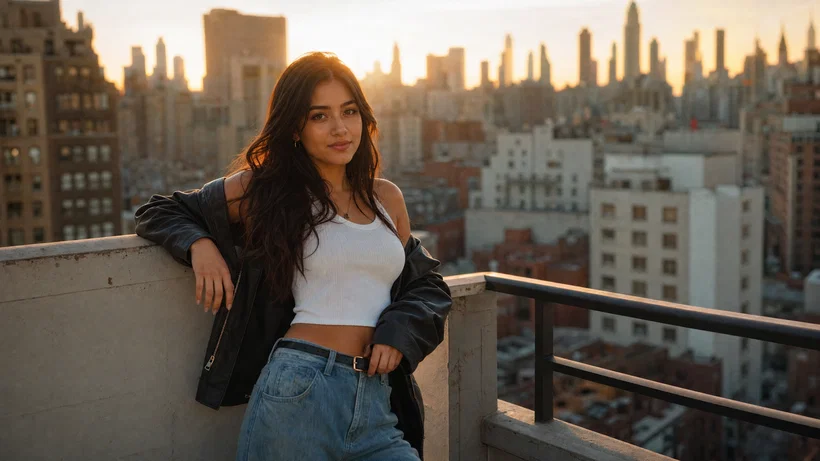
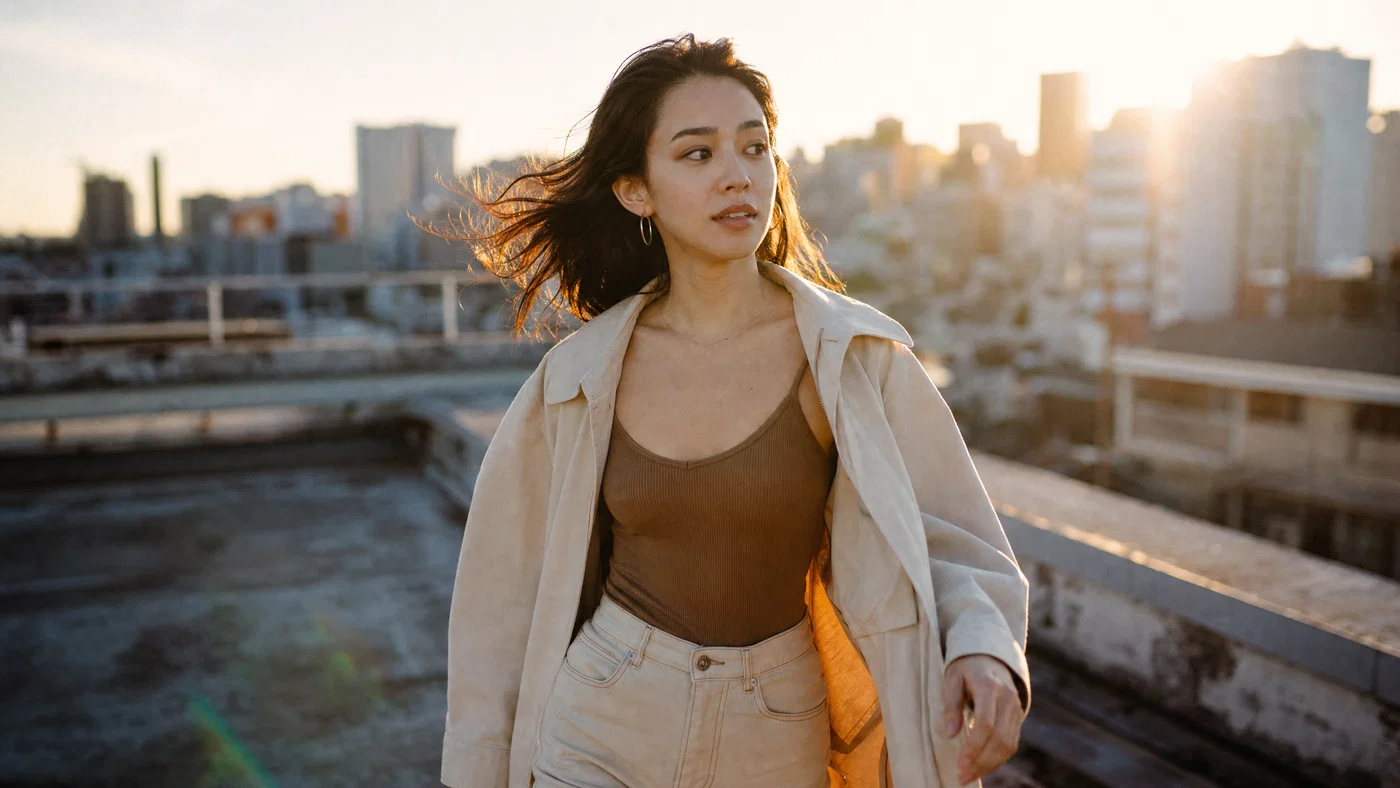
Golden-hour rooftop editorial portrait with backlit rim light and subtle flare.
03·Magazine · warm backlight
View photo
35mmf/2.0Golden hour backlightKodak Gold
Prompt
Outdoor editorial portrait, 35mm lens, f/2.0, adult subject walking on a rooftop with city skyline softened behind. Golden-hour backlight with sun just out of frame for gentle rim light, soft fill from open sky, mild lens flare, realistic skin texture and flyaway hair. Full-frame photo realism with fine grain, *Kodak Gold* color response, sun-kissed warm editorial grade.
Why it works

A 35mm lens at close distance reads like real editorial work and keeps enough environment to tell a story without feeling like a backdrop. Backlight plus open-sky fill creates rim separation and believable flare, which is hard for generic prompts to nail. The Kodak Gold style keeps highlights warm without turning skin orange.

Prompt 04 of 10

Low-key Rembrandt

Chiaroscuro · moody studio
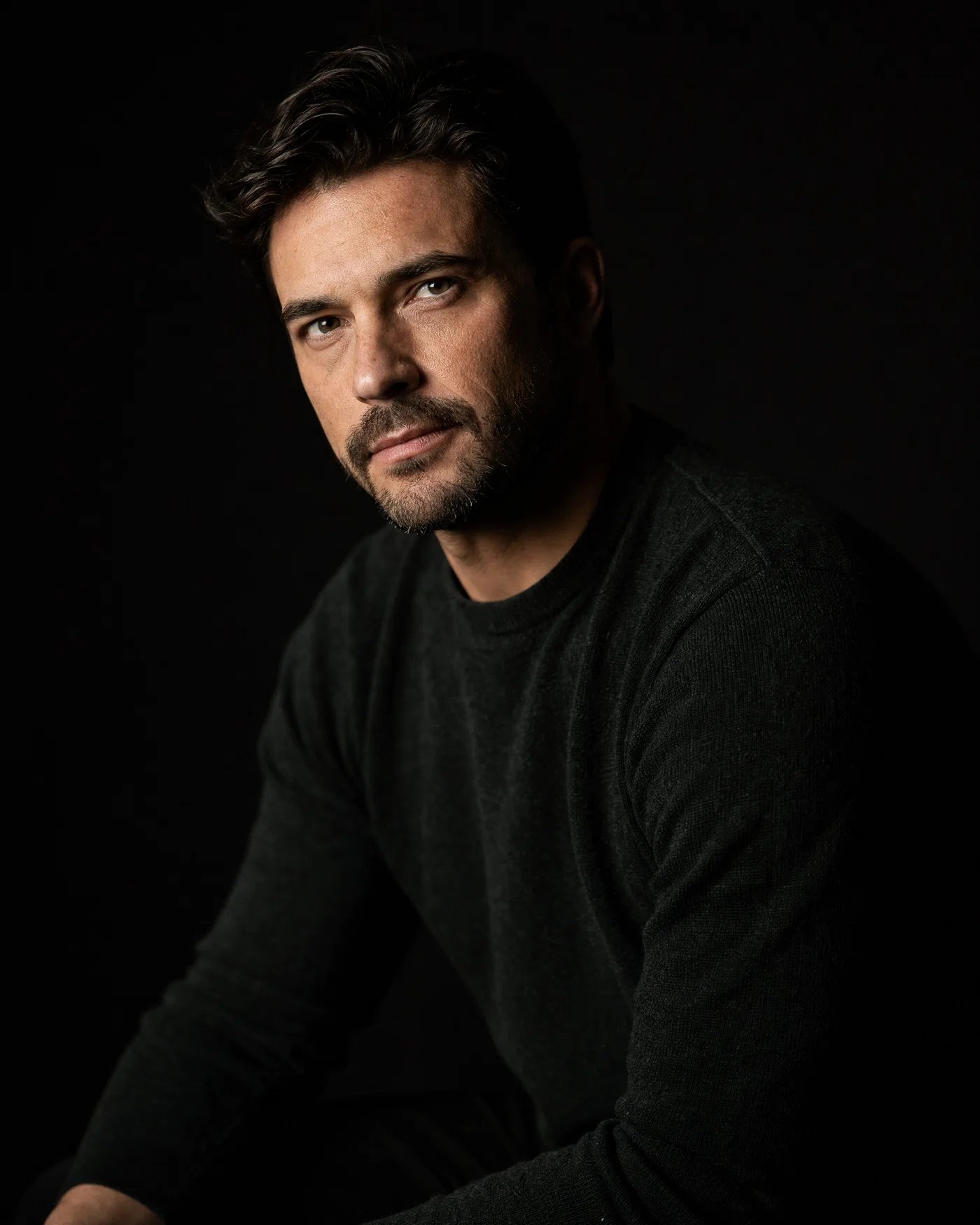
Moody low-key studio portrait with Rembrandt triangle and deep shadows.
04·Chiaroscuro · moody studio
View photo
85mmf/2.8Rembrandt lightingNegative fill
Prompt
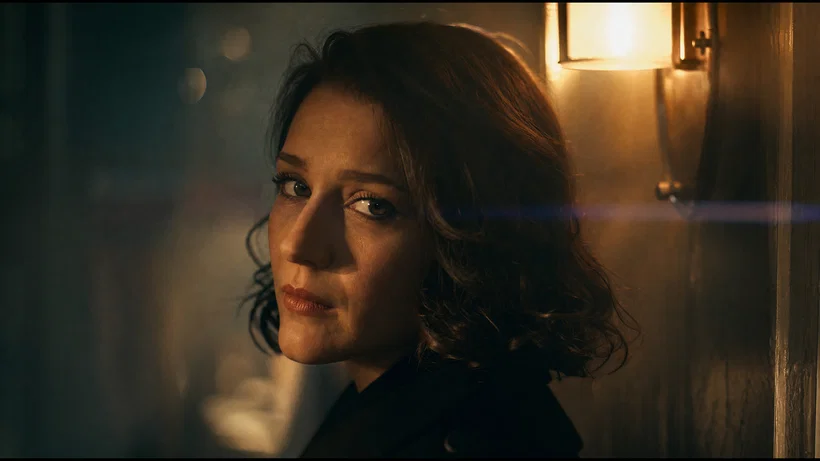
Low-key studio portrait, 85mm lens, f/2.8, adult subject seated, eyes toward camera, relaxed jaw, visible skin texture. Single gridded softbox key light at 45 degrees creating a Rembrandt triangle on the far cheek, negative fill on shadow side, black seamless background. Full-frame photo realism with controlled highlights and deep shadows, subtle grain, rich contrast moody grade.
Why it works

Specifying the Rembrandt triangle and negative fill forces a coherent shadow map, which is the fastest way to make a portrait look lit, not generated. f/2.8 keeps depth of field shallow but still holds eyelashes and irises sharp. Ending with a contrast-focused grade reinforces the intentional lighting ratio.

Prompt 05 of 10

Workshop portrait

Documentary · warm practicals
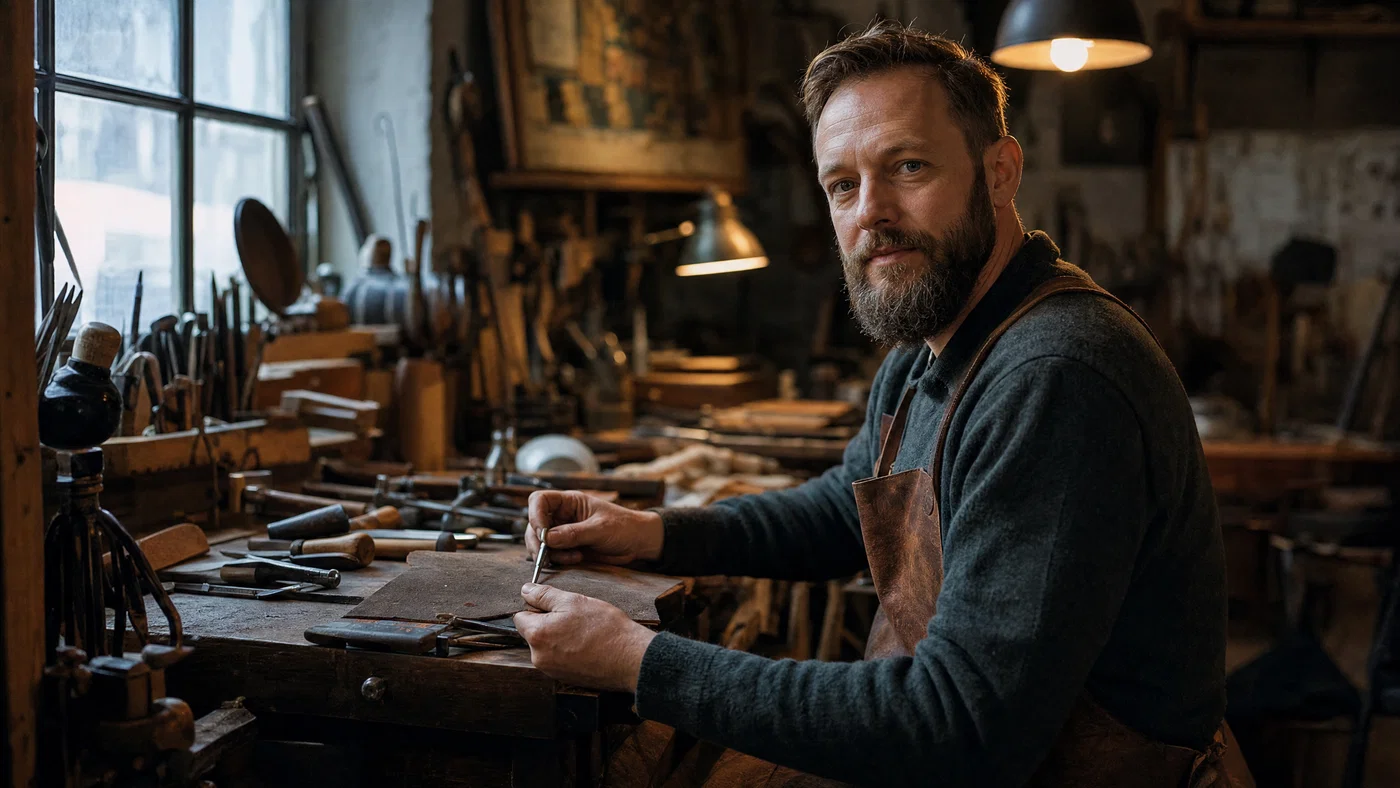
Workshop environmental portrait with mixed tungsten and daylight and visible tool detail.
05·Documentary · warm practicals
View photo
28mmf/4Mixed tungsten/daylightEnvironmental portrait
Prompt
Environmental portrait, 28mm lens, f/4, adult craftsperson in a workshop, hands working near a bench, face turned toward camera. Mixed lighting: warm tungsten practicals in background, soft cool daylight spill from a side window, realistic shadows and reflections on tools. Full-frame documentary photo realism, moderate depth of field, visible fine grain, warm *Kodak Gold* inspired grade.
Why it works

A 28mm lens and f/4 sell the space and keep key props readable, which makes the portrait feel like a real assignment. Calling out mixed color temperatures helps the model render believable warm practicals without ruining skin tones. The Kodak Gold inspired grade supports warm highlights while keeping the scene grounded.

Prompt 06 of 10

Overcast street

Street · soft gray
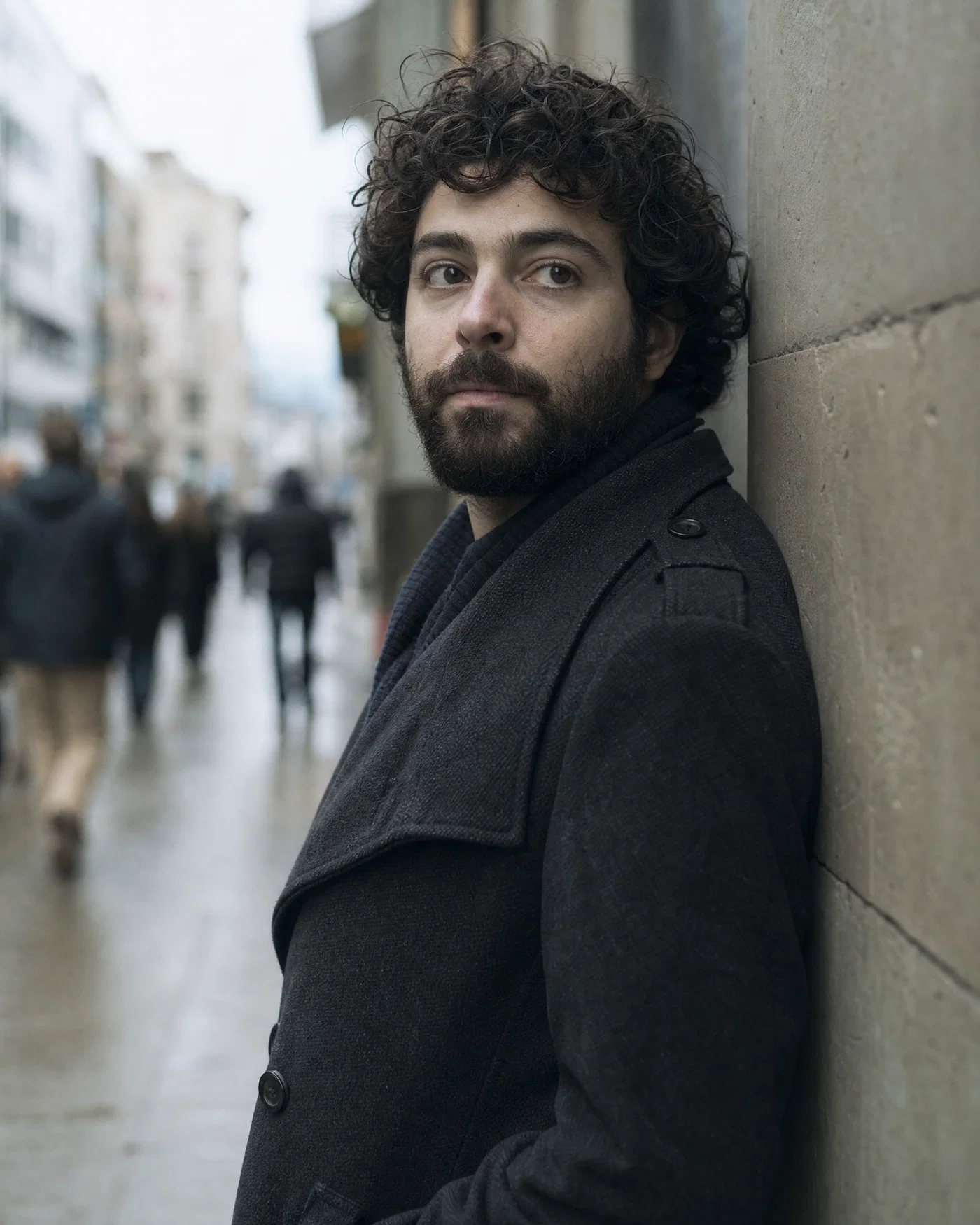
Overcast street portrait with muted tones, sharp eyes, and soft background blur.
06·Street · soft gray
View photo
50mmf/2.8Overcast daylightStreet portrait
Prompt
Candid street portrait, 50mm lens, f/2.8, adult subject leaning against a wall, eyes off-camera, natural expression. Flat overcast daylight as a giant softbox, gentle shadow under nose, muted background with slight motion blur from pedestrians, shallow depth of field but both eyes sharp. Full-frame photo realism with fine film grain, subdued saturation, cool gray documentary grade.
Why it works

Overcast light is forgiving and consistent, and naming it directly prevents harsh, synthetic shadows. 50mm keeps perspective honest for street work, while f/2.8 balances separation with enough sharpness for a believable candid. The cool gray grade supports realism by keeping saturation under control.

Prompt 07 of 10

High-key beauty

Beauty · clean pastel
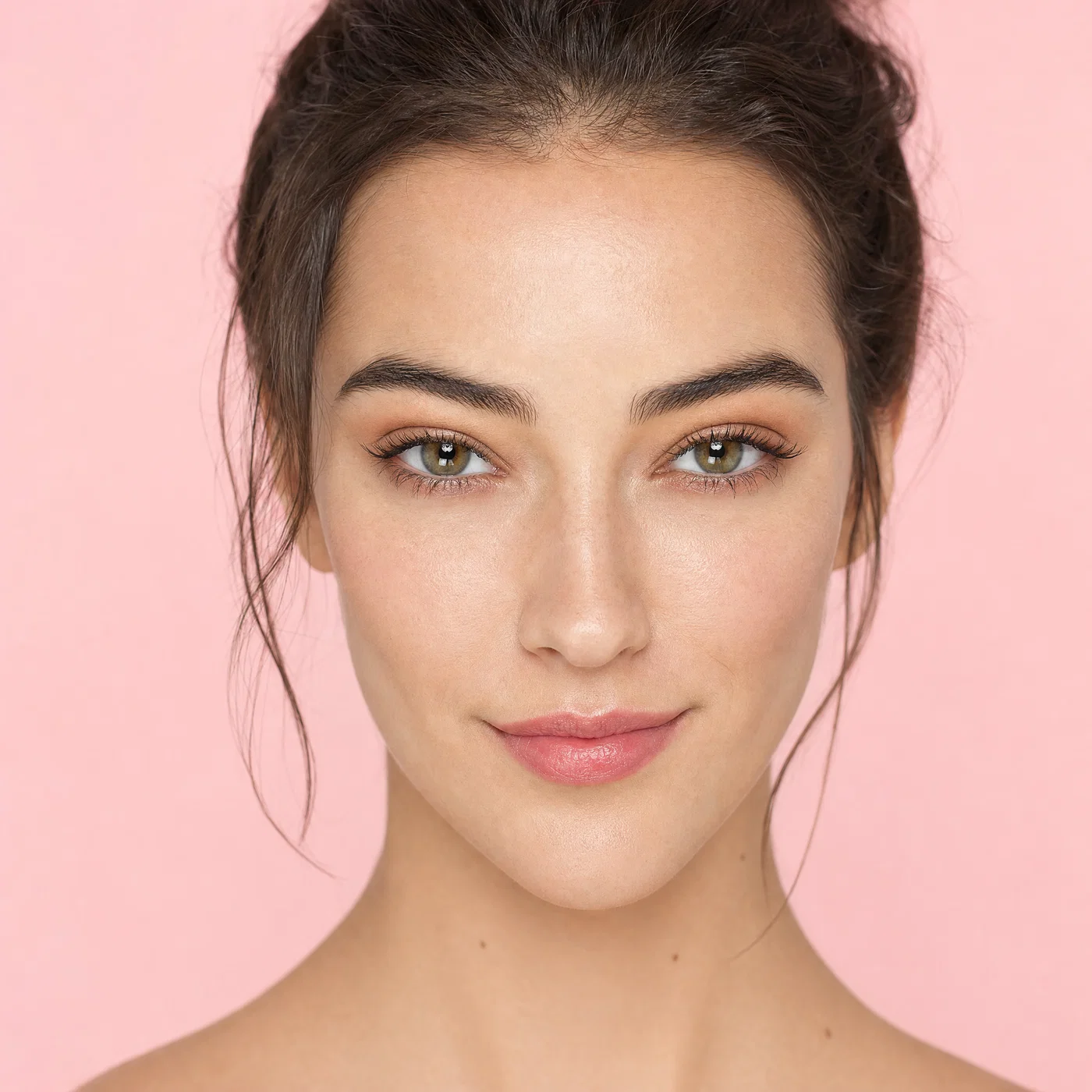
High-key beauty close-up with clamshell lighting, crisp catchlights, and pastel background.
07·Beauty · clean pastel
View photo
100mmf/4Clamshell lightHigh-key
Prompt
Beauty close-up portrait, 100mm lens, f/4, adult subject facing forward, tidy hair, natural pores and fine skin texture, clean makeup. High-key clamshell lighting: large soft source above camera and soft fill below, bright seamless pastel background, smooth shadowless look with crisp catchlights. Full-frame photo realism, minimal grain, clean retouch without plastic skin, soft pastel beauty grade.
Why it works

Clamshell lighting is a repeatable recipe that produces predictable catchlights and soft shadows, which makes results consistent across variations. A 100mm lens keeps facial features flattering and reduces distortion in a close-up. Calling for natural pores and “no plastic skin” steers the model away from over-smoothing that breaks realism.

Prompt 08 of 10

Monochrome study

Tri-X · hard side light
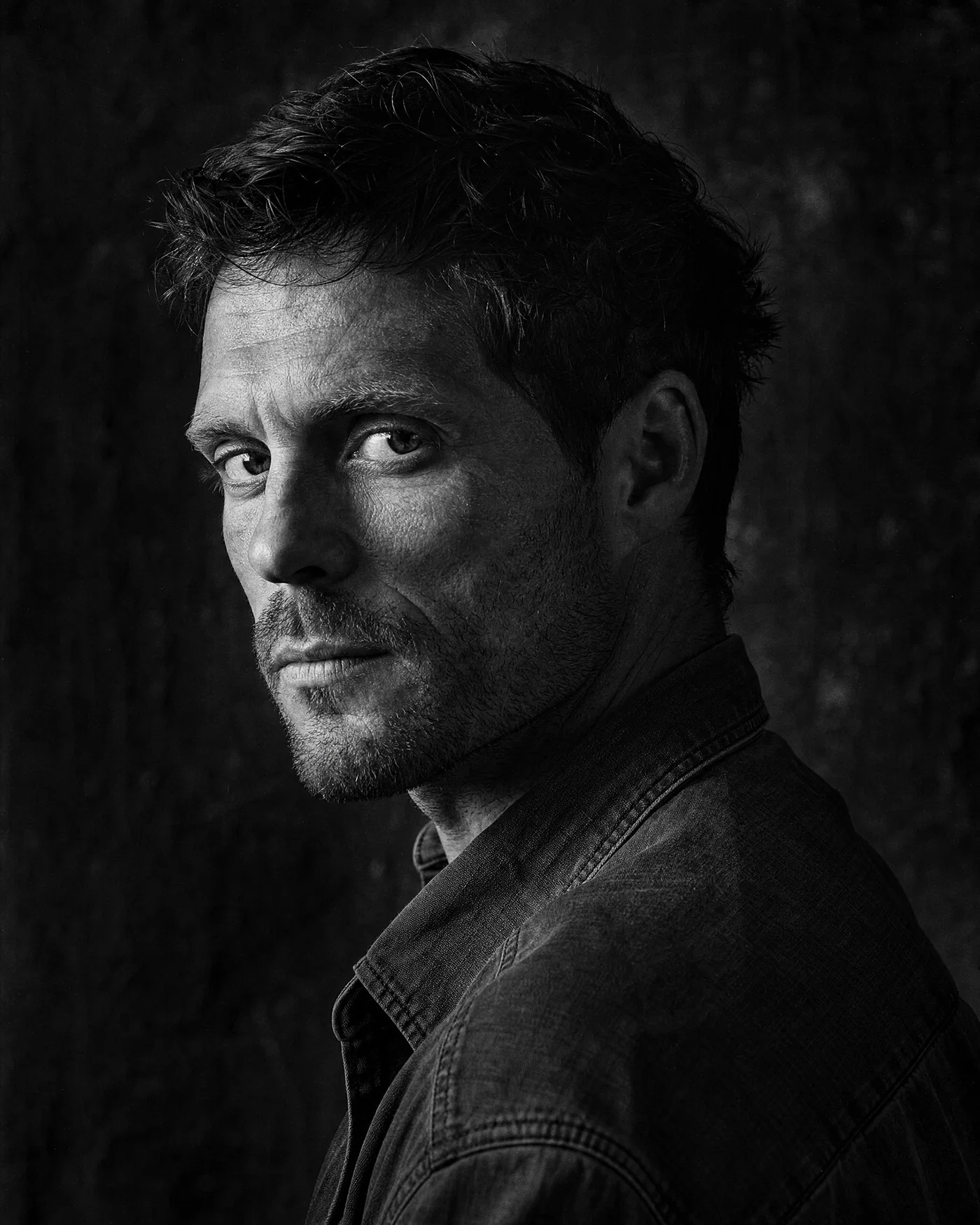
High-contrast black-and-white portrait with hard side light and visible grain.
08·Tri-X · hard side light
View photo
135mmf/2.0Hard side lightTri-X 400
Prompt
Black-and-white character portrait, 135mm lens, f/2.0, adult subject in three-quarter profile, eyes to camera, visible skin texture and fine wrinkles, no heavy retouch. Hard raking side light from a small source, deep shadow falloff, dark textured background, strong jawline and cheekbone definition. Full-frame photo realism with visible grain, *Tri-X 400* look, punchy contrast monochrome grade.
Why it works

A 135mm lens isolates the face and compresses features in a way viewers associate with classic portrait photography. Hard side light creates clear micro-contrast and texture, which reads as real skin rather than AI smoothing. The Tri-X style monochrome grade pushes contrast while keeping tonal separation in midtones.

Prompt 09 of 10

Cafe lifestyle

Portra · cozy indoor
Warm cafe lifestyle portrait with window light, practical lamp bokeh, and candid expression.
09·Portra · cozy indoor
View photo
35mmf/1.8Cafe window lightPortra 800
Prompt
Lifestyle portrait at a cafe table, 35mm lens, f/1.8, adult subject laughing naturally, hands on mug, candid moment. Soft window light from the side plus warm practical lamps in the background, shallow depth of field with creamy bokeh, realistic skin texture and teeth detail. Full-frame photo realism with fine grain, *Portra 800* color response, warm cozy lifestyle grade.
Why it works

A 35mm lens and wide aperture create an authentic “in the moment” feel while still keeping the face dominant in frame. Naming both window light and warm practicals helps the model manage mixed light without strange color shifts on skin. The Portra 800 look supports warm interiors and keeps highlights gentle.

Prompt 10 of 10

Neon rain night

Tungsten · cinematic night
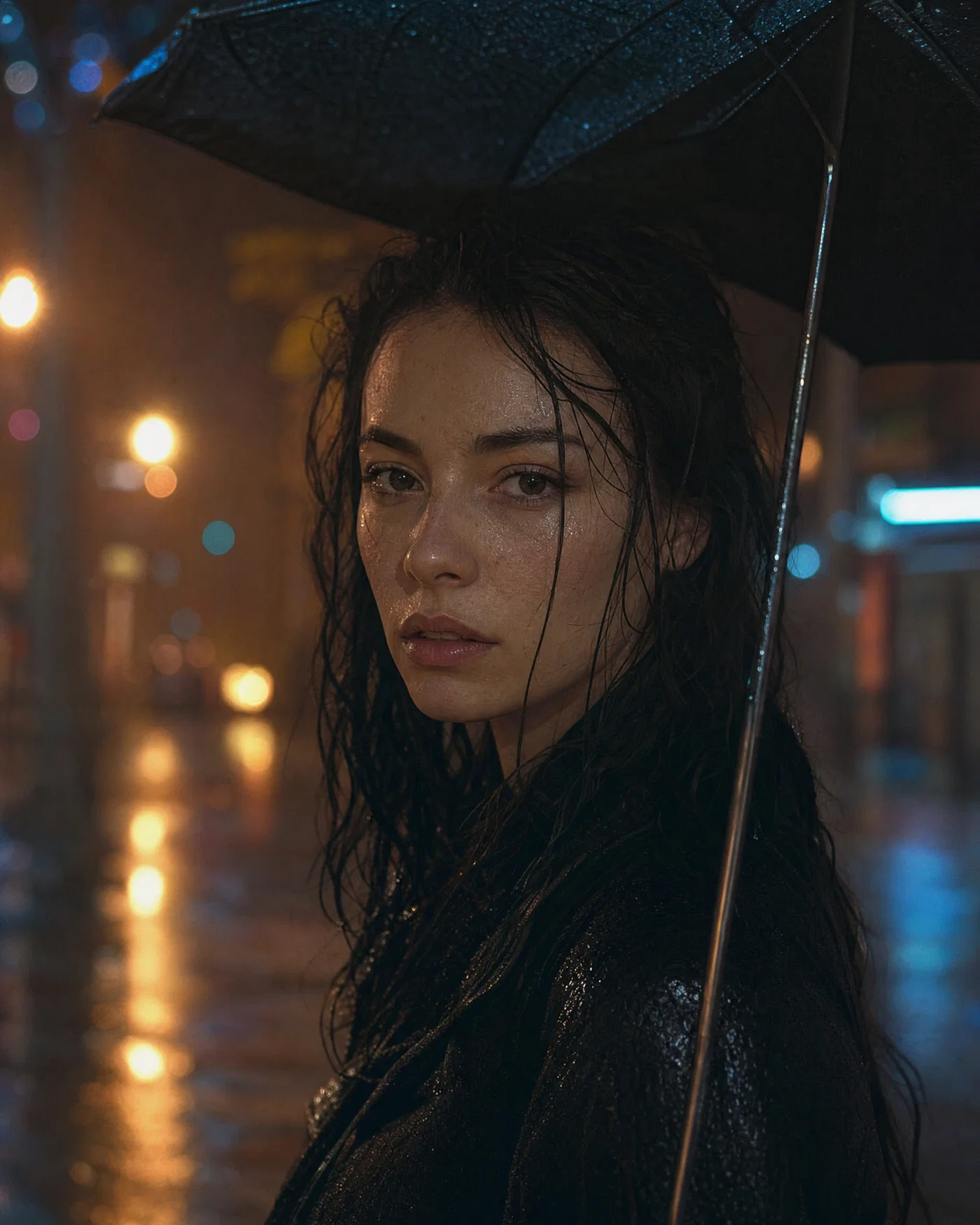
Rainy neon night portrait with umbrella, reflections, and strong bokeh on 50mm.
10·Tungsten · cinematic night
View photo
50mmf/1.4Neon + tungsten practicalsVision3 500T
Prompt
Night street portrait in light rain, 50mm lens, f/1.4, adult subject under an umbrella, eyes to camera, wet skin highlights kept natural. Neon storefront signs and tungsten streetlights as mixed practicals, reflections on pavement, strong background bokeh, realistic raindrops and specular highlights. Full-frame photo realism with controlled noise and fine grain, *Vision3 500T* look, cool tungsten cinematic grade.
Why it works

A fast 50mm at f/1.4 gives real night-portrait cues: strong bokeh, practical light blooms, and shallow focus that still feels plausible. Naming reflections and raindrops pushes the model to render specular highlights correctly, which is a common realism failure point. The tungsten cinema grade ties mixed neon colors together without turning skin unnatural.

Turn portrait prompts into repeatable results

Realistic portrait prompting is simple when it follows photographic cause and effect: choose framing, lock a believable lens and aperture, describe the key light and fill, then finish with a specific grade. That structure gives modern image models the same production signals they learned from real portrait captions, so faces, shadows, and skin texture land in a more photographic place.

Reuse the prompts above as templates. Swap 85mm for 35mm to go from headshot to environmental portrait, change window light to softbox for a studio look, or move from golden hour to neon practicals for night. Keep the lighting recipe and grade consistent when you want a coherent series.

When you are ready to generate, refine, and export, Open Postcrest and paste a prompt into the image generator. There is often an intro discount on the first month, and current offers are listed on the pricing page.

Bonus · Image to video

Bring portrait stills to life as video

Any portrait you render from these prompts can become a short motion clip in Postcrest, preserving the original lens feel, lighting direction, and color grade.

Generated from prompt aboveImage to video in Postcrest
Animated from: Overcast street
Street · soft gray
Video prompt
Locked-off camera on the subject with the same 50mm overcast look and cool gray grade. Background pedestrians drift through frame with slight motion blur, the subject shifts weight and blinks naturally, and a light breeze moves clothing subtly. One continuous shot, no cuts, no text, no watermarks, no logos, no overlays, no captions
Why it works as motion

Keeping the camera locked sells the candid, observed feel while allowing the city to move around the subject. Background motion provides time and realism without changing the soft overcast lighting that makes the portrait believable.

50% off first month

Generate every prompt above in Postcrest

Copy-paste any prompt, or hit generate and get a 4K render in seconds. 50% off your first month — join 39,000+ creators.

Claim 50% off
Cheat sheet

Realistic portrait prompt cheat-sheet

Reference these dimensions in any prompt for repeatable results across shoots and projects.

GoalLens + apertureLighting keywordsBest aspectFinish
Natural headshot85mm f/1.8north window key, reflector fill4/5Portra-style warm neutral
Professional profile70mm f/5.6softbox key, fill, rim light3/2clean commercial neutral
Editorial lifestyle35mm f/1.8–f/2window light, warm practicals3/2Portra-style cozy warm
Moody studio85mm f/2.8Rembrandt triangle, negative fill4/5rich contrast moody
Documentary environment28mm f/4mixed tungsten/daylight spill16/9warm film grain
Night realism50mm f/1.4neon practicals, wet reflections4/5cool tungsten cinema
Pro tips

Five rules that separate amateur prompts from director-grade ones

  1. 01
    Lock the lens and distance first
    Focal length sets facial proportions and background size. Decide 35mm, 50mm, 85mm, or 135mm up front, then keep it stable while you iterate on wardrobe or location.
  2. 02
    Describe a single key light direction
    Say where the key light comes from and what it is, like window, softbox, or overcast. One clear key plus a named fill is more realistic than stacking multiple vague light sources.
  3. 03
    Use skin texture as a constraint
    Add phrases like “natural pores,” “fine skin texture,” and “minimal retouch” to avoid waxy faces. Realism improves when the prompt forbids heavy smoothing.
  4. 04
    Control background with depth of field
    Pair aperture with a background distance cue, like “smooth background bokeh” or “moderate depth of field with readable props.” This prevents fake-looking cutouts and keeps separation believable.
  5. 05
    End with one consistent grade
    Choose one finishing look per series, like Portra-style warm neutral, cool gray documentary, or contrast monochrome. A consistent grade makes batches feel shot in one session.
Why Postcrest

Built for prompt-driven content at scale

Every prompt below renders natively in Postcrest. No queue, no Discord, no LoRA training.

Fast prompt-to-portrait workflow
Generate realistic portrait photos quickly, then iterate with small prompt edits and variations without rebuilding your setup each time.
Social-ready aspect presets
Render portraits in 4:5, 1:1, 3:2, or 16:9 so you can publish without awkward cropping or warped faces.
Consistent AI characters
Keep the same subject across headshots, lifestyle, and editorial looks using Postcrest character tools and repeatable descriptors.
Edit and grade in one place
Fine-tune tone, contrast, and color to match a film look, and keep skin tones consistent across a full set.
Image-to-video extensions
Turn a finished portrait into a motion clip using a simple camera move and realistic micro-motion, while preserving the original lens feel and grade.
Commercial license, no watermarks
Every export includes a commercial license, with no watermarks and no attribution requirements.
FAQ

Questions, answered

Everything you'd ask before pasting these prompts into your workflow.

Prompt like a photographer: specify the shot type, focal length, aperture, and a simple lighting recipe with direction and quality. Add constraints for natural skin texture and believable catchlights, then finish with one clear grade. Avoid stacking unrelated styles, which often causes plastic skin and inconsistent shadows.

Martin Balk
Written by
Martin Balk
Founder, Postcrest

Martin builds AI tools that help creators, agencies and brands ship professional content without a studio. He has tested every frontier image and video model since 2022.

50% off first month

Generate realistic portraits, then publish faster

Join 39,000+ creators using Postcrest to create consistent portrait photos, refine the grade, and publish across channels with confidence.

4.8 / 5 · Trusted by 39,000+ creators
Commercial license included
No watermarks, ever
Image to video workflow
Intro first-month discount
Start now