50% off your first month — ends in00d00h00m00s
Photography · Academy9 min readUpdated 

AI prompts for tattoo designs that stencil clean

Copy-paste 10 tattoo prompts for fine-line, blackwork, traditional, watercolor, geometric, and irezumi concepts, with placement framing and neutral backgrounds for stencil clarity.

Martin Balk
Martin Balk
Founder, Postcrest ·
4.8 · 38,000+ creators
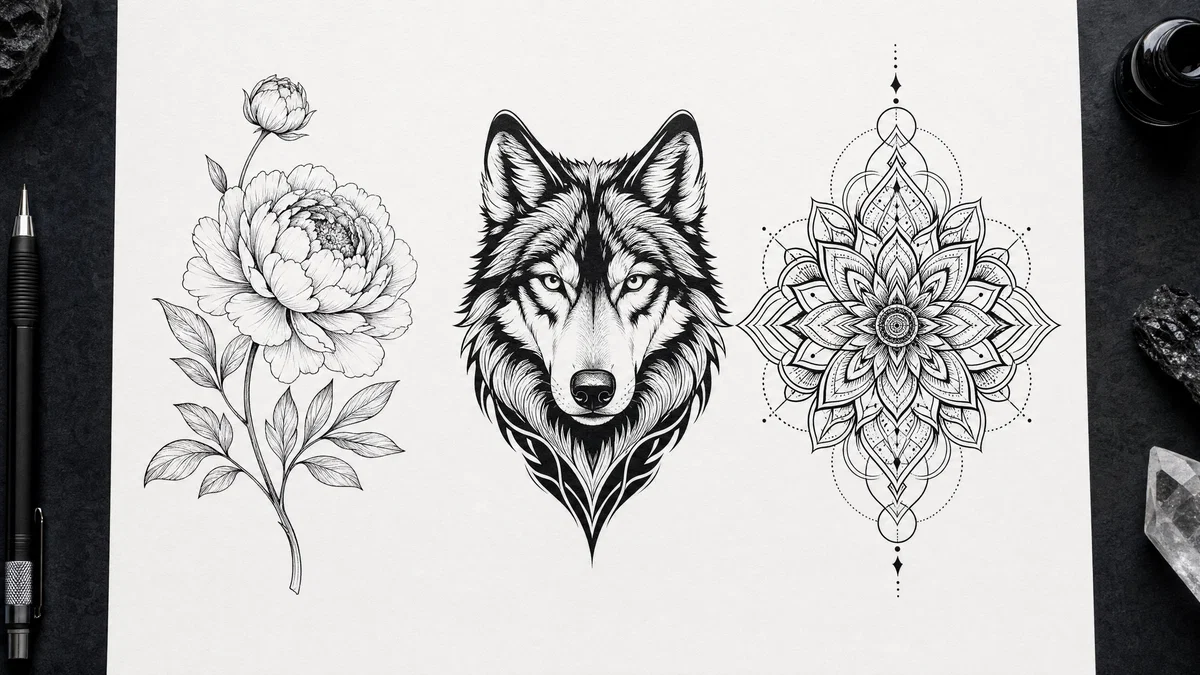
Top-down tattoo flash sheet with fine-line floral, blackwork wolf, and geometric mandala.
10 ready-to-copy prompts
Generated with Postcrest · 1 prompt · 1 click
TL;DR
Key Takeaways
  • 01
    Specify line weight and shading method When you name a line thickness and a single shading style (dotwork, whip shading, solid fill), modern image models stop inventing messy textures.
  • 02
    Frame the placement, not just subject Calling out forearm, sleeve, or backpiece framing with wrap or spine guides forces a tattoo-readable silhouette instead of a random illustration crop.
  • 03
    Lock a clean background for stencils A white or neutral background plus flat light keeps edges crisp, makes negative space intentional, and produces designs that transfer cleanly.

AI prompts for tattoo designs that print clean

A good AI prompts for tattoo designs prompt is a short, production-style brief that locks line weight, shading approach, placement framing, and a clean background so the result reads like a real stencil. Modern image models learn from massive libraries of captioned tattoo flash, ink drawings, and studio photos where captions describe concrete details like a top-down shot, a 35mm or 85mm lens, flat softbox light, and a clean scan or film look. When your prompt mirrors that vocabulary, the model spends its effort on readable contours, intentional negative space, and controlled fills.

Here are 10 ready-to-paste AI tattoo design prompts, each written like a working brief with lens, light, and grade so you can quickly iterate. The set covers fine-line florals, blackwork backpieces, traditional flash, watercolor koi, geometric forearm pieces, and Japanese irezumi sleeve layouts, plus a banner layout reserved for future lettering. Copy any tattoo prompt, paste it into Postcrest, then generate variations until the stencil reads from across the room.

Try it in Postcrest

Generate tattoo flash, then refine

Render multiple high-resolution variations in minutes, then adjust contrast and line clarity for stencil-ready results. Export commercial-use files with no watermarks.

No watermarksCommercial licenseCancel anytime
Image Generator
Postcrest
Prompt
Ultra-wide alpine peaks at golden hour, 16mm, f/11, Velvia 50
Generate
4K3:2
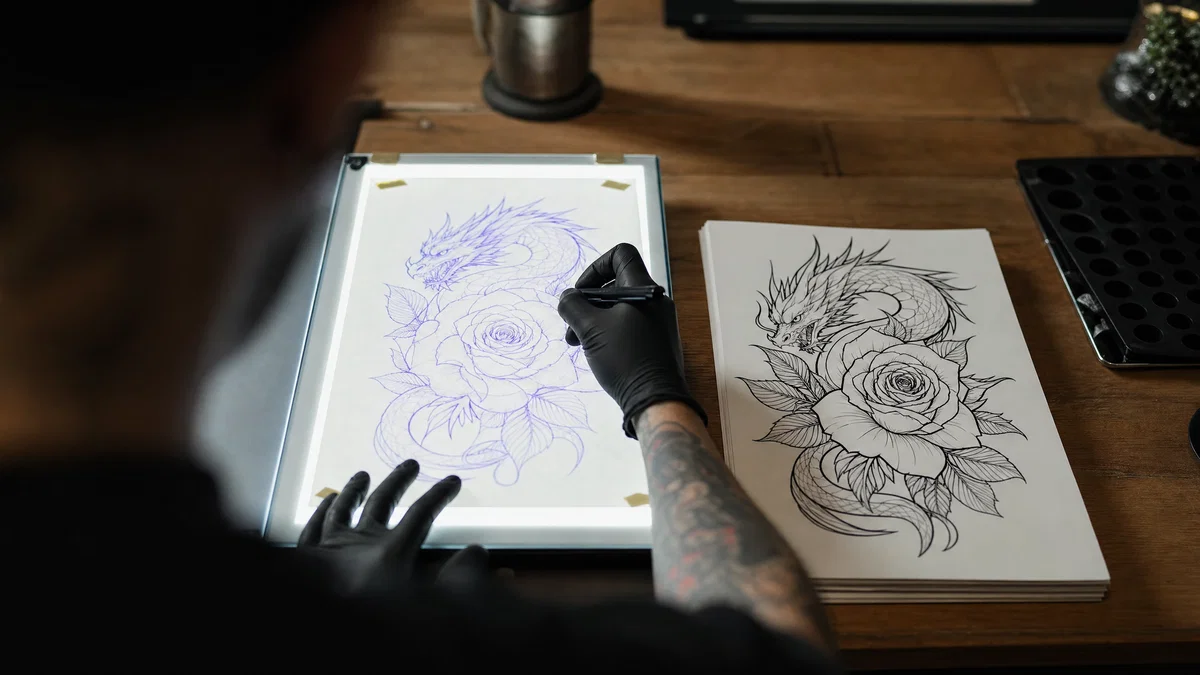
Hand tracing a tattoo stencil on a light table beside clean flash sketches.
Generated · 4K
10 prompts

The prompt library

Every prompt below has been generated, graded and verified inside Postcrest. Copy the text, hit Generate, and the same look ships from your account.

Prompt 01 of 10

Fine-line peony

Ink flash · fineline
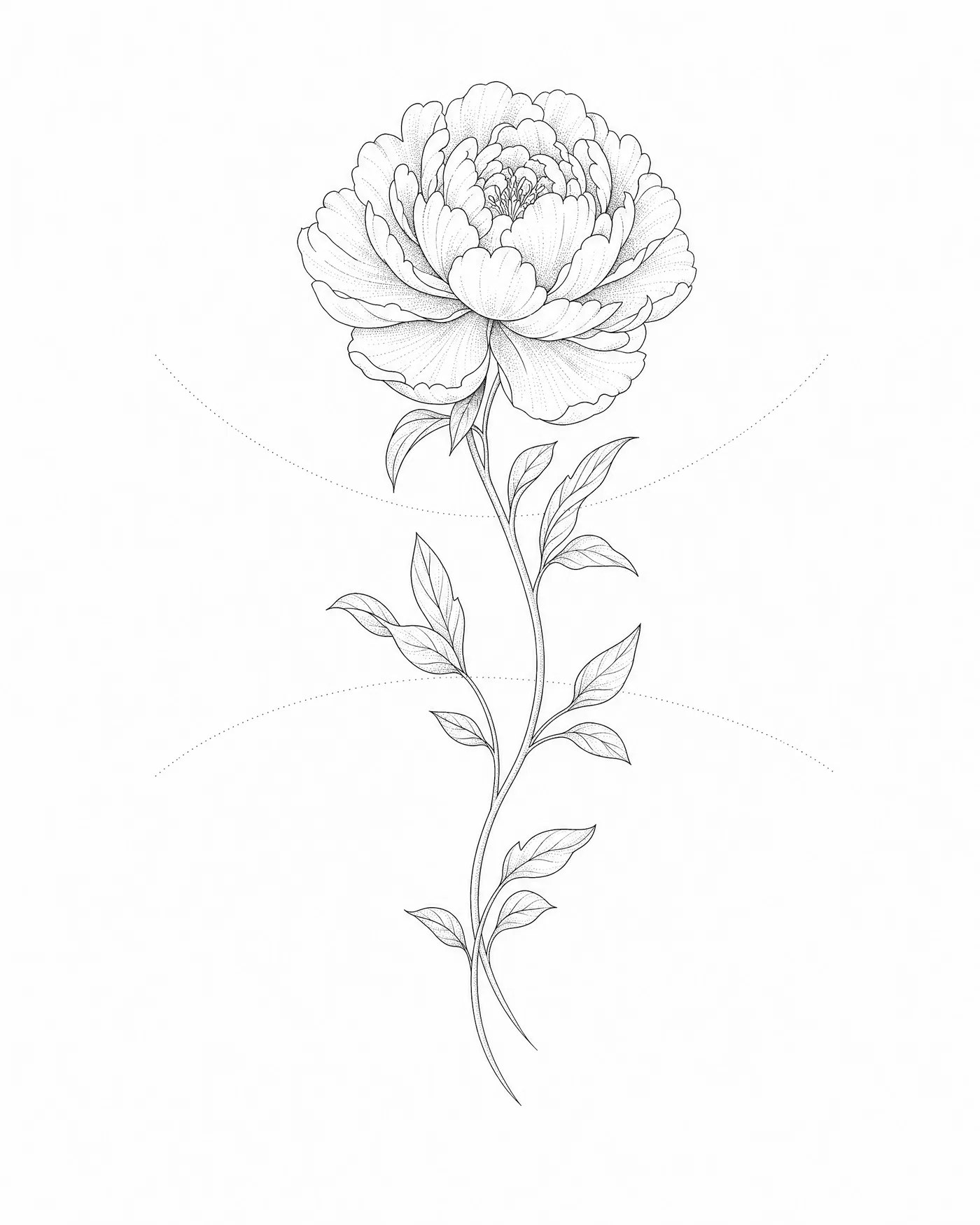
Fine-line peony tattoo design on white flash sheet, forearm wrap guides visible.
01·Ink flash · fineline
View photo
85mmf/5.60.25mm line weightWhite background
Prompt
Top-down studio flash-sheet shot, 85mm, f/5.6, fine-line peony bloom with two curved stems and small leaves, consistent 0.25mm ink line weight, minimal dot shading only, no solid fills, centered with subtle forearm-wrap guides, pure white paper background for stencil clarity, flat overhead softbox light, medium-format digital capture, clean neutral grade.
Why it works

Line weight is the control knob for fine line tattoo prompts; naming it keeps the generator from thickening outlines in random places. Dot shading only prevents muddy midtones and makes the piece stencil-friendly. Forearm-wrap guides encourage a long, readable flow instead of a cramped square crop.
Prompt 02 of 10

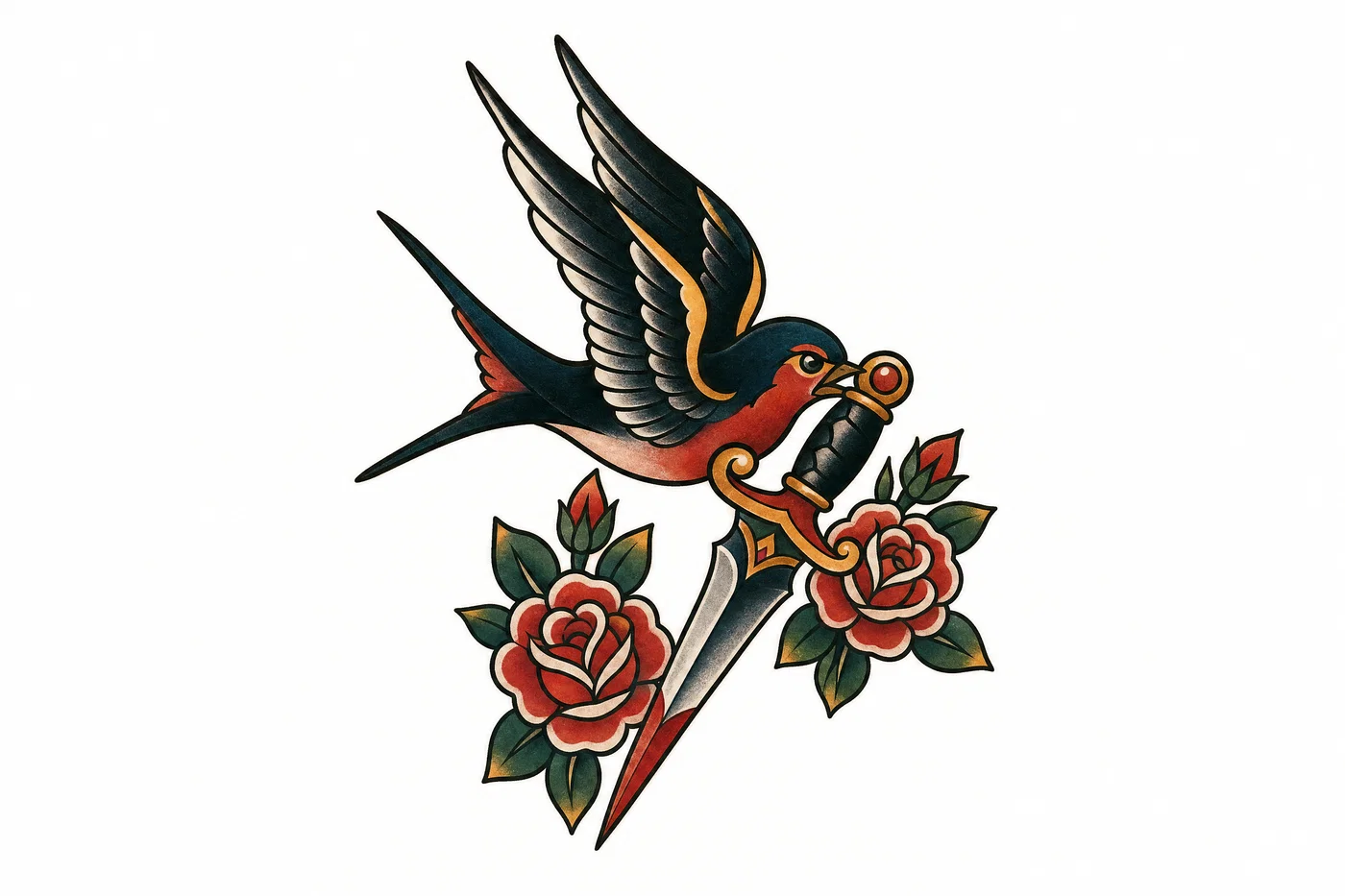
Swallow dagger

Classic flash · traditional
Traditional swallow and dagger tattoo flash with bold outlines and limited color fills.
02·Classic flash · traditional
View photo
35mmf/8Traditional flashPortra 400 look
Prompt
Top-down flash-sheet shot, 35mm, f/8, traditional old-school swallow gripping a dagger with small rose accents, bold 1.5mm outlines, flat color fills with limited palette, simple drop-shadow shading, arranged as a forearm patch with breathing room, clean white background for stencil transfer, hard key light with soft fill, *Portra 400* film look, warm vintage print grade.
Why it works

Traditional tattoos read from bold shapes, so calling out thick outlines and flat fills keeps the design legible at a glance. A limited palette prevents the generator from adding extra colors that complicate the stencil. The “forearm patch” framing cues a clean silhouette with clear borders for placement.

Prompt 03 of 10

Blackwork wolf

Matte ink · blackwork
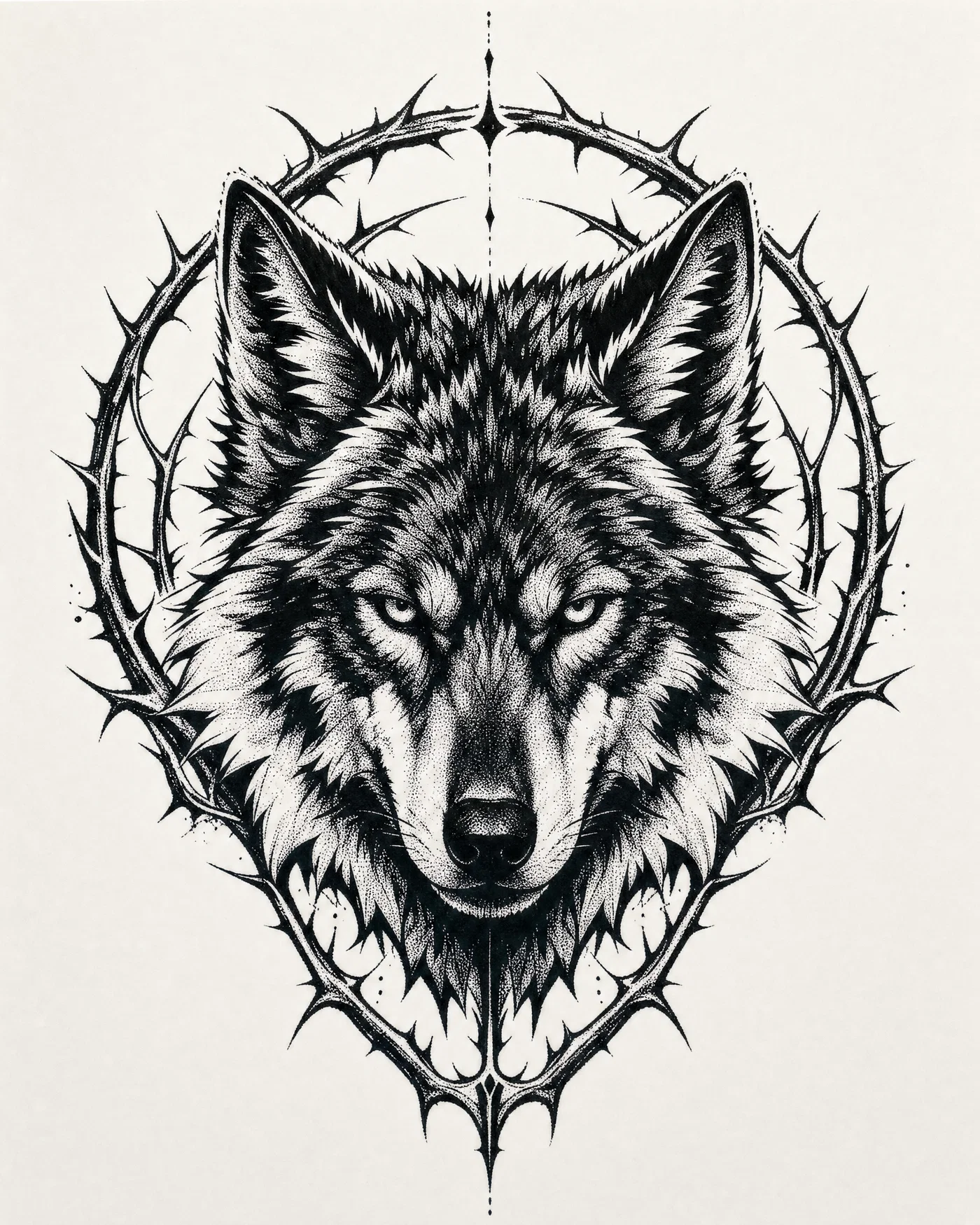
Blackwork wolf head tattoo design with heavy blacks and negative-space highlights.
03·Matte ink · blackwork
View photo
50mmf/11Negative spaceTri-X 400 look
Prompt
Top-down studio ink-drawing shot, 50mm, f/11, blackwork wolf head framed by thorny circular halo, heavy solid blacks with crisp negative-space highlights, stipple fade in midtones, no gray washes, centered as a backpiece composition with spine alignment marks, neutral off-white background for stencil clarity, flat even light, *Tri-X 400* monochrome film look, deep-black matte grade.
Why it works

Blackwork succeeds when the prompt separates solid fill from negative space; naming both tells the model where to leave skin breaks. Stippling the midtones avoids accidental gradients that can print dirty. Spine alignment marks force a symmetrical, backpiece-ready layout instead of a generic headshot crop.

Prompt 04 of 10

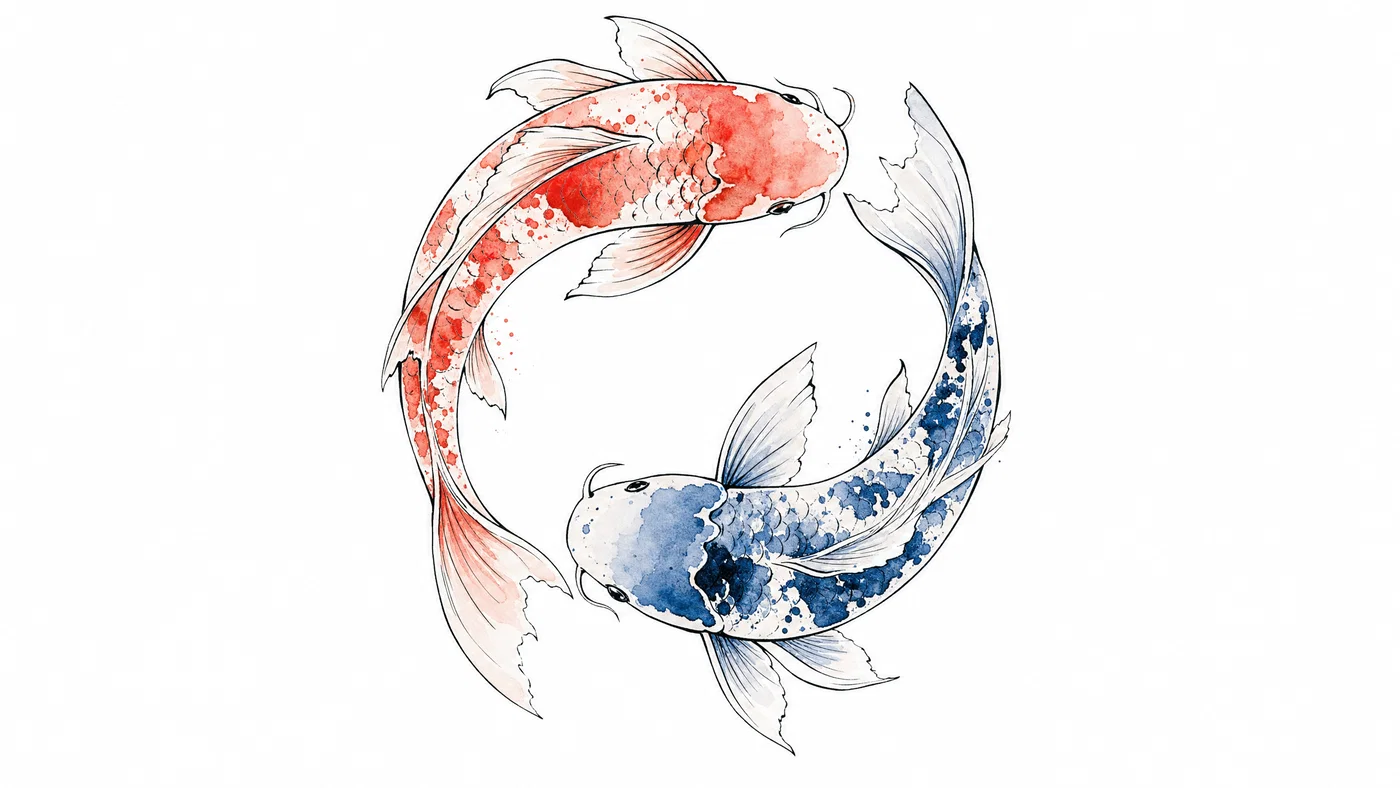
Watercolor koi

Ink outline · watercolor
Watercolor koi tattoo concept with crisp outline and soft pastel washes on white.
04·Ink outline · watercolor
View photo
35mmf/5.6Watercolor washOuter forearm wrap
Prompt
Top-down illustration-on-paper shot, 35mm, f/5.6, koi fish turning through a loose circle, precise black outline with clean breaks, watercolor wash fills in coral and indigo kept inside boundaries, light splatter confined to the body, framed for an outer forearm wrap, pure white background for stencil clarity, soft overcast light, *Ektar 100* color film look, pastel watercolor grade.
Why it works

Watercolor prompts fail when the model replaces the outline with paint; calling out a precise ink contour preserves a tattooable edge. Confining splatter to the body keeps the design from bleeding into the placement border. A white background plus soft light keeps the colors readable and easy to separate for a stencil pass.

Prompt 05 of 10

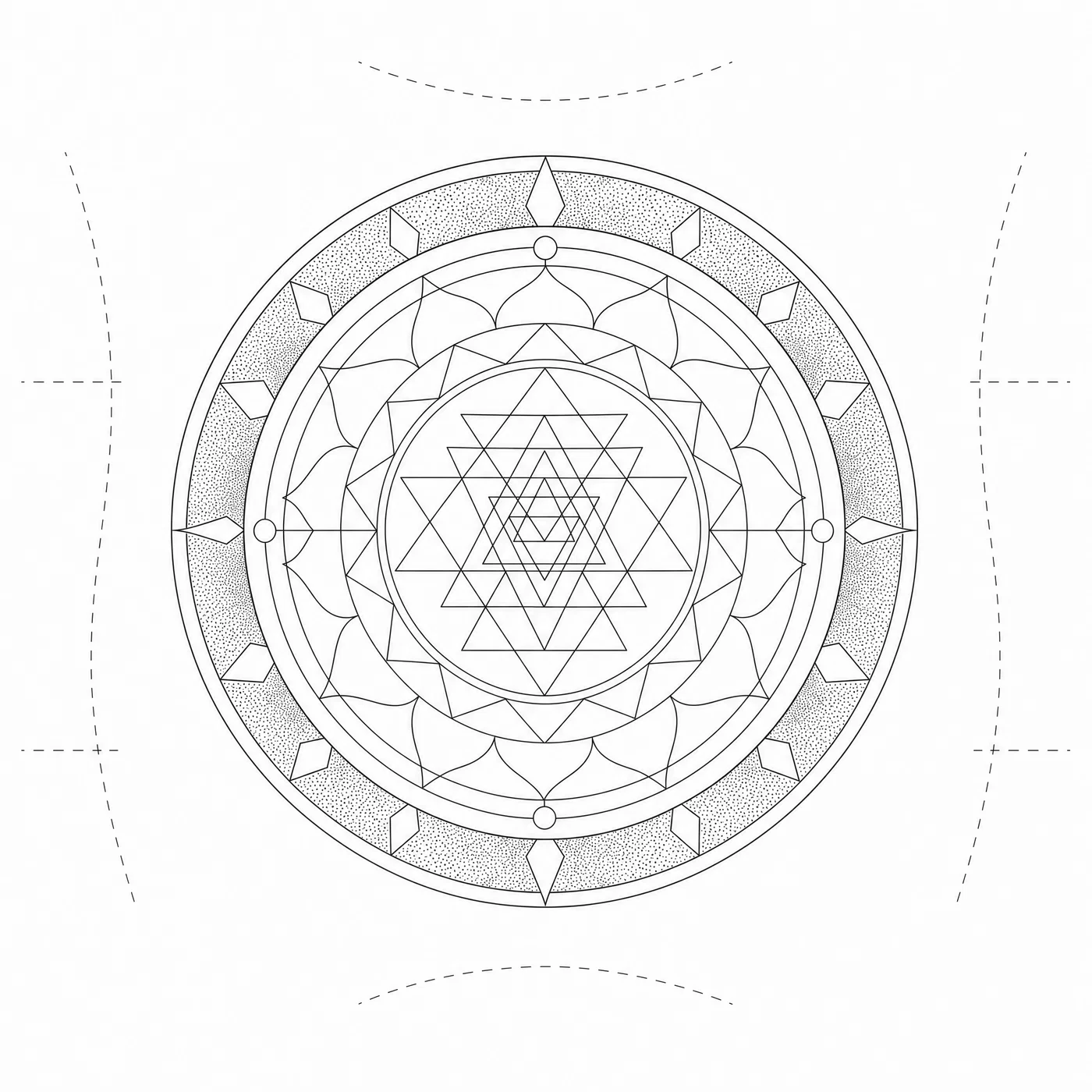
Mandala forearm

Dotwork · geometric
Geometric mandala forearm tattoo stencil with dotwork ring shading on white background.
05·Dotwork · geometric
View photo
85mmf/8DotworkGeometric mandala
Prompt
Top-down stencil-sheet shot, 85mm, f/8, geometric mandala built from concentric circles and interlocking triangles, consistent 0.4mm line weight, dotwork shading only in the outer ring, zero gradients, centered for inner forearm placement with wrap guides, clean white background for stencil clarity, flat even light to avoid paper shadows, high-resolution flatbed scan medium, crisp monochrome grade.
Why it works

Mandala prompts need explicit line weight and symmetry language, otherwise circles wobble and spacing drifts. Restricting shading to dotwork in a named region prevents random gray fills. Flat, shadowless lighting plus a scan medium keeps the geometry sharp, which is exactly what stencil transfer needs.

Prompt 06 of 10

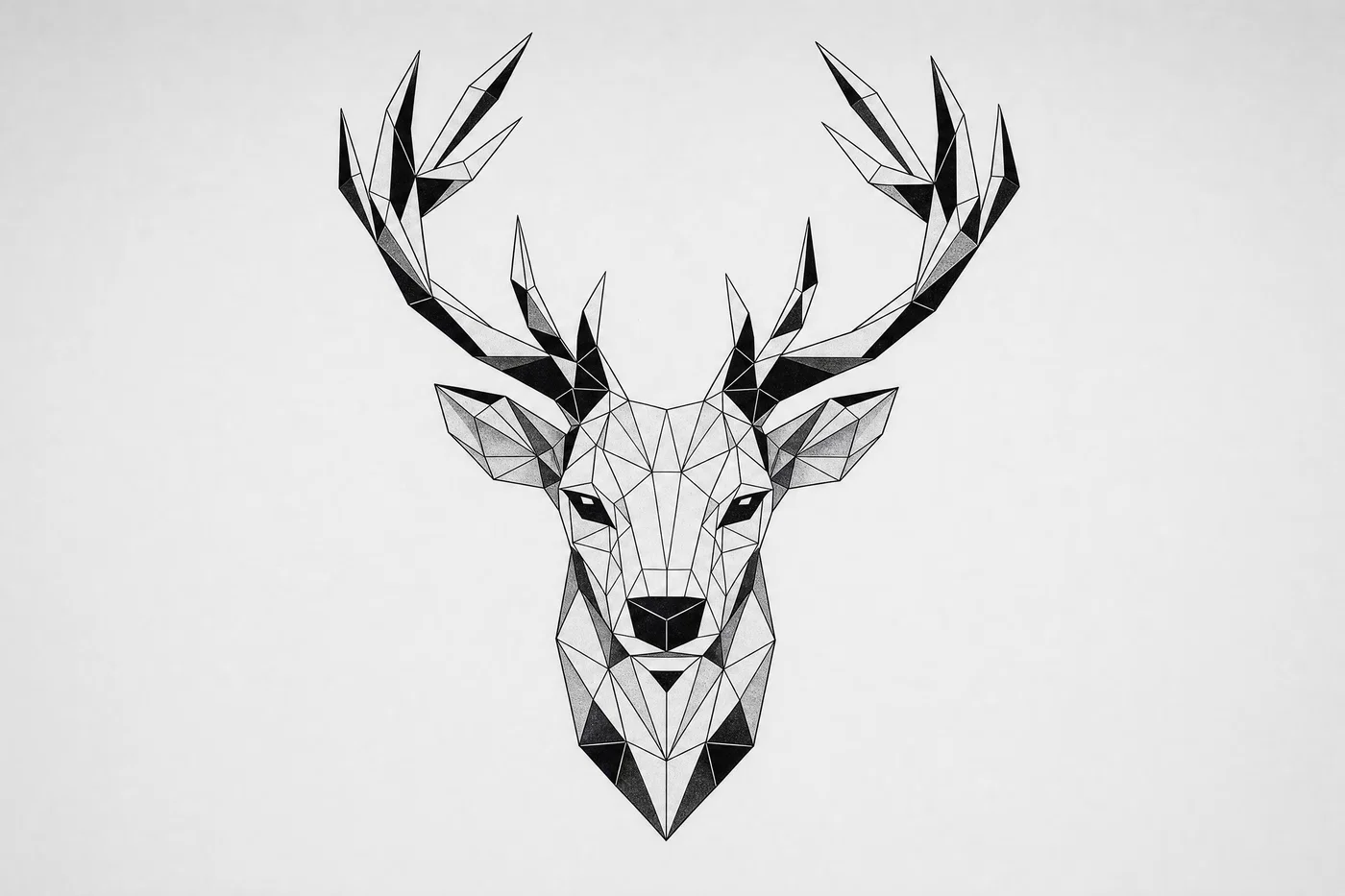
Geometric stag

Facets · modern geometric
Faceted geometric stag head tattoo layout with black fills on light gray background.
06·Facets · modern geometric
View photo
50mmf/7.1Polygon facetsHalf-sleeve layout
Prompt
Top-down flash-sheet shot, 50mm, f/7.1, geometric stag head made of faceted polygons, sharp corners, selective black fills in the antlers, no soft shading, negative space preserved around the snout for readability, composed as an upper-arm half-sleeve centerpiece, light gray background for stencil contrast, controlled studio light, medium-format digital capture, cool neutral grade.
Why it works

Polygon language plus “no soft shading” stops the model from rounding edges, which is where geometric tattoos usually go wrong. Naming selective black fills keeps contrast high without turning the whole piece into a black blob. A light gray background is enough separation for previews while staying neutral for stencil extraction.

Prompt 07 of 10

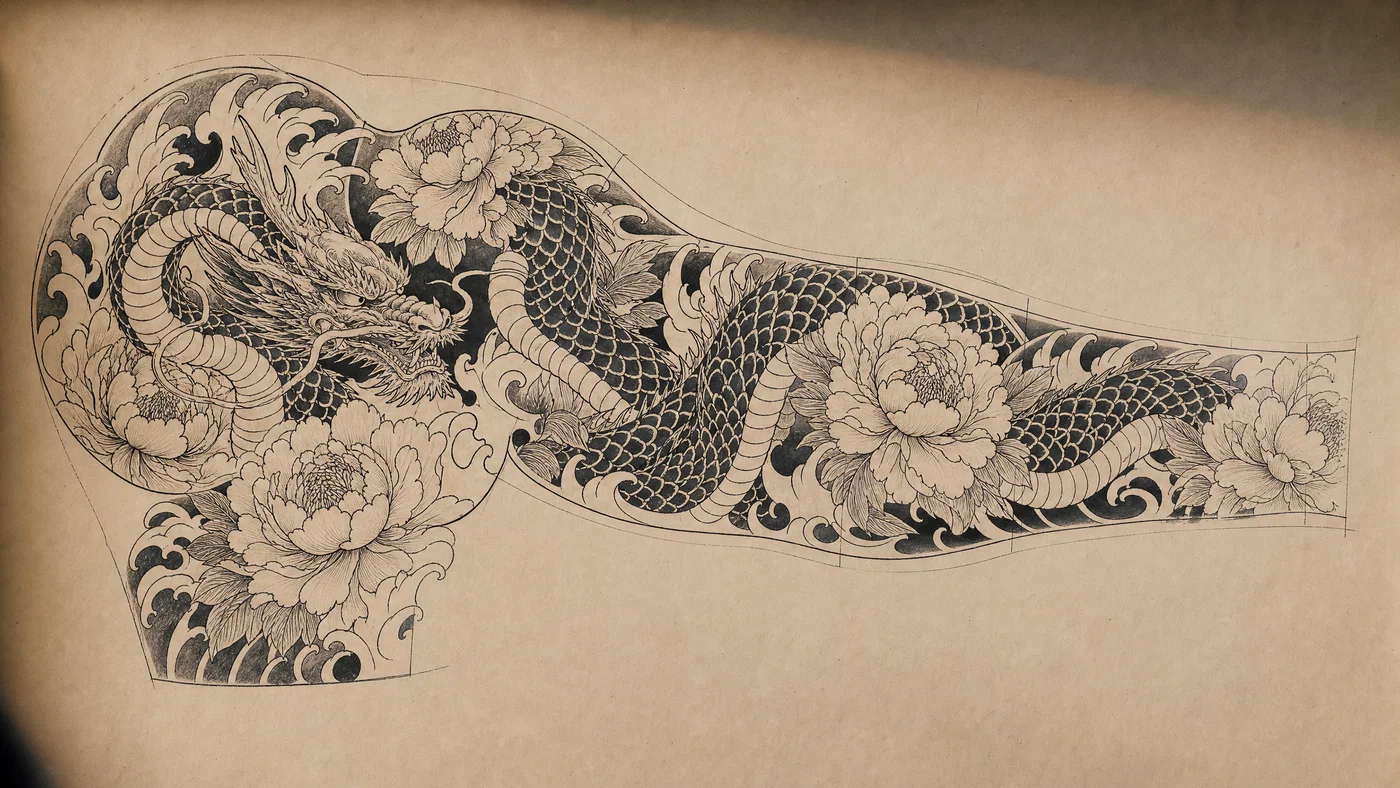
Irezumi dragon sleeve

Traditional Japan · sleeve map
Japanese irezumi dragon sleeve layout with waves and peonies on neutral paper.
07·Traditional Japan · sleeve map
View photo
24mmf/11Irezumi sleeveRaking side light
Prompt
Wide layout sheet shot, 24mm, f/11, Japanese irezumi dragon winding through peony blooms and crashing waves, bold clean outlines, solid black fills in scales and shadows, traditional hatching for midtones, full sleeve placement with shoulder cap and wrist taper guides, neutral warm paper background for stencil clarity, raking side light, *Cine Vision3 250D* film look, rich ink print grade.
Why it works

A wide lens plus explicit sleeve guides forces the model to think in full composition, not a single vignette. Naming where solid blacks live (scales, shadows) keeps the weight balanced across the sleeve. Hatching midtones gives texture that remains tattooable, unlike soft gradients that often band when printed.

Prompt 08 of 10

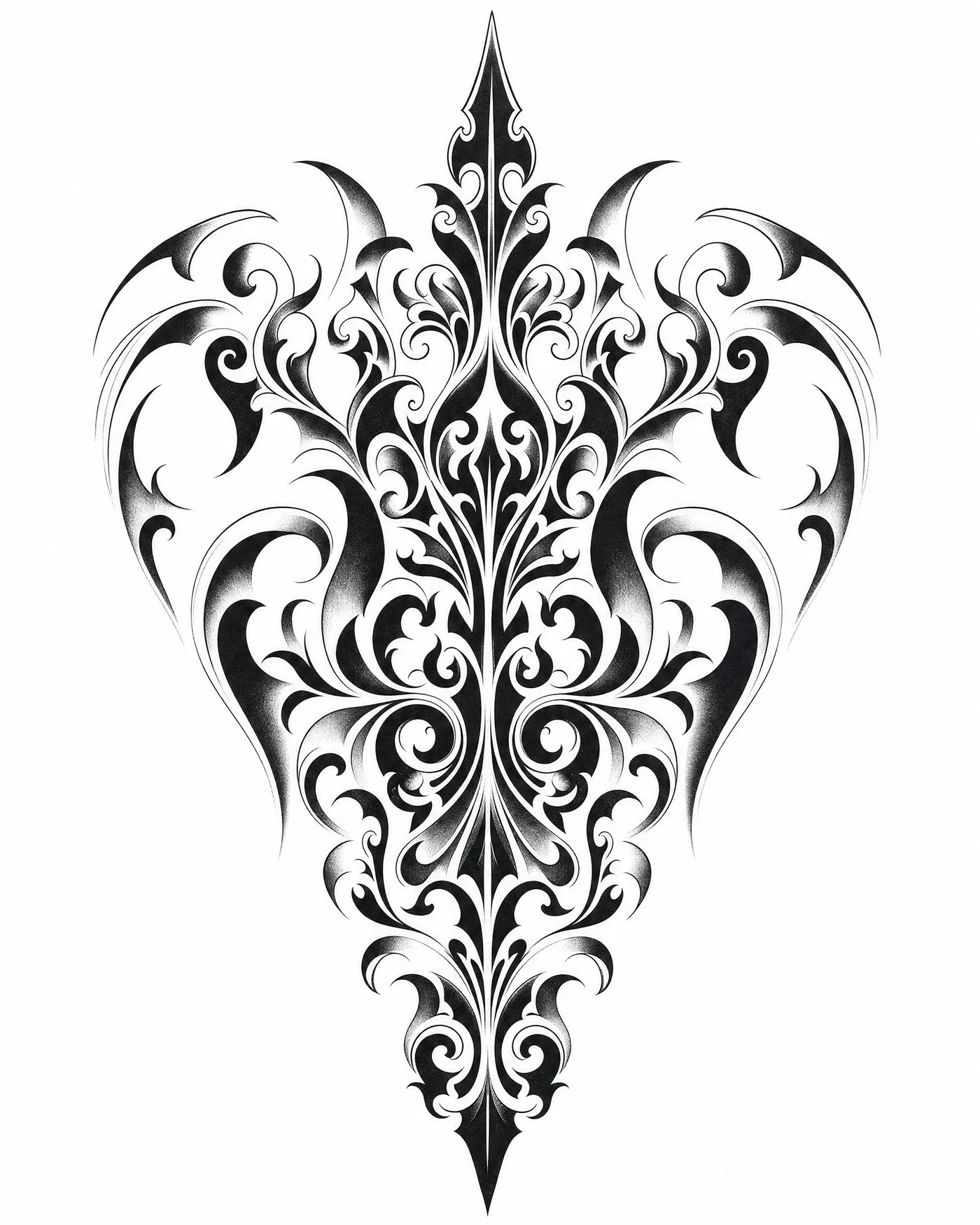
Ornamental backpiece

Negative space · blackwork
Ornamental blackwork backpiece tattoo design with whip shading and balanced negative space.
08·Negative space · blackwork
View photo
35mmf/16Whip shadingBackpiece layout
Prompt
Top-down stencil master shot, 35mm, f/16, symmetrical blackwork ornamental backpiece with central spearhead motif, thick-to-thin line tapering, heavy fills balanced with negative space, whip-shaded edges to soften transitions, aligned to spine with shoulder blade markers, pure white background for stencil clarity, flat studio lighting, high-detail flatbed scan medium, high-contrast black grade.
Why it works

Ornamental work looks cheap when symmetry drifts, so “aligned to spine” and “shoulder blade markers” are practical anchors. Thick-to-thin tapering tells the model where to add hierarchy, which keeps the piece readable from distance. Whip shading at the edges is a tattoo-native way to soften without introducing fuzzy gradients.

Prompt 09 of 10

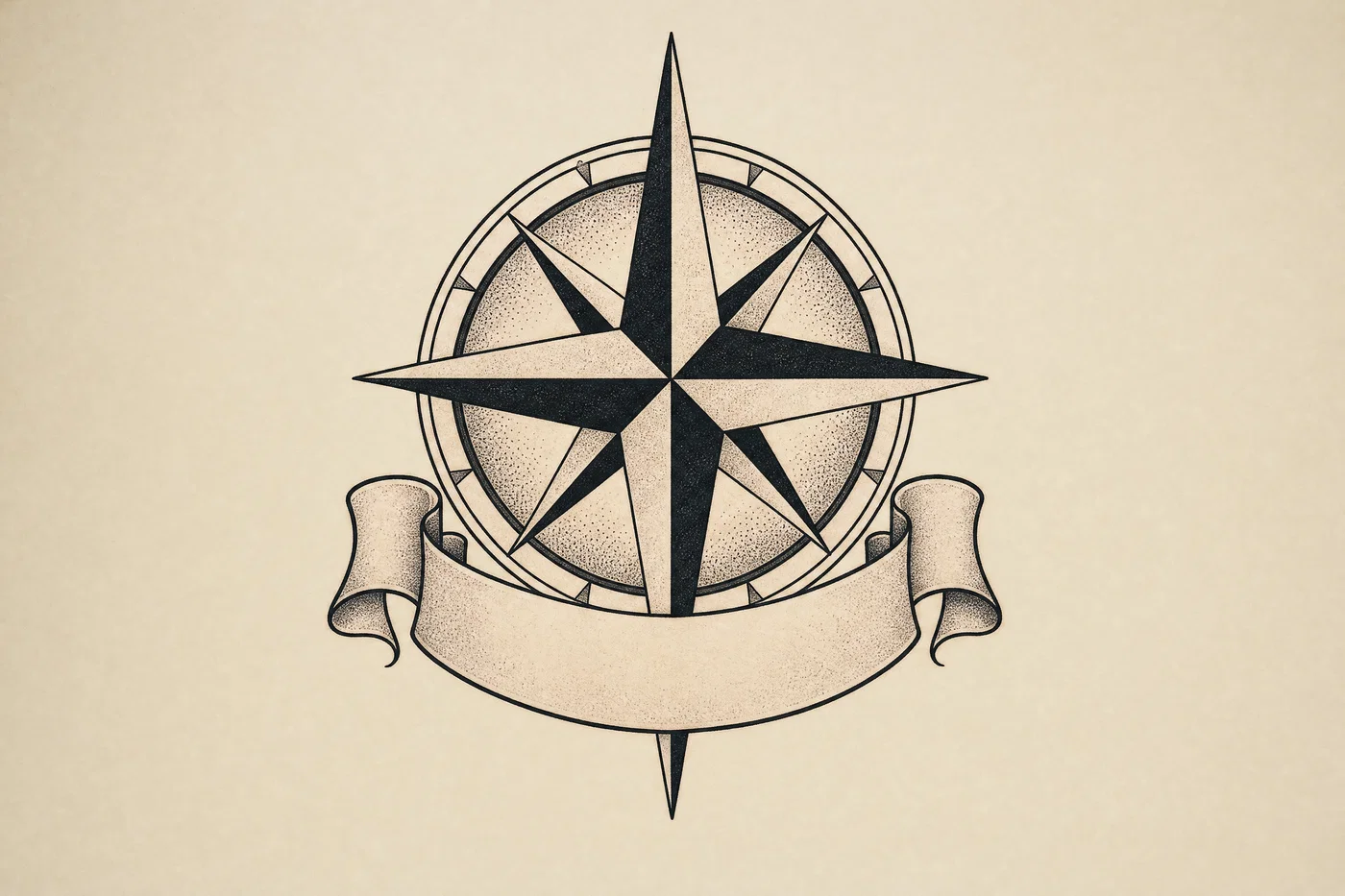
Compass banner

Flash layout · lettering-ready
Compass rose tattoo flash with blank ribbon banner reserved for lettering, no text.
09·Flash layout · lettering-ready
View photo
35mmf/8Blank bannerTattoo flash grade
Prompt
Top-down flash-sheet shot, 35mm, f/8, classic compass rose with a blank ribbon banner wrapping below it, no letters, no numbers, clean bold outlines, simple stipple shading under the points, designed as a forearm patch with clear breathing room for later lettering, neutral off-white background for stencil clarity, softbox overhead light, consumer color-negative film look, slightly faded tattoo-flash grade.
Why it works

The key instruction is the negative: a blank banner prevents unwanted text artifacts and keeps the layout usable for custom lettering later. Stipple shading gives depth that stays crisp when converted to a stencil. Breathing room around the banner keeps it readable once it wraps on a forearm.

Prompt 10 of 10

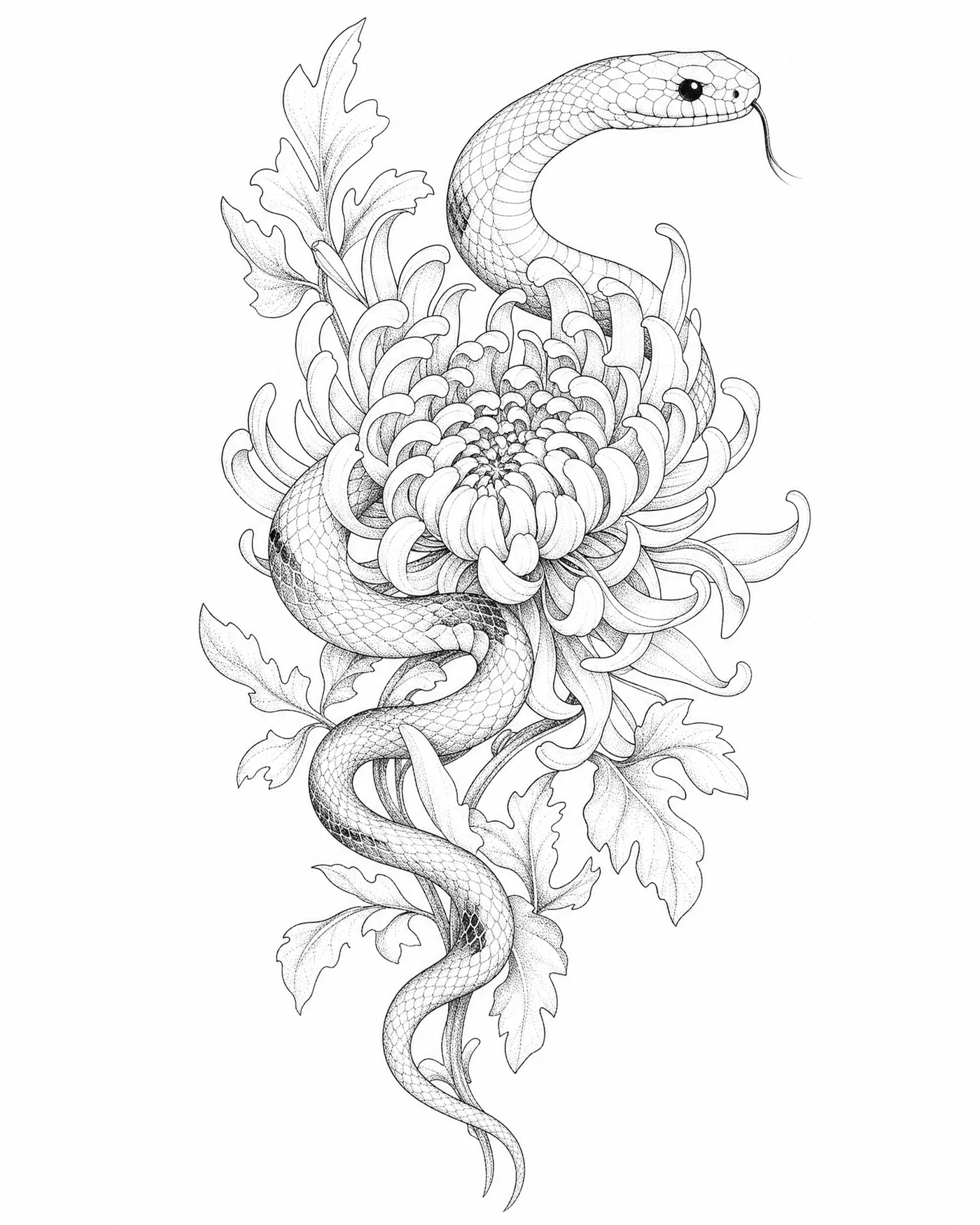
Snake chrysanthemum

Black and gray · fineline
Fine-line snake and chrysanthemum tattoo concept with stipple shading on white.
10·Black and gray · fineline
View photo
85mmf/4Stipple shadingBlack-and-gray
Prompt
Close-up stencil-sheet shot, 85mm, f/4, fine-line snake weaving through a chrysanthemum bloom, consistent 0.3mm line weight, controlled stipple shading for form, no heavy blacks except the eye and a few scales, framed for an outer forearm or calf placement, bright white background for stencil clarity, soft side light, medium-format digital capture, clean black-and-gray grade.
Why it works

Black-and-gray tattoo prompts get muddy when the generator invents wide shadows; limiting heavy blacks to a few named areas keeps the piece airy. Stipple shading describes a controllable texture that prints cleanly. A close-up lens and shallow depth cue encourage crisp line priority over background details.

From prompt to stencil-ready tattoo flash

Clean tattoo generations come from one repeatable recipe: placement framing, explicit line weight, one shading method, and a neutral background. Treat each prompt as a brief for a tattooable drawing, not a mood description, and the output stays readable when you zoom out or convert it to a stencil.

Reuse the prompts as templates. Swap the subject (peony to chrysanthemum, wolf to panther), change the placement (forearm to full sleeve), or change the shading constraint (dotwork to solid fill) while keeping the same structure. That simple loop turns a tattoo idea generator into a predictable workflow for AI tattoo design variations.

When you are ready to render and refine, generate the first pass, then tweak contrast, edge clarity, and negative space before exporting. Every Postcrest render includes commercial-use rights with no watermarks or attribution. Open Postcrest to start, and check the pricing page for current plans and any first-month intro discount.

Bonus · Image to video

Preview tattoo designs as motion

Turn any rendered tattoo flash into a short motion clip in Postcrest, preserving the original lens, light, and grade for consistent previews.

Generated from prompt aboveImage to video in Postcrest
Animated from: Ornamental backpiece
Negative space · blackwork
Video prompt
Locked-off top-down framing with a slow, straight push-in; animate a faint moving shadow at the paper perimeter only, preserving the 35mm look, flat studio lighting, and high-contrast black grade. One continuous shot, no cuts, no text, no watermarks, no logos, no overlays, no captions
Why it works as motion

A straight push-in keeps the mirrored geometry stable and avoids perspective drift that would break symmetry. Restricting shadow motion to the perimeter adds realism while protecting the center linework and negative-space balance.

50% off first month

Generate every prompt above in Postcrest

Copy-paste any prompt, or hit generate and get a 4K render in seconds. 50% off your first month — join 38,000+ creators.

Claim 50% off
Cheat sheet

AI tattoo design prompt cheat-sheet

Reference these dimensions in any prompt for repeatable results across shoots and projects.

StyleLinework specShading/fill rulePlacement framingBackground + output
Fine-line floral0.25-0.35mm consistentDot shading only, no fillsForearm wrap guidesPure white, scan/clean grade
Traditional/old-school1.2-1.8mm bold outlineFlat fills, simple drop shadowForearm patch cropWhite background, warm flash grade
BlackworkThick blacks plus negative spaceSolid fills + stipple fadeBackpiece spine markersOff-white/white, deep black grade
WatercolorCrisp ink outlineWash inside boundary, minimal splatterOuter forearm wrapWhite background, pastel grade
Geometric0.4mm precise geometryDotwork ring only, no gradientsInner forearm or half-sleeveWhite/gray background, monochrome grade
Japanese irezumiBold clean outlineSolid blacks + hatching midtonesFull sleeve map with taper guidesNeutral warm paper, rich ink grade
Pro tips

Five rules that separate amateur prompts from director-grade ones

  1. 01
    Lead with placement framing
    Say forearm patch, inner forearm wrap, half-sleeve, full sleeve, or backpiece, then add guides (wrap marks, spine line, shoulder cap). Composition gets tattoo-ready fast.
  2. 02
    Name one shading technique only
    Pick dotwork, stipple, whip shading, hatching, or solid fill and stick to it. Mixed shading is where generators start inventing muddy gradients.
  3. 03
    Control line weight explicitly
    Use a real number like 0.25mm for fine line or 1.5mm for traditional. Consistent line weight is the simplest way to improve stencil readability.
  4. 04
    Force a neutral stencil background
    Call out pure white or neutral off-white, with flat even light and minimal shadow. This prevents paper texture, clutter, and accidental background objects.
  5. 05
    Reserve lettering space on purpose
    If you want words later, ask for a blank banner or empty negative-space panel and explicitly forbid letters and numbers. You get a layout that a tattooer can customize.
Why Postcrest

Built for prompt-driven content at scale

Every prompt below renders natively in Postcrest. No queue, no Discord, no LoRA training.

Organize prompt sets
Save fine-line, blackwork, and irezumi prompt families as reusable templates, so new tattoo ideas stay consistent across a whole sleeve series.
Generate variations quickly
Spin multiple compositions from the same brief, then keep the best linework and placement framing without starting over each time.
Refine contrast and edges
Tighten blacks, protect negative space, and boost stencil readability with fast image edits before you export.
Export in any aspect
Create forearm patches, sleeve maps, or backpiece layouts by rendering the right aspect ratio from the start, not by cropping after.
Image to video previews
Turn your chosen flash into motion clips for reels and shop previews while preserving the original lens, light, and grade.
Publish to social
Move from concept to post in one workflow, so tattoo designs, promos, and process clips ship faster.
FAQ

Questions, answered

Everything you'd ask before pasting these prompts into your workflow.

Include placement framing (forearm, sleeve, back), a line weight target, a single shading rule, and a white or neutral background. Add notes like “wrap guides” or “spine alignment marks” so the composition fits the body. Finish with a clear output style like flash sheet or stencil master for predictable results.

Martin Balk
Written by
Martin Balk
Founder, Postcrest

Martin builds AI tools that help creators, agencies and brands ship professional content without a studio. He has tested every frontier image and video model since 2022.

50% off first month

Create tattoo flash that prints clean

Generate variations, refine linework, and export commercial-use images for stencils, portfolios, and social posts in Postcrest.

4.8 / 5 · Trusted by 38,000+ creators
Commercial license included
No watermarks, no attribution
Image to video previews
Trusted by 38,000+ creators
Start now