50% off your first 2 months — ends in00d00h00m00s
Photography · Academy9 min readUpdated 

Best AI prompts for realistic landscape photography

Copy proven prompts with real lens, light, and grading cues to generate landscapes that read like camera-captured photos, ready for print or social.

Martin Balk
Martin Balk
Founder, Postcrest ·
4.8 · 38,000+ creators
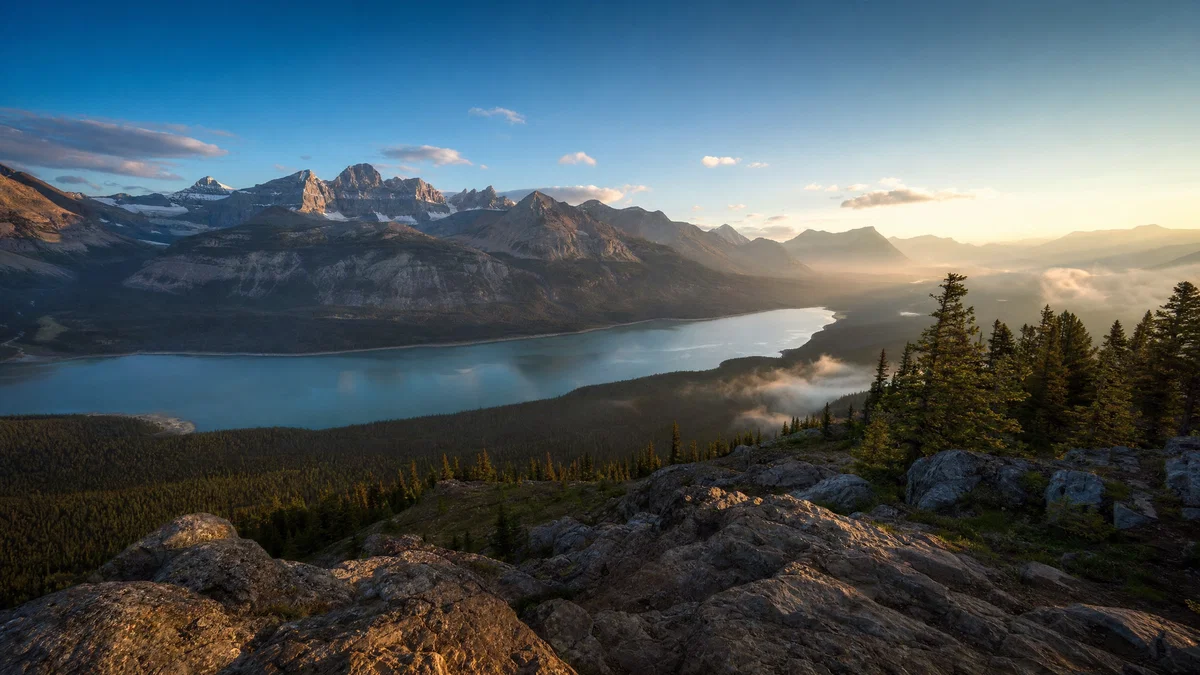
Ultra-wide golden-hour mountain lake landscape with realistic haze and crisp detail.
10 ready-to-copy prompts
Generated with Postcrest · 1 prompt · 1 click
TL;DR
Key Takeaways
  • 01
    Write like a real camera brief Lead with shot type, focal length, and aperture, then describe subject, light direction, and finish with a specific color grade to cue photoreal rendering.
  • 02
    Anchor realism with light and weather Golden hour, flat overcast, sea spray, haze, and fog are realism multipliers because they explain contrast, color, and edge softness.
  • 03
    Lock the look with medium and grade Add a film stock or sensor look plus a final grade note so the model knows whether to deliver clean digital clarity or film-like grain and roll-off.

AI prompts for realistic landscape photography that look shot

AI prompts for realistic landscape photography are short, camera-style briefs that describe a believable scene using the same vocabulary a photographer would use on set. Modern image models learn from enormous libraries of captioned landscape photos where the captions name real details like wide shot vs. telephoto compression, 16mm or 35mm perspective, f/8 vs. f/2.8 depth, and light quality such as backlit haze or flat overcast. When your prompt mirrors that structure, you steer the model into the photographic “lane” instead of generic illustration.

Below are 10 ready-to-paste realistic landscape photography prompts, each specifying lens, aperture, light, weather, medium, and a finish-grade cue. Use them for alpine sunrises, coastal storms, desert dunes, foggy forests, night skies, and more, then tweak one variable at a time to stay consistent across a series. Copy any prompt into Postcrest, generate variations, and keep the best frames for print, thumbnails, or social crops.

Try it in Postcrest

Generate photoreal landscapes in minutes

Render multiple variations fast, then export high-resolution images ready for print, web, and social. Keep lens, light, and grade consistent across a whole series.

No watermarksCommercial licenseCancel anytime
Image Generator
Postcrest
Prompt
Ultra-wide alpine peaks at golden hour, 16mm, f/11, Velvia 50
Generate
4K3:2
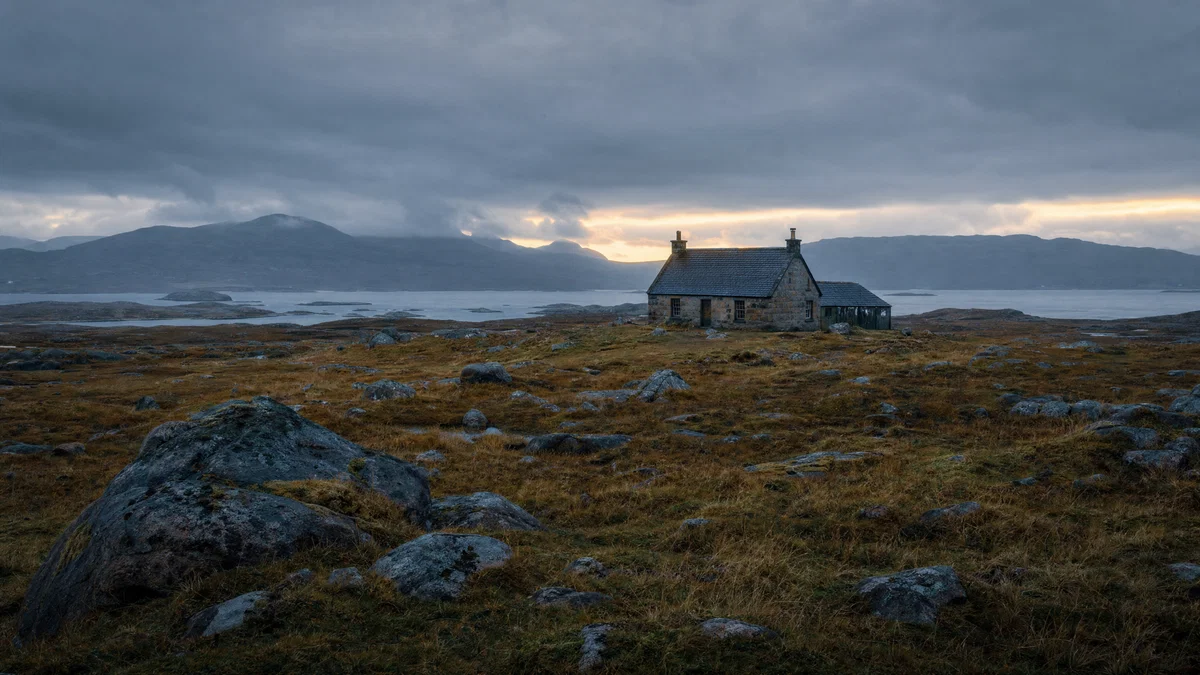
Blue-hour moorland landscape with stone cottage and soft, realistic cloud light.
Generated · 4K
10 prompts

The prompt library

Every prompt below has been generated, graded and verified inside Postcrest. Copy the text, hit Generate, and the same look ships from your account.

Prompt 01 of 10

Alpine sunrise

Velvia · crisp wide
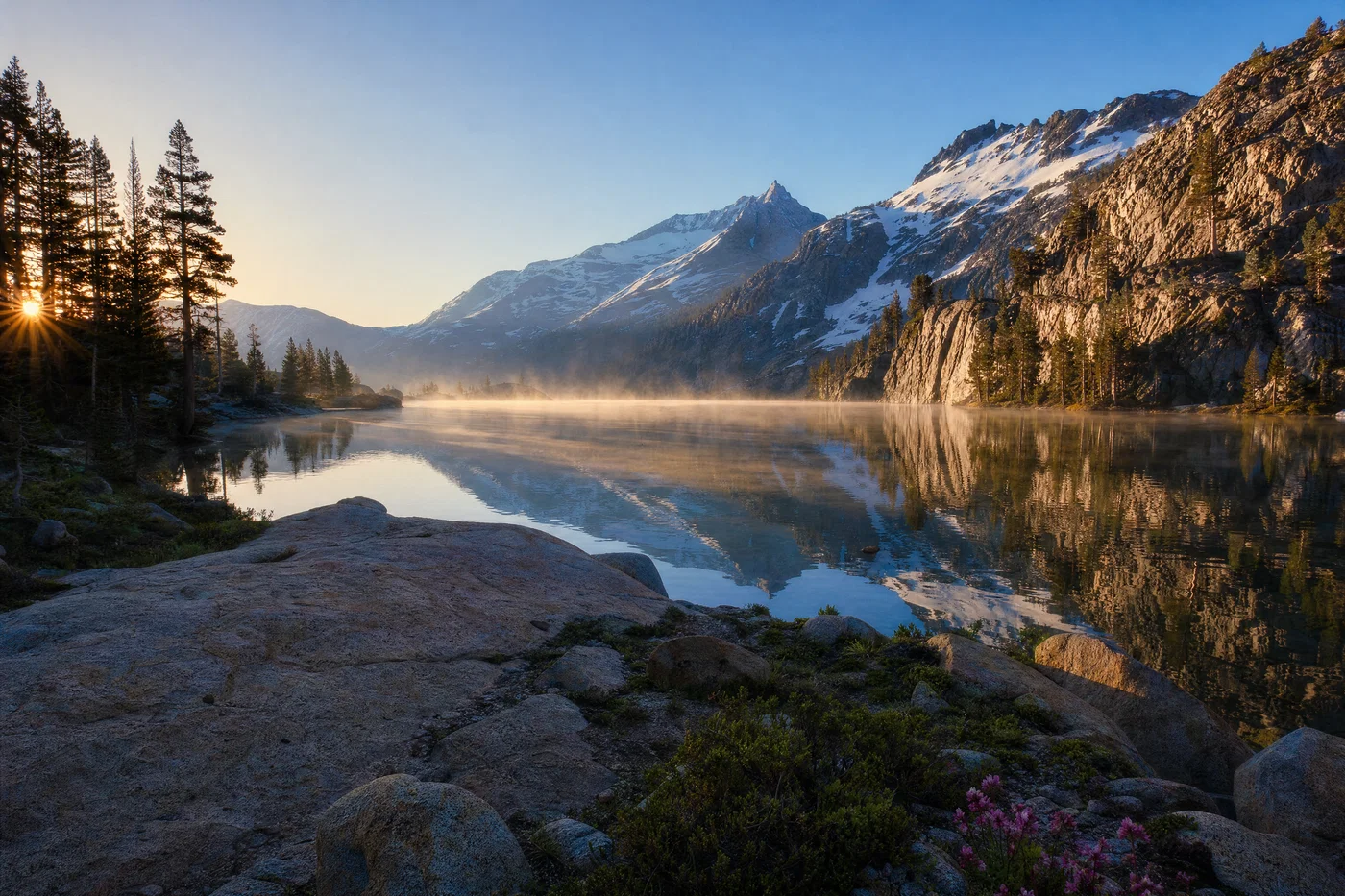
Alpine lake sunrise with mist, wide perspective, sharp foreground rocks, and snow peaks.
01·Velvia · crisp wide
View photo
16mmf/11Golden hourVelvia 50
Prompt
Wide landscape photograph, 16mm lens, f/11, tripod height at lakeshore with granite foreground, still alpine lake reflecting snow peaks, thin morning mist, low sun skimming from camera-left, clean sky gradient and realistic atmospheric haze, shot on *Velvia 50* slide film look, finished with saturated but natural greens and blues, deep shadow detail, fine film grain.
Why it works

The ultra-wide focal length plus f/11 tells the model to keep foreground-to-background sharp, which is a key realism cue in classic landscape work. Adding mist, side light, and atmospheric haze explains softer distant edges and believable contrast falloff, while the Velvia grade anchors color saturation without turning neon.
Prompt 02 of 10

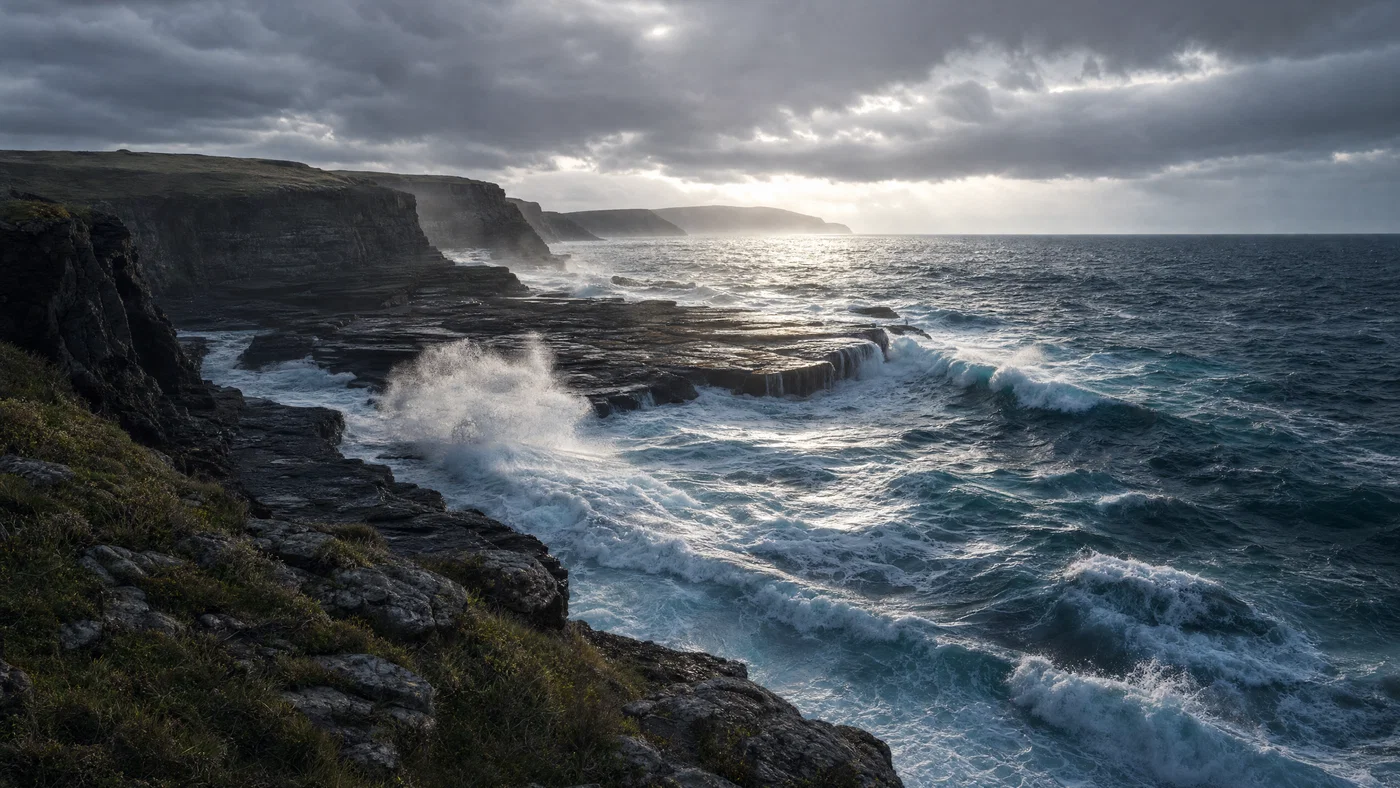
Coastal storm

digital · hard weather
Stormy coastal cliffs with backlit sea spray, dark rocks, and cool blue-gray tones.
02·digital · hard weather
View photo
24mmf/8Overcast stormCool grade
Prompt
Wide coastal photograph, 24mm lens, f/8, standing on a cliff edge looking down at dark rock shelves, rough ocean with whitecaps and sea spray, heavy overcast with a bright break near the horizon, backlit spray catching highlights, crisp detail without HDR halos, full-frame digital capture, finished with cool blue-gray shadows, controlled highlights, and a subtle dehaze contrast grade.
Why it works

Storm scenes look fake when the light is undefined, so the prompt specifies a backlit break in the cloud layer to justify bright spray and deep shadows. The 24mm, f/8 combination cues moderate depth of field and edge-to-edge sharpness, while “no HDR halos” nudges the model toward natural highlight roll-off.

Prompt 03 of 10

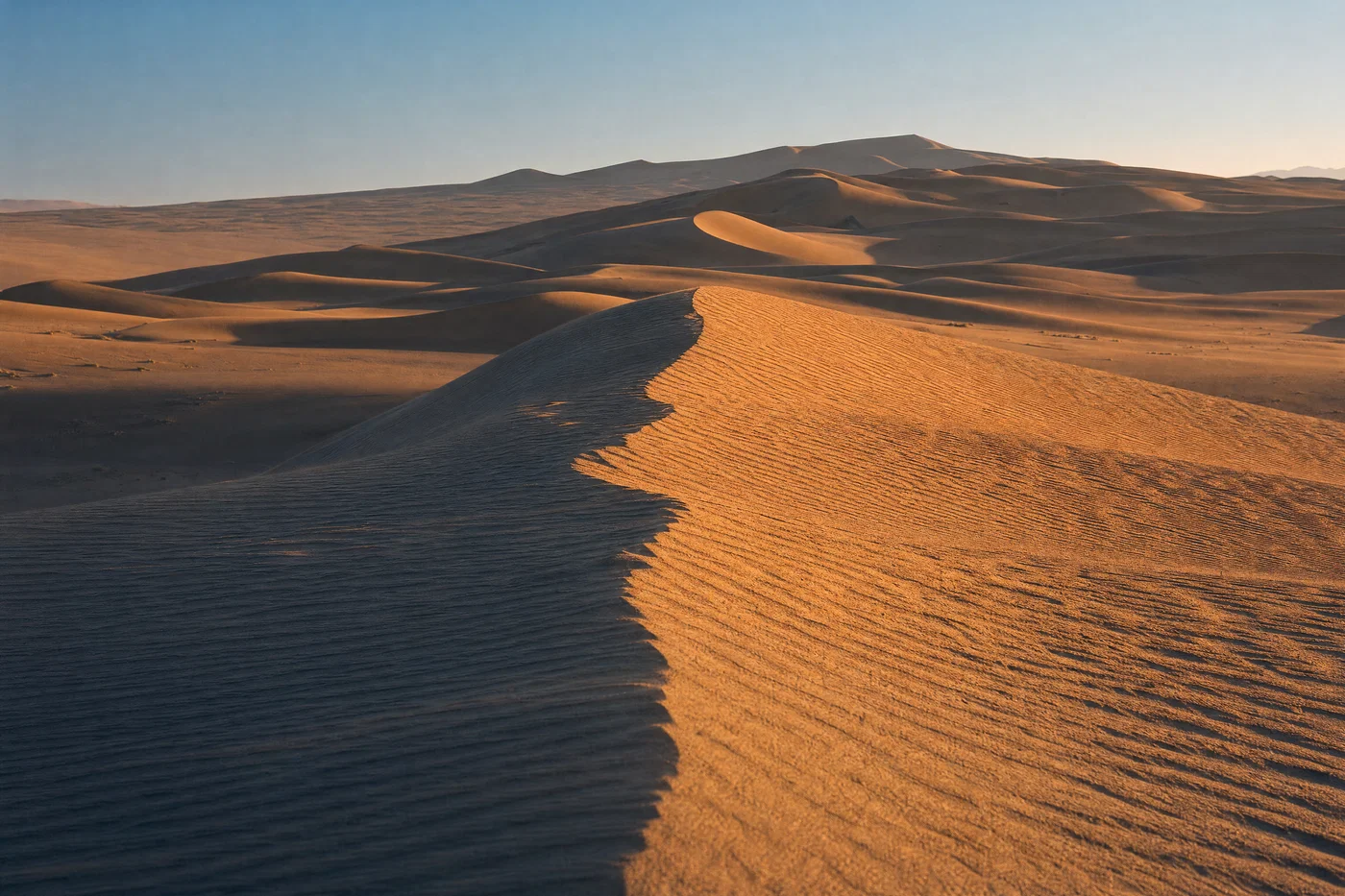
Desert dunes

Ektar · warm minimal
Raked-light desert dunes with rippled texture, long shadows, and warm Ektar-style color.
03·Ektar · warm minimal
View photo
35mmf/13Long shadowsEktar 100
Prompt
Landscape photograph, 35mm lens, f/13, low viewpoint on a dune ridge with rippled sand leading lines, distant dune crests stacked in soft layers, late-day sun from camera-right casting long shadows, dry air with faint heat shimmer, shot on *Kodak Ektar 100* look, finished with warm highlights, neutral shadows, high micro-contrast on sand texture, and restrained film grain.
Why it works

The 35mm focal length keeps perspective natural and avoids the exaggerated scale of ultra-wide prompts, which helps dunes read as real. Specifying raking side light and sand texture gives the model a clear contrast map, and Ektar’s clean color response prevents muddy oranges while still feeling filmic.

Prompt 04 of 10

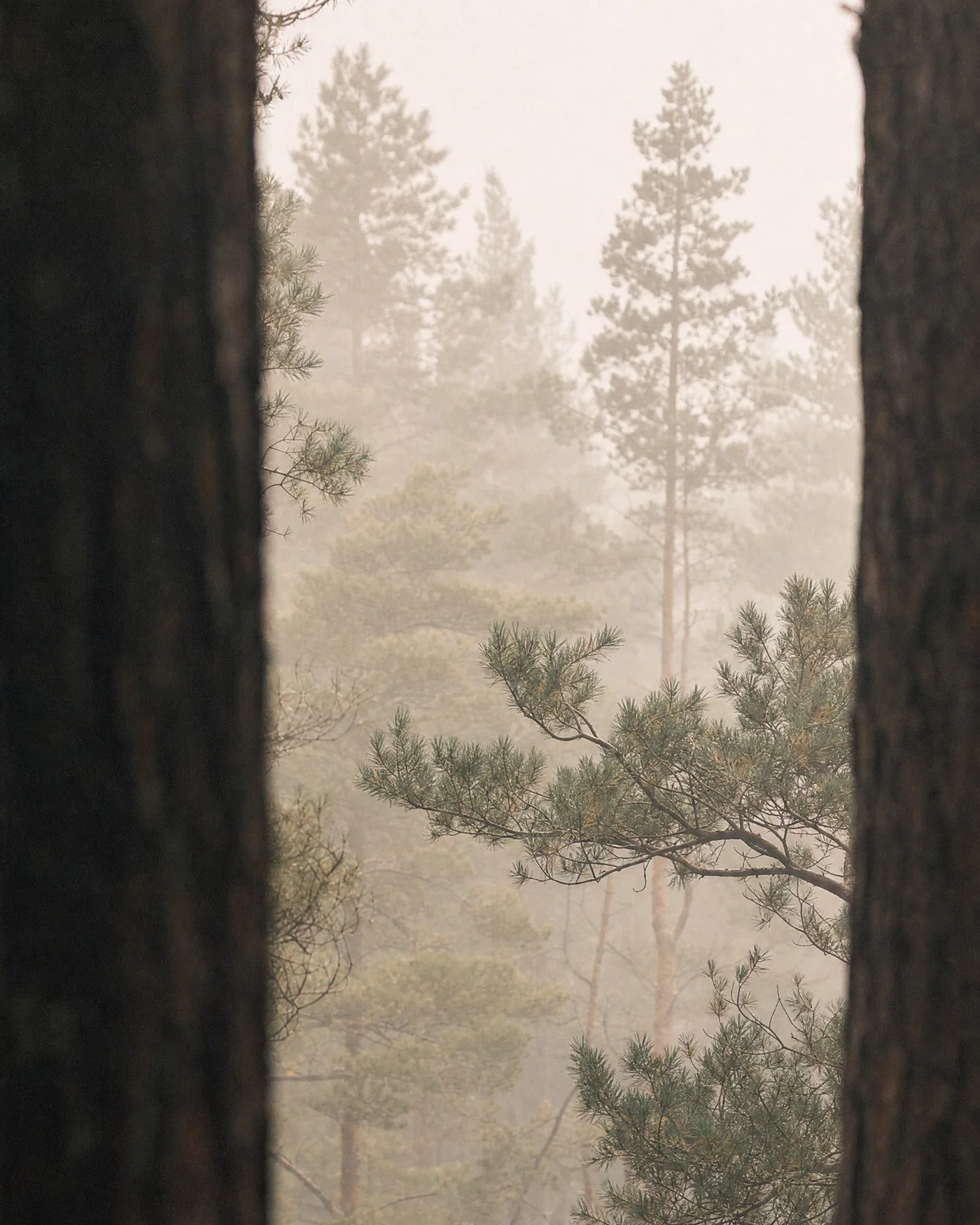
Foggy pines

Portra · soft depth
Vertical foggy pine forest with layered trunks, soft diffuse light, and Portra-style muted greens.
04·Portra · soft depth
View photo
50mmf/2.8Morning fogPortra 400
Prompt
Vertical landscape photograph, 50mm lens, f/2.8, framed between dark pine trunks with layered trees receding into dense morning fog, minimal ground detail, soft diffuse light with no hard shadows, shallow depth of field on mid-ground branches, shot on *Portra 400* look, finished with low contrast, muted greens, warm midtones, gentle highlight roll-off, and fine grain.
Why it works

Fog is a realism shortcut because it explains low contrast and depth layering, but it only works if the prompt also limits shadows and edge sharpness. A 50mm at f/2.8 introduces believable separation without turning the scene into a portrait, and the Portra grade keeps greens natural instead of fluorescent.

Prompt 05 of 10

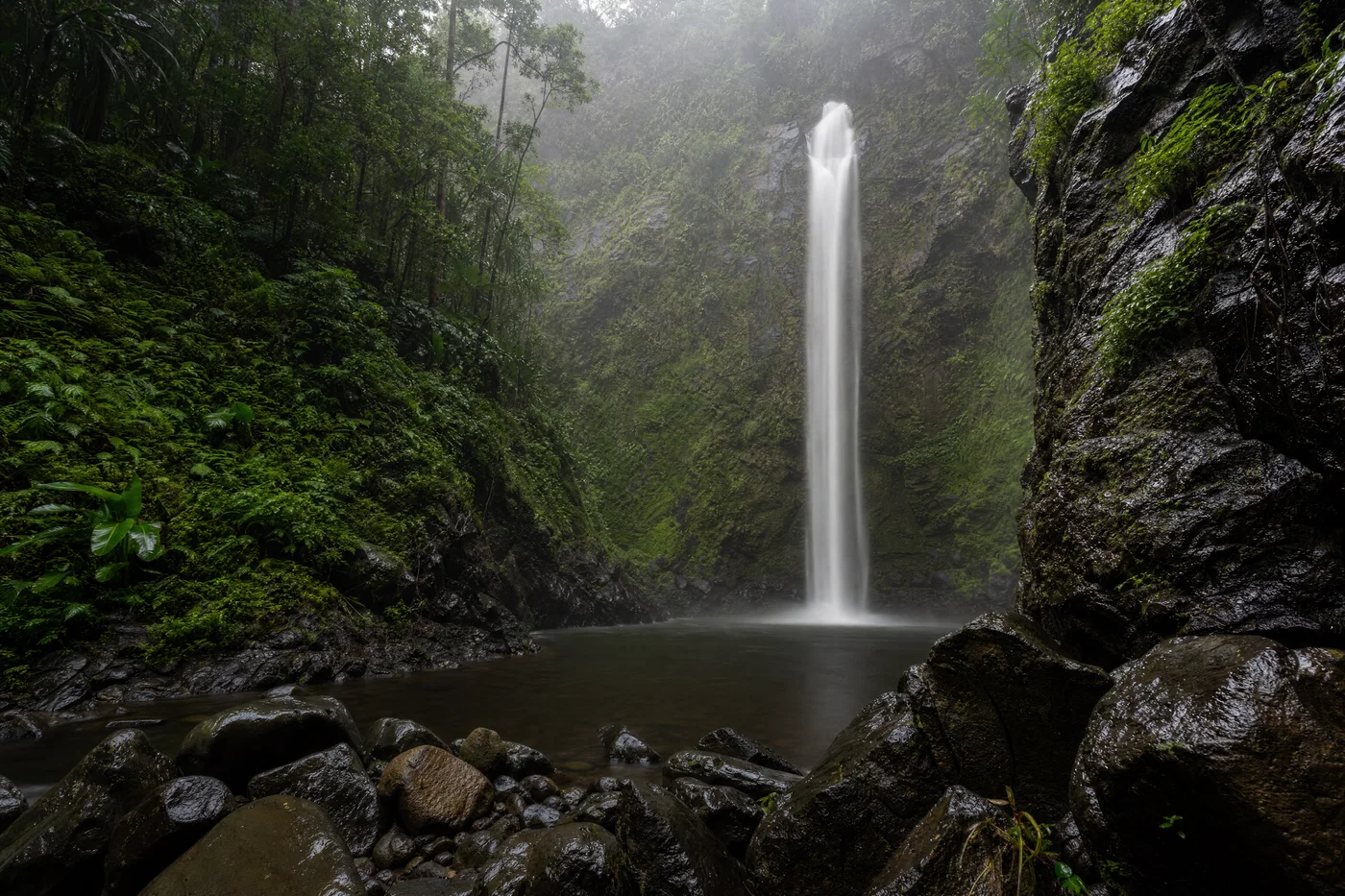
Rainforest falls

ND look · clean greens
Rainforest waterfall with silky long-exposure water, wet rocks, and soft overcast light.
05·ND look · clean greens
View photo
24mmf/16Overcast after rainLong exposure
Prompt
Wide landscape photograph, 24mm lens, f/16, tripod framing of a tall rainforest waterfall into a dark pool, wet rocks and mossy walls, soft overcast light after rain with visible moisture in the air, long-exposure water blur with sharp surrounding detail, full-frame digital capture with ND filter look, finished with natural greens, lifted shadows, restrained saturation, and clean neutral whites.
Why it works

Pairing f/16 with a “long-exposure water blur” tells the model to keep the environment crisp while smoothing the water, which is a classic landscape technique. Overcast-after-rain light removes harsh shadows and supports the moist atmosphere, and the neutral whites prevent the waterfall from turning cyan or glowing unrealistically.

Prompt 06 of 10

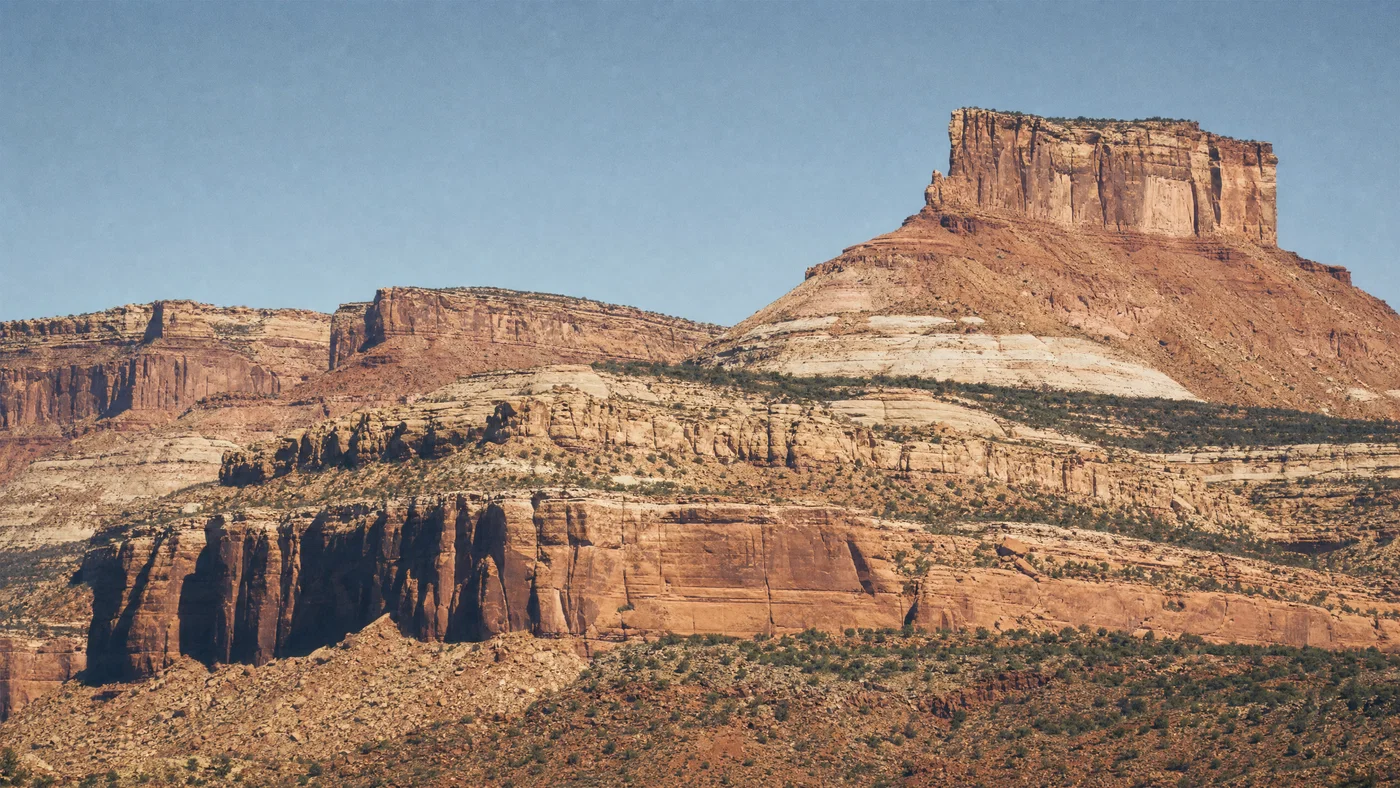
Canyon layers

Gold · tele compression
Telephoto canyon mesas with compressed layers, harsh midday shadows, and warm Kodak Gold tone.
06·Gold · tele compression
View photo
70mmf/11Midday sunKodak Gold 200
Prompt
Landscape photograph, 70mm lens, f/11, telephoto view compressing layered sandstone mesas, sparse shrubs on ledges, harsh midday sun with hard-edged shadows and bright highlights, clear dry air with minimal haze, shot on *Kodak Gold 200* look, finished with warm sandstone tones, crisp edge contrast, slightly desaturated sky, and moderate film grain.
Why it works

Telephoto compression is a strong “real photo” signal because it changes scale relationships in a way illustration-style prompts rarely capture. Midday light is hard to fake, so calling out hard-edged shadows and controlled highlights guides the model to believable contrast, and the Gold grade keeps warmth without turning everything orange.

Prompt 07 of 10

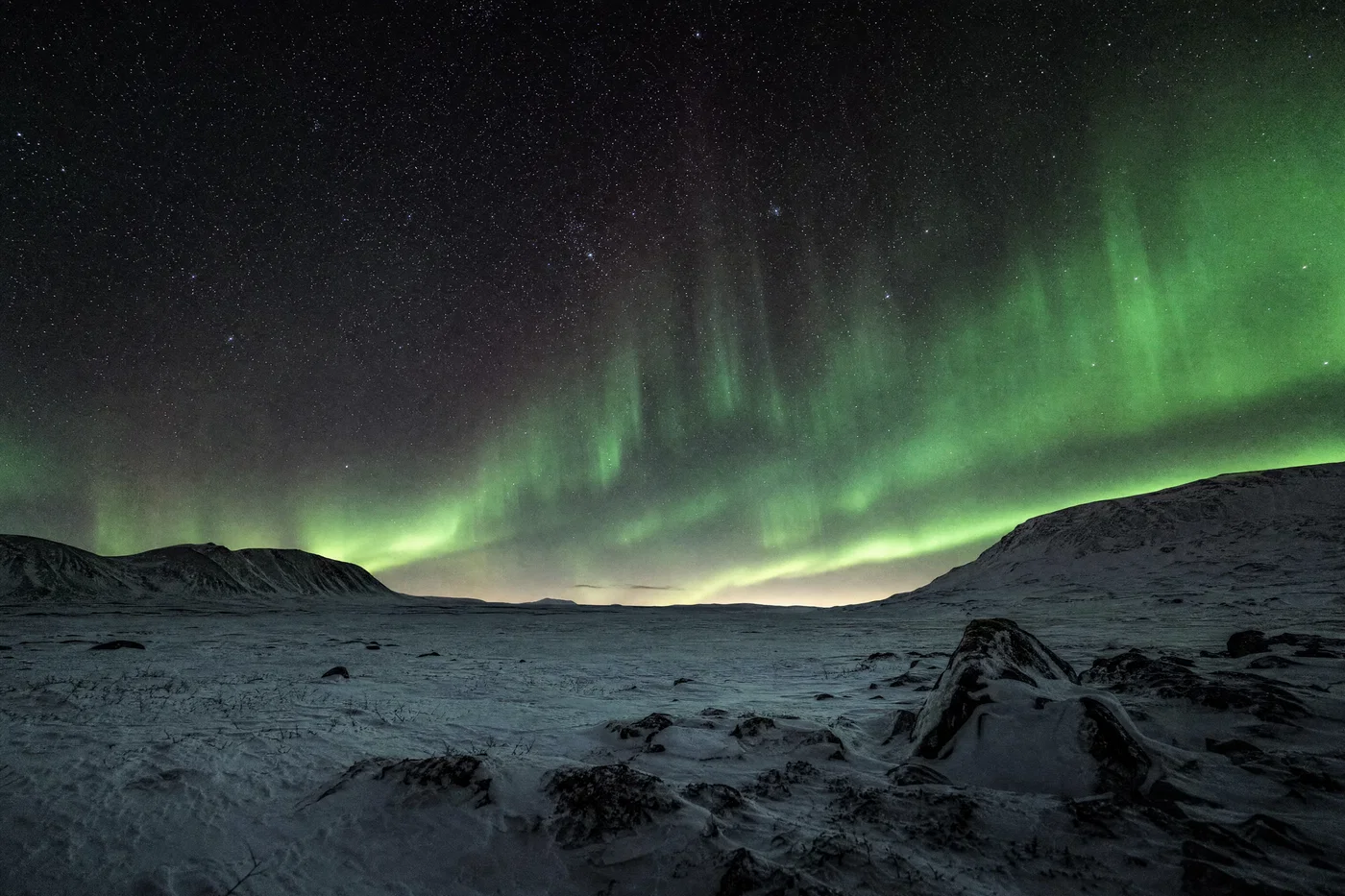
Aurora tundra

night · clean stars
Snowy tundra under green aurora and sharp stars with neutral whites and deep blacks.
07·night · clean stars
View photo
14mmf/2.8Aurora nightControlled noise
Prompt
Night landscape photograph, 14mm lens, f/2.8, low tripod viewpoint over a snowy tundra plain with distant dark hills, clear sky filled with sharp stars and a green aurora curtain, faint moonlight giving gentle terrain detail, high-ISO full-frame digital look with controlled noise, finished with neutral snow whites, deep blacks, subtle green glow, and minimal color banding.
Why it works

Night landscapes become “AI-looking” when noise and color banding are uncontrolled, so the prompt explicitly asks for controlled noise and minimal banding. The 14mm, f/2.8 combo matches real aurora shooting, and adding faint moonlight prevents the foreground from becoming a flat black silhouette.

Prompt 08 of 10

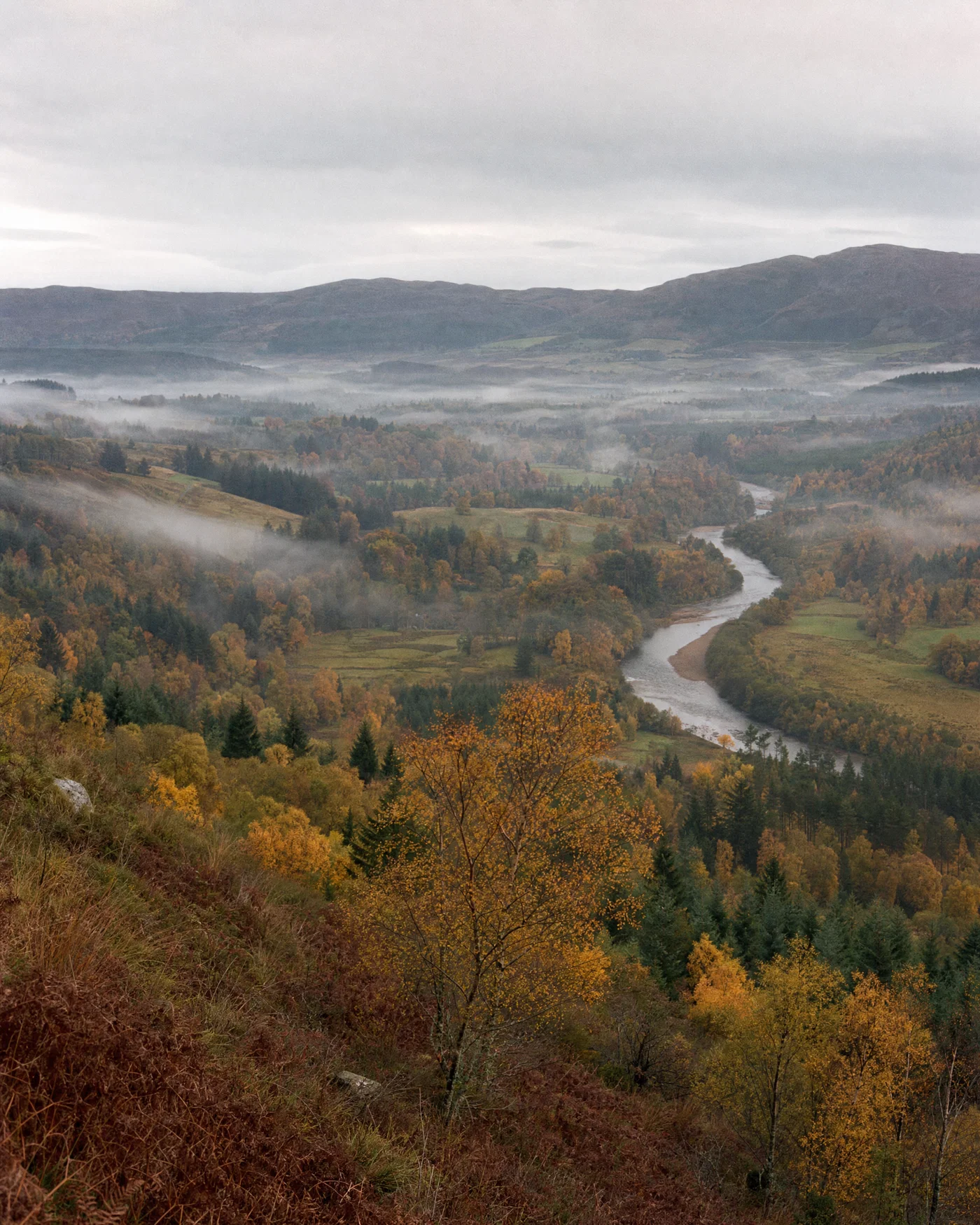
Autumn valley

Pro 400H · soft overcast
Vertical autumn valley with river and mist under flat overcast light, pastel film-like color.
08·Pro 400H · soft overcast
View photo
35mmf/8Flat overcastFuji Pro 400H
Prompt
Vertical landscape photograph, 35mm lens, f/8, viewpoint from a hillside looking across an autumn valley with patchwork trees and a winding river, light mist in low areas, flat overcast light with soft edges and no specular highlights, realistic distance haze, shot on *Fuji Pro 400H* look, finished with pastel oranges and yellows, gentle contrast, slightly cool shadows, and fine grain.
Why it works

Overcast scenes need structure, so the prompt adds a winding river and patchwork tree blocks to create readable shapes without relying on harsh light. The 35mm, f/8 combination preserves natural perspective and depth, and the Pro 400H palette keeps fall color believable with controlled saturation.

Prompt 09 of 10

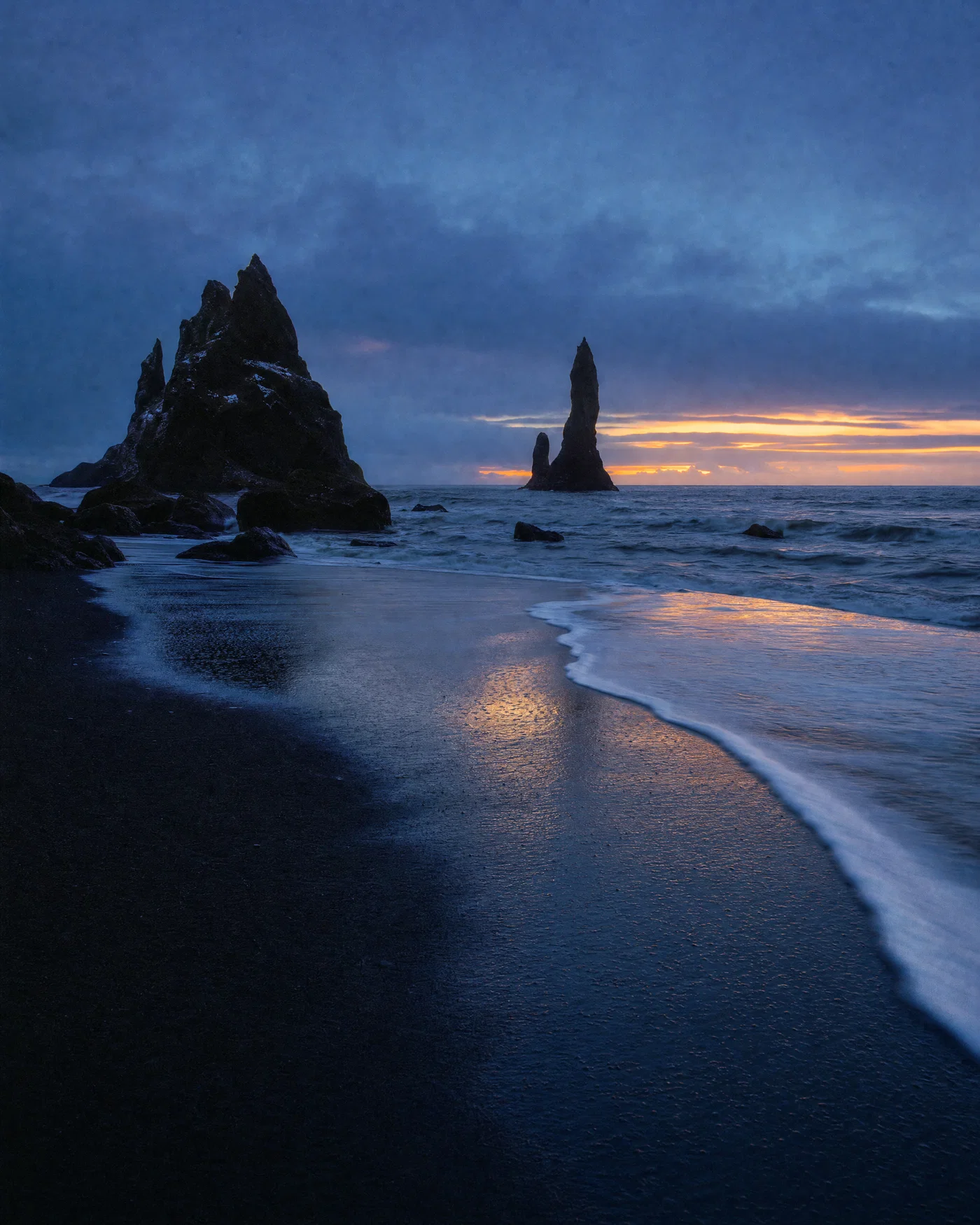
Black sand bluehour

800T · moody coast
Vertical black sand beach at blue hour with basalt stacks, foam lines, and cool cyan shadows.
09·800T · moody coast
View photo
20mmf/10Blue hourCineStill 800T
Prompt
Vertical seascape photograph, 20mm lens, f/10, tripod framing of black sand beach with wet reflective foreground, basalt sea stacks in mid-ground, incoming waves creating white foam lines, blue hour ambient light with a thin warm band on the horizon, shot on *CineStill 800T* look with mild halation on highlights, finished with cool cyan shadows, warm horizon highlights, and subtle film grain.
Why it works

Blue hour realism comes from believable exposure balance, so the prompt locks in ambient twilight plus a thin warm horizon to justify mixed color temperature. Wet sand reflections and foam lines create natural leading shapes, and a controlled halation note adds character without turning highlights into glowing blobs.

Prompt 10 of 10

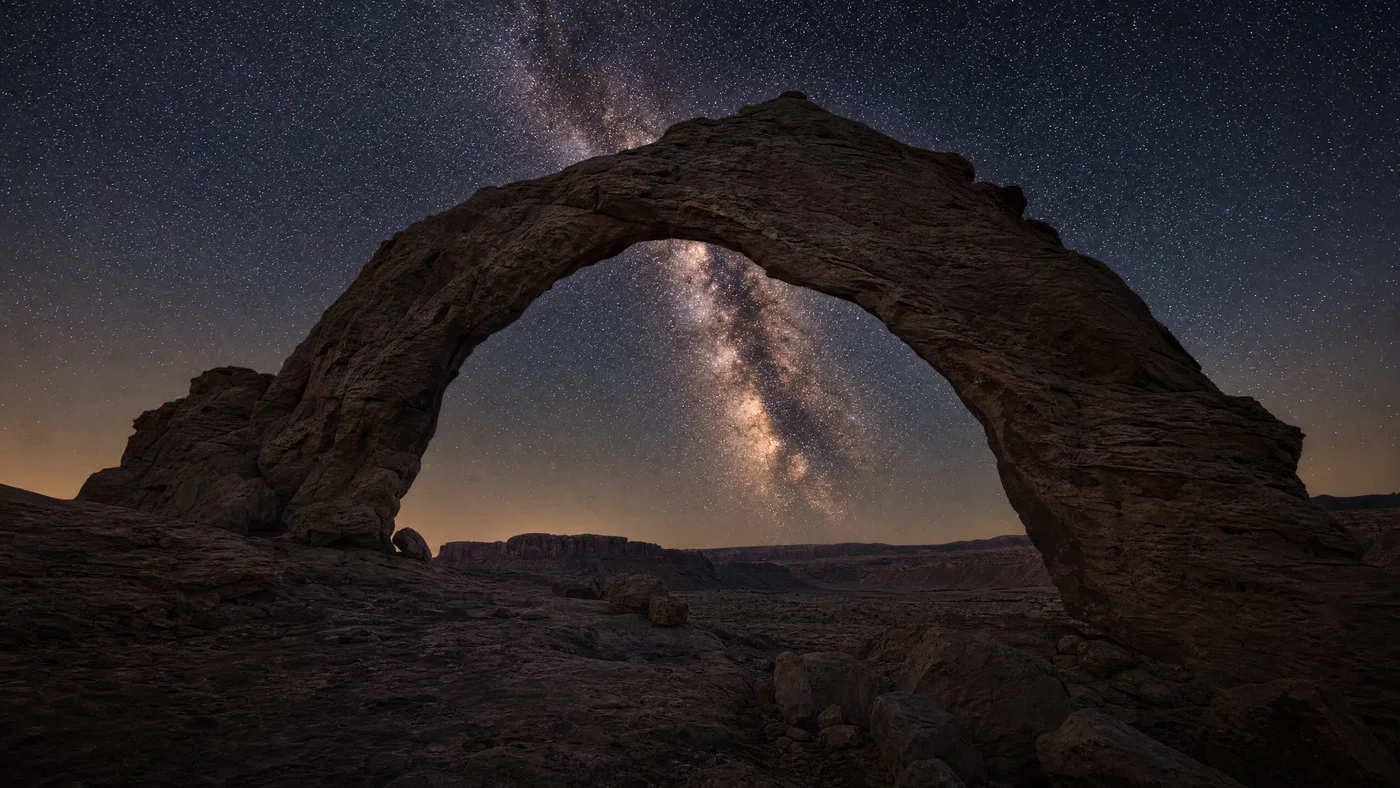
Milky Way arch

astro · clean neutral
Desert rock arch framing the Milky Way with sharp stars, faint moonlight, and neutral night color.
10·astro · clean neutral
View photo
24mmf/1.8Milky WayReduced chroma noise
Prompt
Night landscape photograph, 24mm lens, f/1.8, low tripod view of a desert rock arch framing the Milky Way core, faint moonlight and weak skyglow separating the arch from the sky, sharp stars with realistic vignetting, full-frame digital astro look with low chroma noise, finished with neutral warm highlights, deep blue-black sky, reduced magenta cast, and subtle clarity.
Why it works

Astro images look fake when the foreground is lit like daylight, so the prompt limits illumination to faint moonlight and skyglow for believable separation. Calling out vignetting and chroma noise control pushes the model toward an authentic wide-open lens look, and the neutral grade avoids the common over-magenta night-sky problem.

Turn prompts into believable landscape photos

Realistic landscape results come from prompts that read like field notes: shot type, focal length, aperture, a clear subject, a specific light setup, then a medium and a finish grade. When you describe the scene the way a camera sees it, modern image models have fewer ways to “invent” and more reasons to render believable perspective, depth, and atmosphere.

Reuse the prompts above as templates. Swap the biome (alpine to coastal), change one variable (16mm to 35mm, golden hour to flat overcast), and keep the grade cue consistent to build a cohesive set for a gallery, a client moodboard, or a social series.

When you are ready to render, refine, and publish in one place, Open Postcrest and apply 50% off your first 2 months.

Bonus · Image to video

Bring your landscapes to life as video

Any still you generate from these prompts can become a short motion clip using Postcrest, preserving the original lens, light, and final grade.

Generated from prompt aboveImage to video in Postcrest
Animated from: Milky Way arch
astro · clean neutral
Video prompt
Locked-off tripod shot to preserve the 24mm astro composition and neutral grade. Add very slow Milky Way drift and subtle airglow variation; keep the arch completely still and maintain realistic vignetting. One continuous shot, no cuts, preserve low chroma noise and deep sky blacks, no text, no watermarks, no logos, no overlays, no captions
Why it works as motion

Locking the camera is essential for believable astro footage because any movement reads like a synthetic background plate. Slow sky drift and faint airglow changes convey time passing while keeping the foreground solid, which protects the realism and the clean, neutral color balance.

50% off first 2 months

Generate every prompt above in Postcrest

Copy-paste any prompt, or hit generate and get a 4K render in seconds. 50% off your first 2 months — join 38,000+ creators.

Claim 50% off
Cheat sheet

Realistic landscape photography prompt cheat-sheet

Reference these dimensions in any prompt for repeatable results across shoots and projects.

Scene typeLens + apertureLight + weatherMedium cueGrade cue
Alpine lake reflection16mm · f/11Golden hour side light, thin mistVelvia 50Saturated natural color, fine grain
Coastal storm24mm · f/8Overcast with bright horizon breakDigital full-frameCool blue-gray shadows, dehaze contrast
Desert dunes35mm · f/13Late-day raking sun, dry airEktar 100Warm highlights, neutral shadows
Foggy forest50mm · f/2.8Diffuse morning fog, no shadowsPortra 400Low contrast, muted greens
Night aurora14mm · f/2.8Clear sky, faint moonlightHigh-ISO digitalNeutral snow, controlled noise
Blue hour beach20mm · f/10Twilight ambient, warm horizon bandCineStill 800TCyan shadows, mild halation
Pro tips

Five rules that separate amateur prompts from director-grade ones

  1. 01
    Start with lens and aperture
    Focal length sets perspective, and aperture signals depth of field. Lead with them so the model commits to a photographic look before it invents details.
  2. 02
    Describe light direction, not just time
    “Golden hour” is vague on its own. Add left, right, backlit, or overcast so highlights and shadows land in believable places.
  3. 03
    Add atmosphere to explain softness
    Mist, haze, sea spray, and heat shimmer justify lower contrast and softer edges. These cues reduce the overly sharp, plastic look that breaks realism.
  4. 04
    Choose one medium and commit
    Pick a film stock look or a clean digital look, not both. Consistent medium language helps you generate a cohesive series and makes revisions predictable.
  5. 05
    End with a tight grade sentence
    Close with a short grade cue like “cool shadows, warm highlights, fine grain.” Ending on the finish tells the model how to color the entire frame.
Why Postcrest

Built for prompt-driven content at scale

Every prompt below renders natively in Postcrest. No queue, no Discord, no LoRA training.

Batch variations fast
Generate multiple compositions and weather options from the same prompt, then pick the most believable frame without rewriting from scratch.
Consistent looks across sets
Keep your lens, light, and grade language consistent so your landscapes match as a series for portfolios, campaigns, and feeds.
High-resolution exports
Create files suitable for social crops, web headers, and print-ready workflows, without watermarks or forced attribution.
Still to motion workflow
Turn a selected landscape still into a motion clip with camera moves that preserve the original mood, lens, and color grade.
Publish from one place
Move from generation to edits to scheduling, so your landscape content ships to social without extra tools or handoffs.
FAQ

Questions, answered

Everything you'd ask before pasting these prompts into your workflow.

Write prompts like a camera brief: shot type, focal length, aperture, subject placement, then light direction and weather. Add a medium cue (film stock or clean digital) and end with a specific grade so the model doesn’t invent an illustration-style palette. Generate a few variations, then keep the best prompt structure and only change one variable at a time.

Martin Balk
Written by
Martin Balk
Founder, Postcrest

Martin builds AI tools that help creators, agencies and brands ship professional content without a studio. He has tested every frontier image and video model since 2022.

50% off first 2 months

Generate realistic landscapes you can publish

Copy a prompt, render variations, and export commercial-ready images, then turn favorites into motion and schedule posts in Postcrest.

4.8 / 5 · Trusted by 38,000+ creators
50% off first 2 months
Commercial license included
No watermarks, ever
Images and video in one
Start now