50% off your first 2 months — ends in00d00h00m00s
Photography · Academy9 min readUpdated 

Best AI YouTube Thumbnail Prompts for High-CTR Clicks

Copy proven 16:9 prompts for bold subjects, punchy contrast, and clean negative space, then add your headline text on top for higher click-through.

Martin Balk
Martin Balk
Founder, Postcrest ·
4.8 · 38,000+ creators
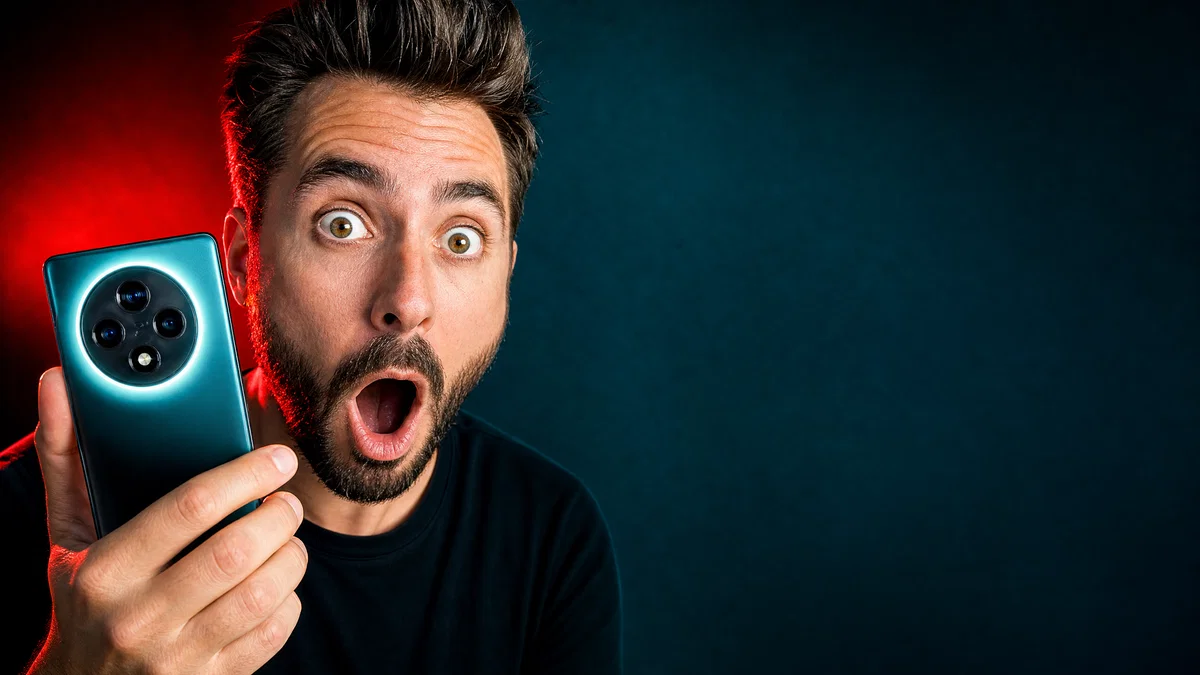
Shocked tech reviewer close-up with bold contrast and empty space for YouTube headline text
10 ready-to-copy prompts
Generated with Postcrest · 1 prompt · 1 click
TL;DR
Key Takeaways
  • 01
    Lead with camera, then composition Start your AI YouTube thumbnail prompts with shot, lens, aperture, and a clear left-right layout so the model locks framing and leaves text-safe negative space.
  • 02
    Build contrast with simple color blocks High CTR thumbnails read fast, so specify two to three background colors, hard key light, and a clean subject cutout that holds up at small sizes.
  • 03
    Generate imagery, add text afterward Tell the model to leave a blank headline zone and keep the image text-free, then place your title on top in your thumbnail maker workflow.

AI YouTube thumbnail prompts that earn clicks

A good AI YouTube thumbnail prompt is a short production brief that tells modern image models exactly what to show, how to light it, and where to leave negative space for the headline overlay in a high CTR thumbnail. These systems learned from huge libraries of captioned thumbnail-style images and photos where the captions name practical details like close-up vs wide shot, 16mm or 35mm distortion, 85mm compression, hard key light, and a specific color grade. When prompts mirror that vocabulary, you get cleaner framing, stronger contrast, and faces that read instantly.

Below are 10 ready-to-paste YouTube thumbnail prompt examples, each built for 16:9 with bold subjects, exaggerated expressions, and deliberate text-safe space. Expect options for gaming neon scenes, finance money moments, vlog travel hooks, tech review reactions, and big-bold reaction layouts. Paste any prompt into Postcrest, generate a few variations, then add your text and icons on top before publishing.

Try it in Postcrest

Generate clicky thumbnails in minutes

Render multiple 16:9 thumbnail options fast and export up to 4K for crisp text overlays. Keep a consistent look across a whole channel.

No watermarksCommercial licenseCancel anytime
Image Generator
Postcrest
Prompt
Ultra-wide alpine peaks at golden hour, 16mm, f/11, Velvia 50
Generate
4K3:2
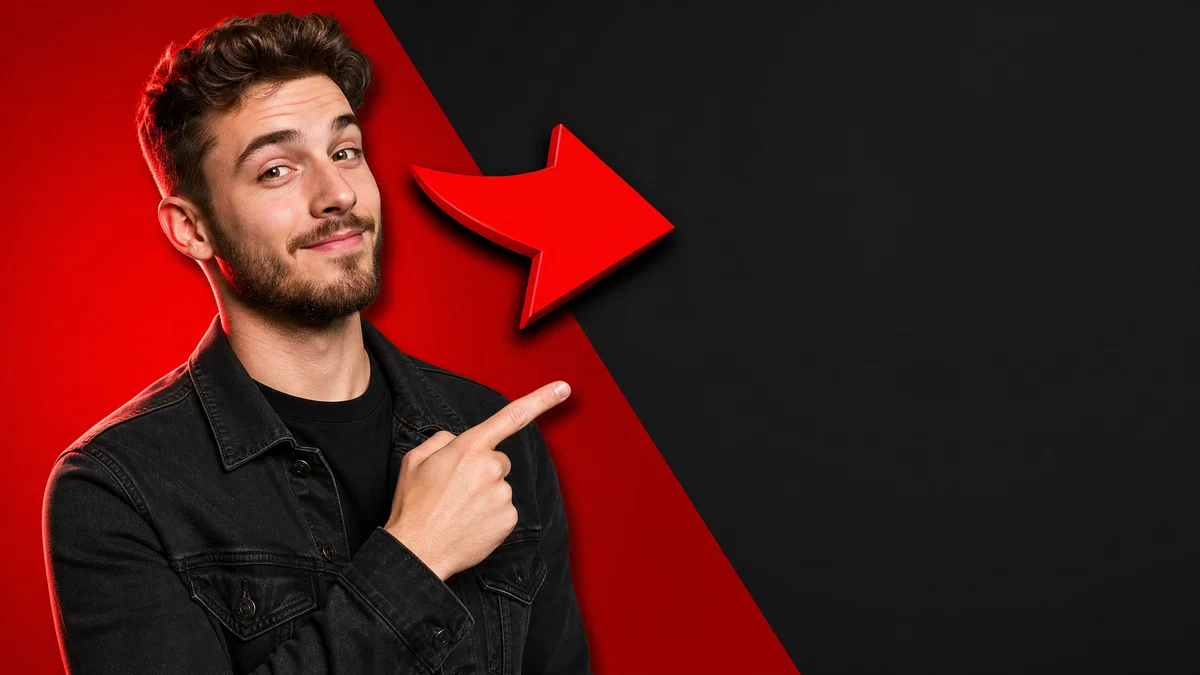
Creator pointing toward empty banner space on a bold red and charcoal YouTube thumbnail layout
Generated · 4K
10 prompts

The prompt library

Every prompt below has been generated, graded and verified inside Postcrest. Copy the text, hit Generate, and the same look ships from your account.

Prompt 01 of 10

Tech Shock Face

Teal-orange · punchy reaction
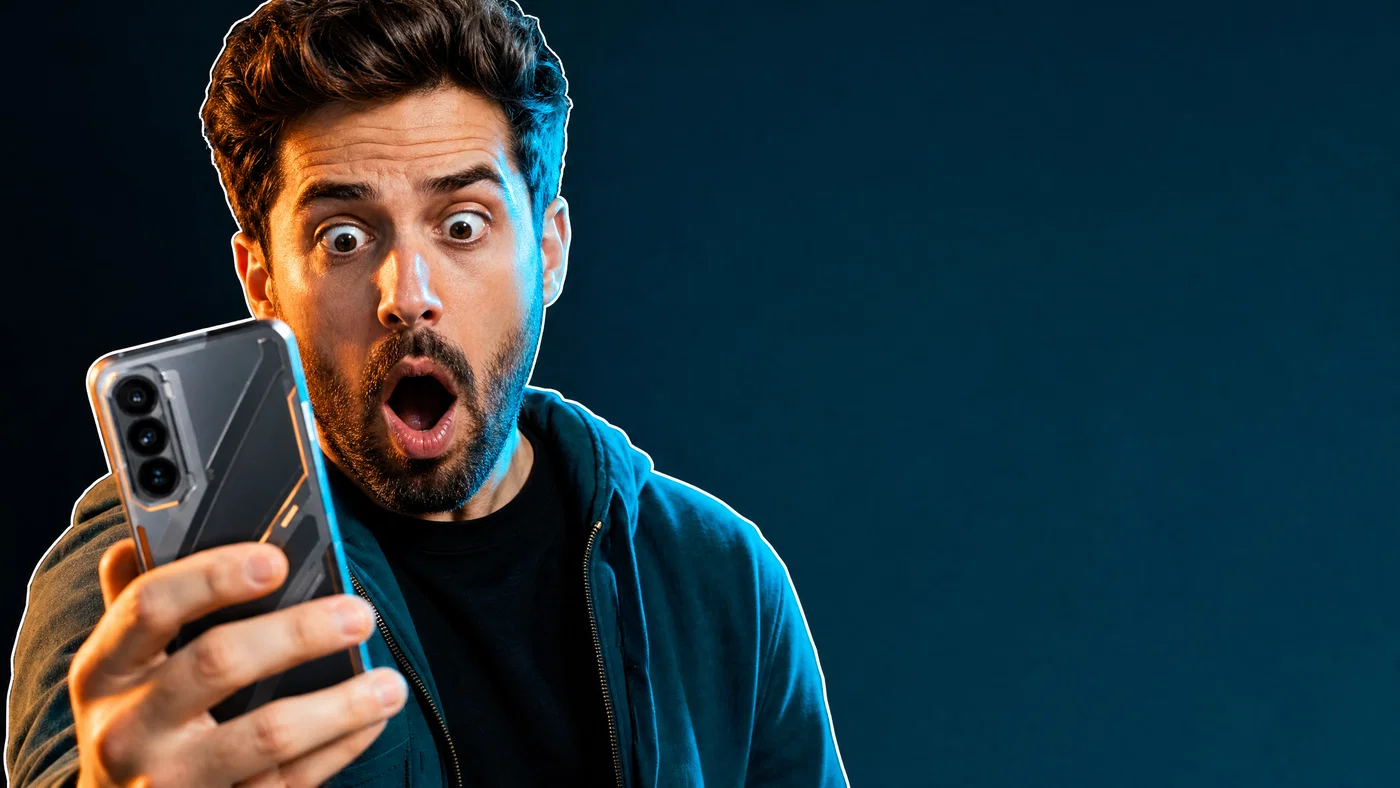
Shocked tech reviewer holding a glowing phone with empty space for headline text
01·Teal-orange · punchy reaction
View photo
24mmf/2.8Hard keyTeal-orange
Prompt
Tight reaction close-up, 24mm lens, f/2.8, shocked tech reviewer with wide eyes and open mouth holding a futuristic phone toward camera, left-third framing with large clean negative space on the right for headline text overlay, hard key light from camera-left with crisp shadow, cyan rim light, full-frame digital, clean cutout edges with thin white outline, finish with a teal-and-orange high-contrast grade.
Why it works

The 24mm close-up exaggerates expression, which improves readability at small thumbnail sizes. Calling out left-third framing and a right-side negative space forces a text-safe layout while the hard key and rim light create a cutout that stays crisp over any background.
Prompt 02 of 10

Neon Gaming Arena

Synthwave · high energy
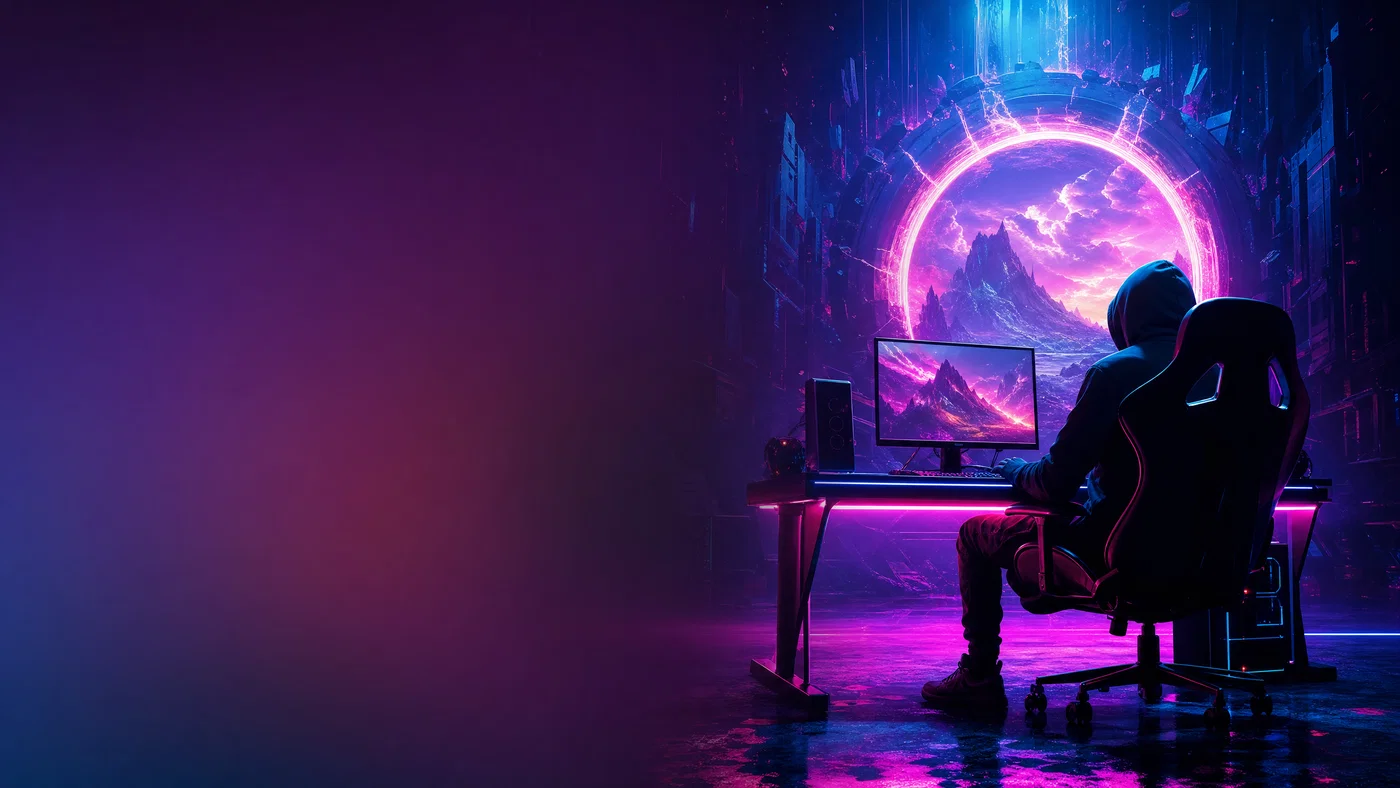
Neon gaming setup with gamer silhouette and large empty gradient space for thumbnail text
02·Synthwave · high energy
View photo
16mmf/4Magenta-cyanSynthwave
Prompt
Wide hero shot, 16mm lens, f/4, esports gamer silhouette in a hoodie at a glowing RGB desk with a giant neon game portal behind, subject on the right with a big empty gradient block on the left for headline overlay, sharp hard key light from above with magenta and cyan edge lights, light haze for beams, full-frame digital, finish with a neon synthwave grade.
Why it works

A 16mm wide scene creates scale and speed, which fits gaming thumbnails and sells the premise instantly. Specifying a left-side empty gradient block gives a consistent text-safe zone, and the magenta-cyan rim lighting separates the subject from busy neon backgrounds.

Prompt 03 of 10

Money Rain Moment

Commercial · bold finance
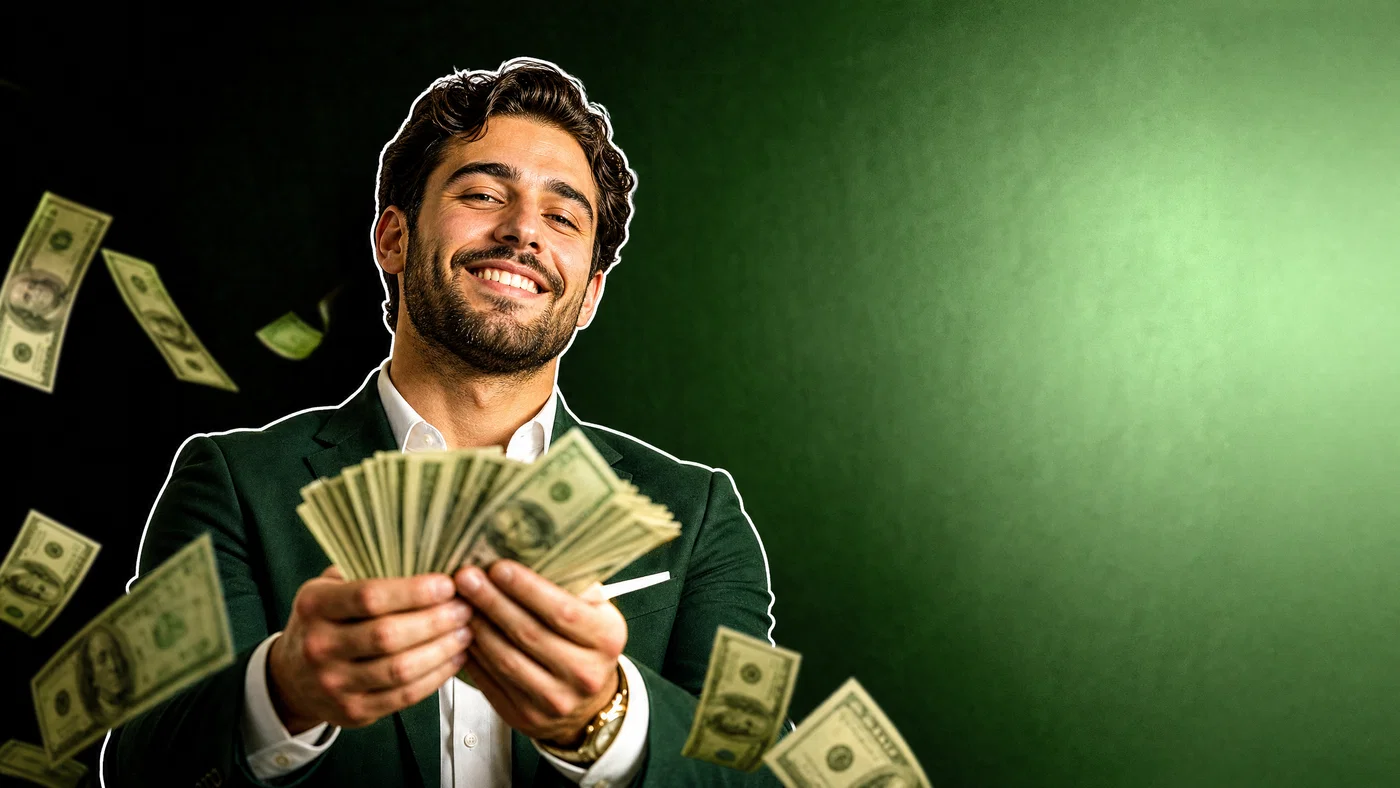
Finance creator fanning cash with floating bills and a clean right-side headline space
03·Commercial · bold finance
View photo
35mmf/3.2Green-goldStroke outline
Prompt
Medium close-up, 35mm lens, f/3.2, finance creator grinning while fanning cash toward camera as a few bills float in front, subject centered-left with a clean bright negative space panel on the right for headline overlay, hard key light with glossy highlights, dark-to-green gradient background, full-frame digital, add a subtle white stroke outline on the subject, finish with a crisp high-contrast green-and-gold grade.
Why it works

Finance thumbnails win on instant symbols, so cash plus a confident expression communicates the niche in a split second. The right-side panel and simple green gradient keep it readable, while the hard key and stroke outline prevent the subject from blending into high-contrast backgrounds.

Prompt 04 of 10

Vlog Travel Reaction

Portra · bright lifestyle
Vlog creator pointing with surprised smile, leaving clean sky space for thumbnail headline text
04·Portra · bright lifestyle
View photo
28mmf/2.8Golden hourPortra 400
Prompt
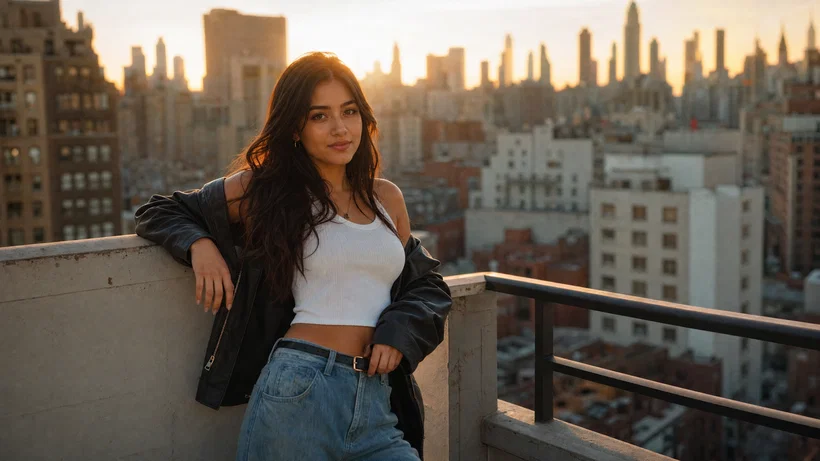
Half-body vlog portrait, 28mm lens, f/2.8, creator in a bright jacket pointing at a dramatic landmark off-frame, big surprised smile, subject on the left with wide empty sky gradient on the right for headline overlay, golden-hour backlight with warm rim and soft fill, *Portra 400* color response, full-frame digital, finish with a warm contrasty travel grade.
Why it works

A 28mm half-body shot feels personal and energetic while still leaving room for context. By calling for empty sky gradient on the right, you force a clean text area, and golden-hour rim light gives a natural cutout that stays legible even with bold typography on top.

Prompt 05 of 10

Big Bold Reaction

Studio · graphic cutout
Exaggerated reaction face on a two-color background with large empty space for headline text
05·Studio · graphic cutout
View photo
16mmf/5.6Two-color splitThick stroke
Prompt
Extreme close-up reaction, 16mm lens, f/5.6, exaggerated face filling the left half of frame with comedic distortion, mouth open in disbelief, clean flat two-color background split vertically with a huge empty color block on the right for headline overlay, hard frontal key light with minimal shadow, crisp cutout with thick white stroke and drop shadow, full-frame digital, finish with a candy-bright high-contrast grade.
Why it works

The 16mm extreme close-up creates intentional distortion that reads as comedy and urgency, which drives clicks in reaction-style thumbnails. A flat two-color split background simplifies the image so typography can be huge, and the stroke plus drop shadow keeps the face readable even against loud colors.

Prompt 06 of 10

Cooking Ingredient Pop

Food commercial · saturated
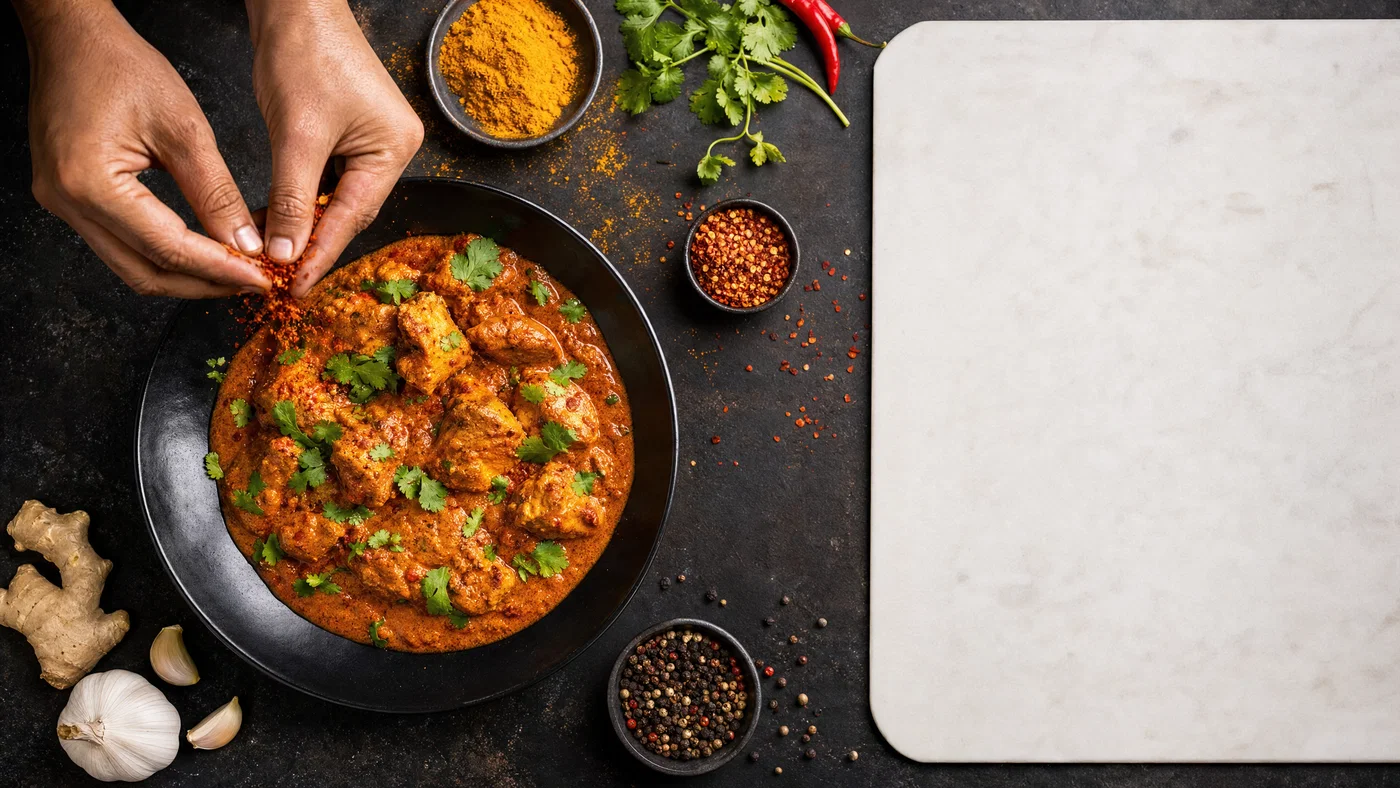
Top-down cooking scene with spices falling and a clean cutting-board area for headline text
06·Food commercial · saturated
View photo
35mmf/8Overhead keyWarm food grade
Prompt
Top-down tabletop scene, 35mm lens, f/8, hands mid-action sprinkling bright spices over a single hero dish, dish placed bottom-left with a large clean white cutting-board area on the right for headline overlay, hard overhead key light with crisp shadows for texture, saturated produce props kept minimal, full-frame digital, finish with a punchy warm food-grade with deep blacks.
Why it works

Top-down food thumbnails work when texture pops and the frame has one obvious hero dish. The cutting-board negative space gives you a built-in text banner, and hard overhead light creates crisp shadows that read even on small screens.

Prompt 07 of 10

True Crime Board

Cine · moody contrast
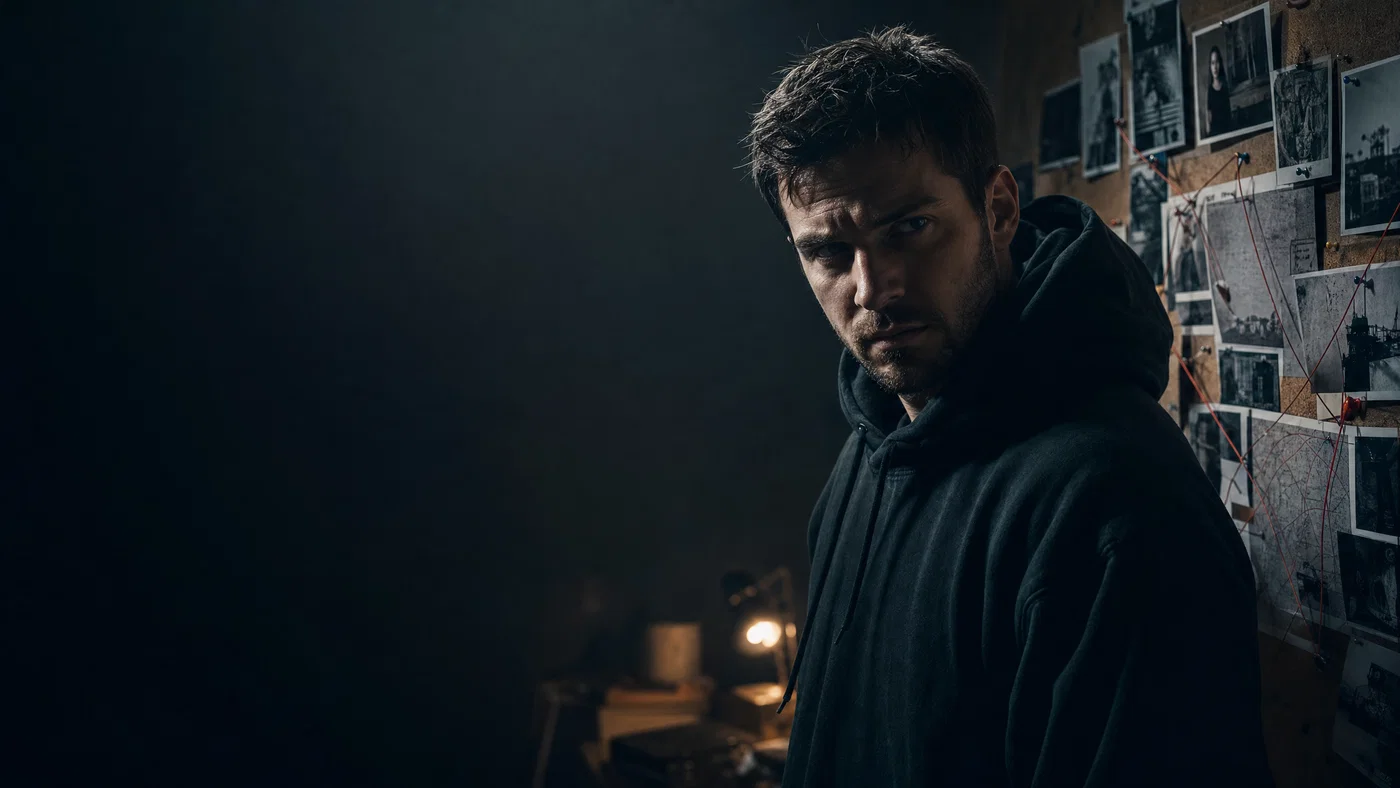
Moody true-crime scene with creator beside investigation board and clean gradient space for text
07·Cine · moody contrast
View photo
50mmf/2.8Raking side lightCool teal
Prompt
Medium shot, 50mm lens, f/2.8, creator in a dark hoodie looking intense beside a corkboard of photos and red string, subject on the right with a clean dark gradient on the left for headline overlay, single raking side light from camera-left with deep shadows and a small practical lamp glow, full-frame digital, subtle film grain, finish with a cool moody teal grade.
Why it works

True crime thumbnails need a clear mood cue, so raking side light and deep shadows do the heavy lifting fast. Placing the creator on the right and reserving a left gradient makes room for bold text, and the 50mm keeps the board readable without wide-angle chaos.

Prompt 08 of 10

Tech Desk Explainer

Clean studio · high clarity
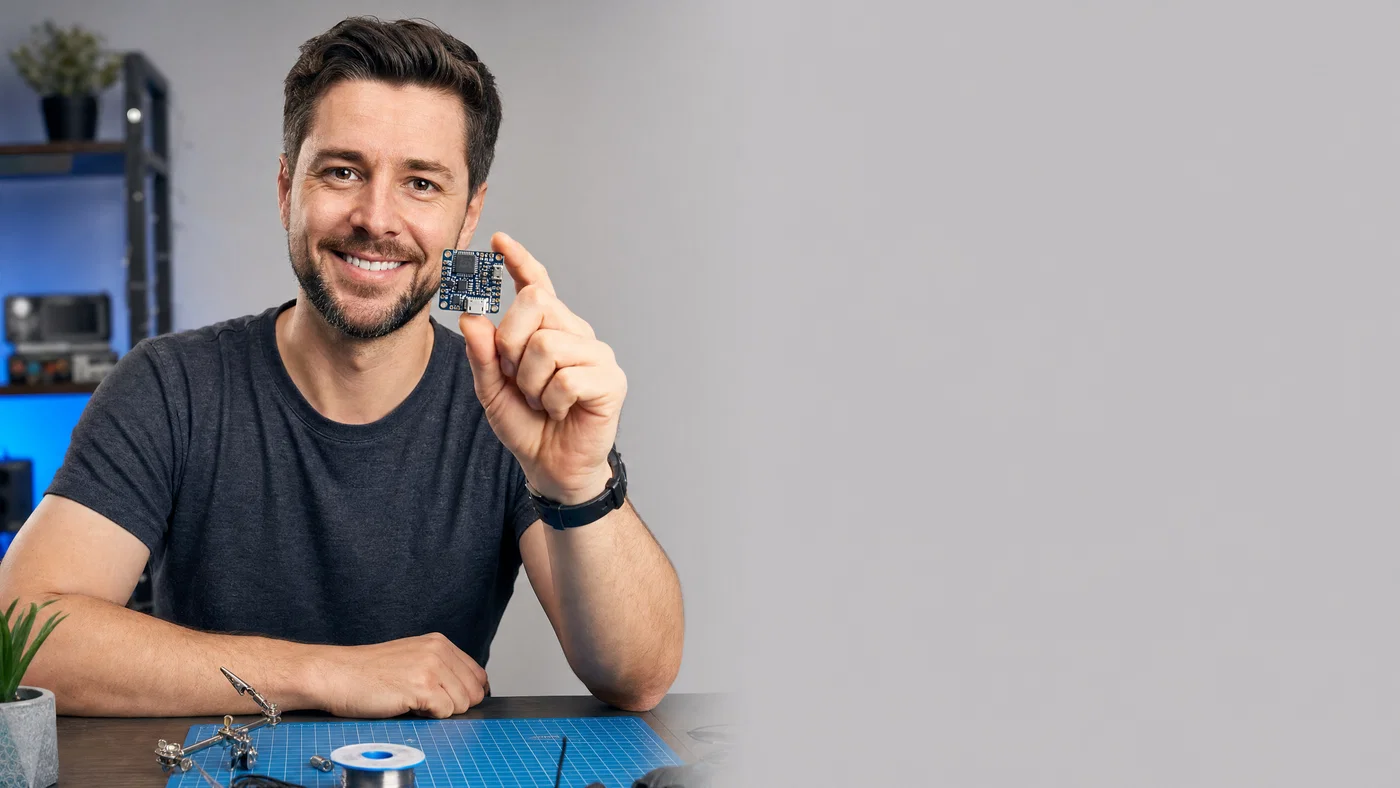
Creator at a clean tech desk holding a circuit board, with empty gray panel space for headline text
08·Clean studio · high clarity
View photo
35mmf/4Softbox keyNeutral grade
Prompt
Medium-wide desk shot, 35mm lens, f/4, creator smiling and holding a tiny circuit board close to camera, subject on the left with a pure light-gray empty panel on the right for headline overlay, softbox key light with crisp edge and mild shadow, subtle blue accent light behind, full-frame digital, clean commercial sharpness, finish with a neutral high-contrast grade with cool highlights.
Why it works

Explainer thumbnails need clarity, so a 35mm desk scene plus a controlled softbox produces clean edges and readable props. The light-gray right panel gives you predictable contrast for text, and a small blue accent light adds depth without cluttering the background.

Prompt 09 of 10

Before After Split

High contrast · transformation
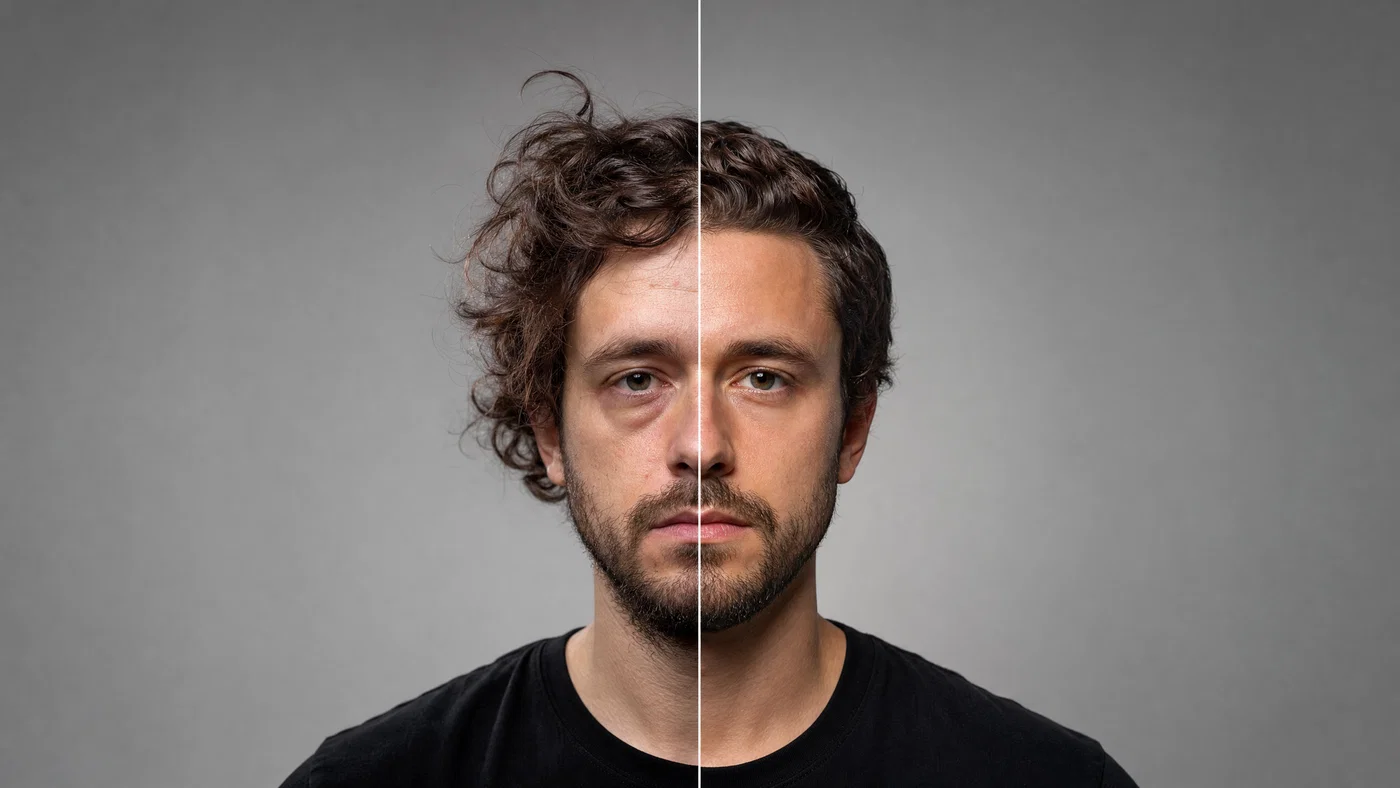
Split before-and-after creator portrait with a clean top banner area for headline text
09·High contrast · transformation
View photo
85mmf/3.5Beauty dishSplit lighting
Prompt
Straight-on portrait, 85mm lens, f/3.5, creator centered with a vertical split: left side tired and messy, right side confident and polished, strong symmetrical composition with a clean top banner area reserved for headline overlay, hard beauty dish key light with crisp shadow control, neutral gray background, full-frame digital, subtle skin retouch look, finish with a sharp contrast grade and clean whites.
Why it works

An 85mm portrait keeps facial features flattering and consistent across the split, which sells the transformation. Reserving a top banner gives a predictable text zone, and the beauty-dish look creates crisp highlights that separate the subject cleanly from a neutral background.

Prompt 10 of 10

Gadget vs Mystery

Cine · suspense hook
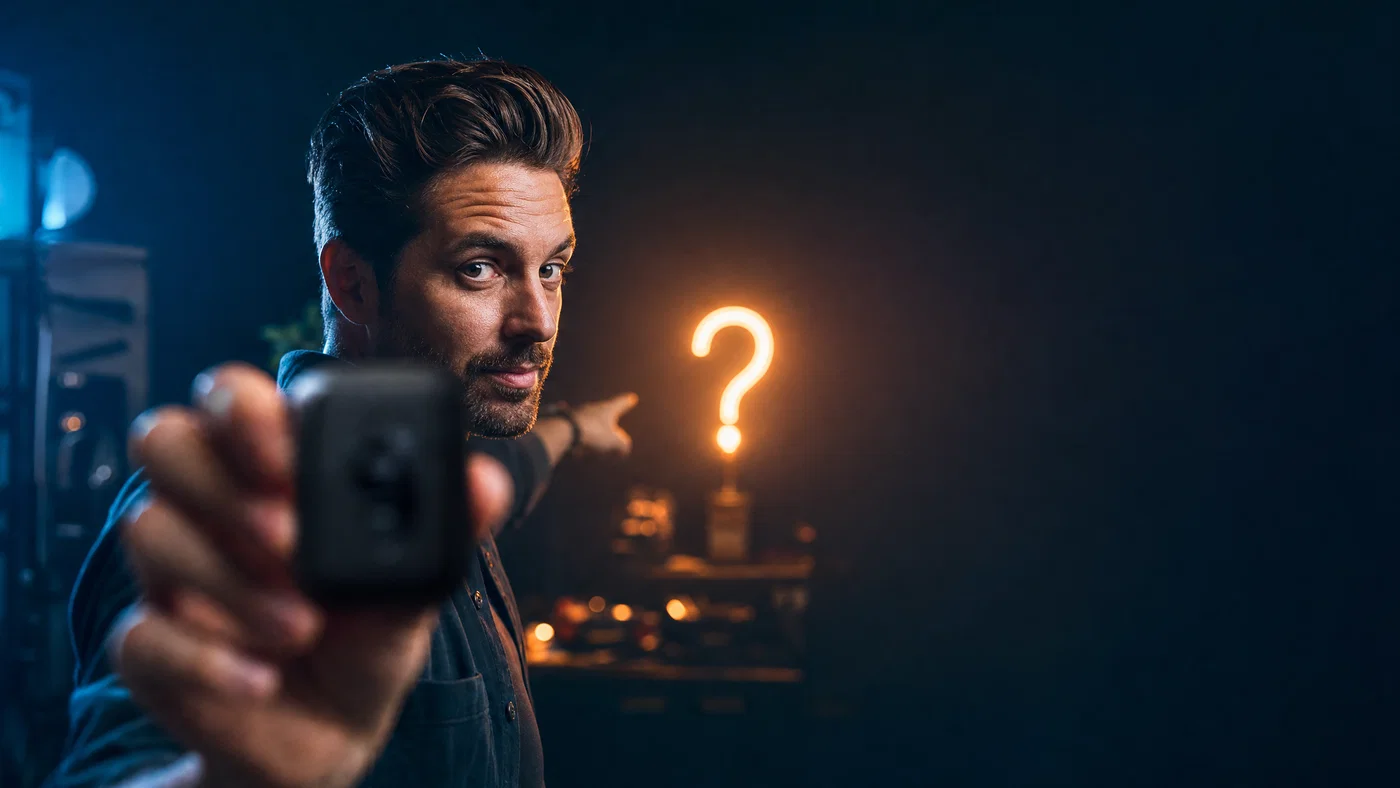
Creator teasing a mystery gadget with a glowing question-mark light and large dark space for thumbnail text
10·Cine · suspense hook
View photo
28mmf/2.8Strong rimBlue-amber
Prompt
Over-shoulder product tease, 28mm lens, f/2.8, creator holding a blurred mystery gadget close to lens while pointing at a sharp glowing “?” shaped light in the background, subject on the bottom-left with a large dark negative space on the right for headline overlay, single hard key light with strong rim, practical bokeh lights, full-frame digital, finish with a deep contrast blue-and-amber grade.
Why it works

A foreground tease plus a clear symbol creates curiosity, which is a reliable click driver for reviews. The bottom-left anchor leaves a big right-side headline zone, and the rim light draws a clean edge around the subject so the silhouette reads even with bold type layered on top.

From prompt to scroll-stopping thumbnail

High-CTR thumbnails are engineered, not guessed. Start with a clear camera brief (shot, lens, aperture), lock the composition into a 16:9 layout with a protected text zone, then push contrast with one decisive key light and a simple two to three color background. Generate the image first, then add your headline, arrows, and icons on top so the typography stays sharp.

Reuse the prompts above as templates: swap niche props (controller, cash, gadget), swap lens choice (16mm for exaggeration, 35mm for balance, 85mm for clean portraits), and swap lighting (hard key for punch, softbox for clarity) while keeping the same negative-space placement. For sizing rules and text-safe zones, reference /youtube/thumbnails.

When you are ready to produce a full batch, Open Postcrest to generate, refine, and publish faster, with 50% off your first 2 months.

Bonus · Image to video

Turn any thumbnail into motion

Any still you generate from these prompts can become a short motion clip in Postcrest, preserving the same lens feel, lighting punch, and color grade.

Generated from prompt aboveImage to video in Postcrest
Animated from: Vlog Travel Reaction
Portra · bright lifestyle
Video prompt
Handheld tracking with a gentle forward push while preserving the 28mm look, golden-hour rim light, and warm travel grade; add a slight hair flutter and slow moving clouds in the right-side sky gradient. Keep the headline space uncluttered, one continuous shot, no cuts, no text, no watermarks, no logos, no overlays, no captions
Why it works as motion

A controlled handheld push matches vlog energy and feels human, but keeping the move subtle prevents motion blur that hurts readability. Clouds and hair movement add realism in the negative space without filling it with distracting detail.

50% off first 2 months

Generate every prompt above in Postcrest

Copy-paste any prompt, or hit generate and get a 4K render in seconds. 50% off your first 2 months — join 38,000+ creators.

Claim 50% off
Cheat sheet

AI YouTube thumbnail prompt cheat-sheet

Reference these dimensions in any prompt for repeatable results across shoots and projects.

NicheHook visualText-safe spaceLighting recipeColor grade
Tech reviewShocked face + deviceRight-side clean panelHard key + cyan rimTeal-orange contrast
GamingNeon portal + silhouetteLeft gradient blockOverhead key + magenta/cyan edgesSynthwave neon
FinanceCash fan + floating billsRight bright panelHard key + glossy highlightsGreen-gold punch
VlogPointing at landmarkRight sky gradientGolden-hour backlight + fillWarm travel contrast
ReactionDistorted close-up faceRight flat color blockHard frontal keyCandy-bright contrast
Education/ExplainerProp held close to lensRight light-gray panelSoftbox key + blue accentNeutral cool highlights
Pro tips

Five rules that separate amateur prompts from director-grade ones

  1. 01
    Lock a text-safe zone early
    Say exactly where the empty space lives (right panel, top banner, left gradient) and keep it simple so your headline stays readable at small sizes.
  2. 02
    Use lens choice to control energy
    Wide lenses (16mm to 28mm) exaggerate expressions for clicky reaction shots; 35mm balances subject and props; 85mm cleans up portraits and split layouts.
  3. 03
    Specify hard edges and separation
    Ask for hard key light, rim light, and a thin stroke outline or drop shadow so the subject stays legible over bold backgrounds.
  4. 04
    Keep backgrounds to two or three colors
    High CTR thumbnails scan fast when the background is a flat split or smooth gradient. Complexity belongs in the subject, not behind your text.
  5. 05
    Generate art, add type afterward
    Tell the model to leave the image text-free and reserve negative space, then add your headline and icons on top in Postcrest. For safe zones, use /youtube/thumbnails.
Why Postcrest

Built for prompt-driven content at scale

Every prompt below renders natively in Postcrest. No queue, no Discord, no LoRA training.

Batch thumbnail variations
Generate multiple hooks per idea fast, then pick the strongest expression and layout without re-prompting from scratch.
Perfect 16:9 every time
Lock aspect ratio and framing so your text-safe space stays consistent across a whole series.
Edit like a thumbnail maker
Add headlines, arrows, strokes, and cutout refinements on top of the generated image, so the final thumbnail reads clean at small sizes.
Consistent AI characters
Reuse the same on-camera persona across episodes, with controlled wardrobe and vibe for a recognizable channel look.
Stills to motion clips
Turn a winning thumbnail into animated variants while preserving the same lens feel, lighting punch, and grade.
Publish to social
Move from generation to export and scheduling in one workflow, keeping your creative pipeline tight.
FAQ

Questions, answered

Everything you'd ask before pasting these prompts into your workflow.

High CTR thumbnail prompts force fast readability: one clear subject, one clear emotion, and one clear place for text. Use strong contrast, a simple background, and deliberate negative space so the headline can do its job.

Martin Balk
Written by
Martin Balk
Founder, Postcrest

Martin builds AI tools that help creators, agencies and brands ship professional content without a studio. He has tested every frontier image and video model since 2022.

50% off first 2 months

Make thumbnails people actually click

Copy a prompt, generate a batch of 16:9 options, and finish the text overlay in one workflow with Postcrest.

4.8 / 5 · Trusted by 38,000+ creators
50% off first 2 months
Commercial license included
4K image exports
Publish to social
Start now